Denim on real models — wash, whiskering and leg line intact
Jeans are the hardest garment to sell from a flat-lay, because the wash is the product. CatalogX turns one flat photo of your jeans into photorealistic on-model shots in about 30 seconds — the fade, the distressing and the exact leg line reproduced as shot, not reinvented. No photoshoot, no model booking, no mannequin.
A real example from our public gallery — a black shirt, shown here because it demonstrates the same pipeline your denim goes through: the exact garment from the flat photo, placed on a model with nothing redrawn. The same flat-lay-to-model process handles jeans, and every generation starts from your photo of your pair. See how flat-lay to model works.
How It Works
From flat-lay to model photo in three steps
The upload photo decides everything for denim, so step one matters most. Get the wash on camera honestly, and the output stays honest.
Shoot the jeans flat
Lay the pair flat and get the full leg in frame — waistband to hem, nothing cropped. Shoot the actual wash under even, neutral light: a shadow across the thigh reads as fading, and warm lamp light shifts an indigo toward black. Natural window light works fine.
Upload and pick the fit
Upload to CatalogX and select jeans as the garment type, then choose the fit — skinny, straight, bootcut, wide-leg or mom — and the rise. Tags, pins and hangers are removed automatically. This selection is how the silhouette stays true to the pair on your table.
Choose a model, download
Pick from 40+ models across skin tones and body types and 50+ backgrounds. About 30 seconds later you have on-model shots ready for a Poshmark covershot, an eBay gallery or an Amazon listing — you own the output, no watermarks, commercial use on every plan.
Why Denim Breaks Generic AI
For denim resale, wash fidelity is the product
Two pairs of the same Levi's 501 in different washes are, to a buyer, two different products at two different prices. A vintage pair's fade pattern is literally one of one. Generic AI try-on tools treat denim as "blue trousers" and repaint the rest — which for a reseller isn't a quality problem, it's an accuracy problem. These are the failure modes we built against.
Wash and fade pattern reinvented
Generic tools replace your specific stonewash or acid fade with a plausible-looking generic one. The buyer receives a pair that doesn't match the photo — the fastest route to a return and a "not as described" case. CatalogX reproduces the fade your camera recorded, panel by panel.
Whiskering and honeycombs smoothed away
The creasing at the hips (whiskers) and behind the knees (honeycombs) is what tells a denim buyer they're looking at real, worn-in fabric — and on raw denim it's the entire value story. Image models love to smooth it into flat colour. We keep it where it is.
Rise quietly changed
A high-rise mom jean redrawn as mid-rise is a different product with a different buyer. Rise is part of the fit selection in CatalogX, so the waistband sits on the model where it sits on the actual pair.
Leg opening tapered when it shouldn't be
Generic models default to the silhouette they saw most in training — usually a taper. A wide-leg or bootcut pair that comes back skinny at the ankle misrepresents the cut entirely. Fit-type selection pins the leg line so a flare stays a flare.
Distressing moved or multiplied
A ripped knee that migrates to the thigh, or one rip that becomes three, means the photo no longer shows the item for sale. CatalogX keeps rips, repairs and raw hems exactly where your flat-lay shows them — and if your pair is pristine, it stays pristine.
Hardware and stitching redrawn
Contrast stitching, branded rivets and back-pocket arcuates are how buyers authenticate denim from a photo. Redrawn stitching on a listing photo can make a genuine pair look fake. Reproducing the garment as photographed keeps these details credible.
This garment-first approach is the same discipline behind our ethnic-wear handling — saree pleats, border continuity, hem-length accuracy — applied to denim's own hard parts. If a tool can keep a saree border continuous, it can keep your fade honest.
Fit & Silhouette
Say the fit, keep the silhouette honest
Denim buyers search by fit before they search by brand. Selecting the fit type in CatalogX isn't a styling choice — it's a constraint that tells the AI which silhouette it is not allowed to change.
Skinny
Close through the thigh and calf to a narrow opening. The failure to guard against is added bagginess at the knee; the skinny preset keeps the leg line tight to the model.
Straight
The same width from knee to hem. Straight fits are what generic tools most often "correct" into a taper — the preset holds the opening equal to the knee.
Bootcut & flare
Fitted through the knee, widening to the hem. The flare angle is the product; the preset preserves the break over the shoe instead of collapsing it.
Wide-leg
Volume from the hip straight down. The drape of a wide leg is fabric-weight information a buyer reads instantly, so the fabric fall is kept loose, never pasted skin-tight.
Mom & relaxed
High rise, roomy hip and thigh, tapered ankle. The signature is the volume at the hip — exactly what "flattering" AI defaults tend to slim away. Selecting mom fit keeps it.
Low, mid & high rise
Rise sets where the waistband sits and how long the leg reads. It changes the garment's category and era — a Y2K low-rise and a '90s high-waist are different searches. Set it explicitly and the model wears the pair at the right height.
Model Library
40+ models, every body type your buyers have
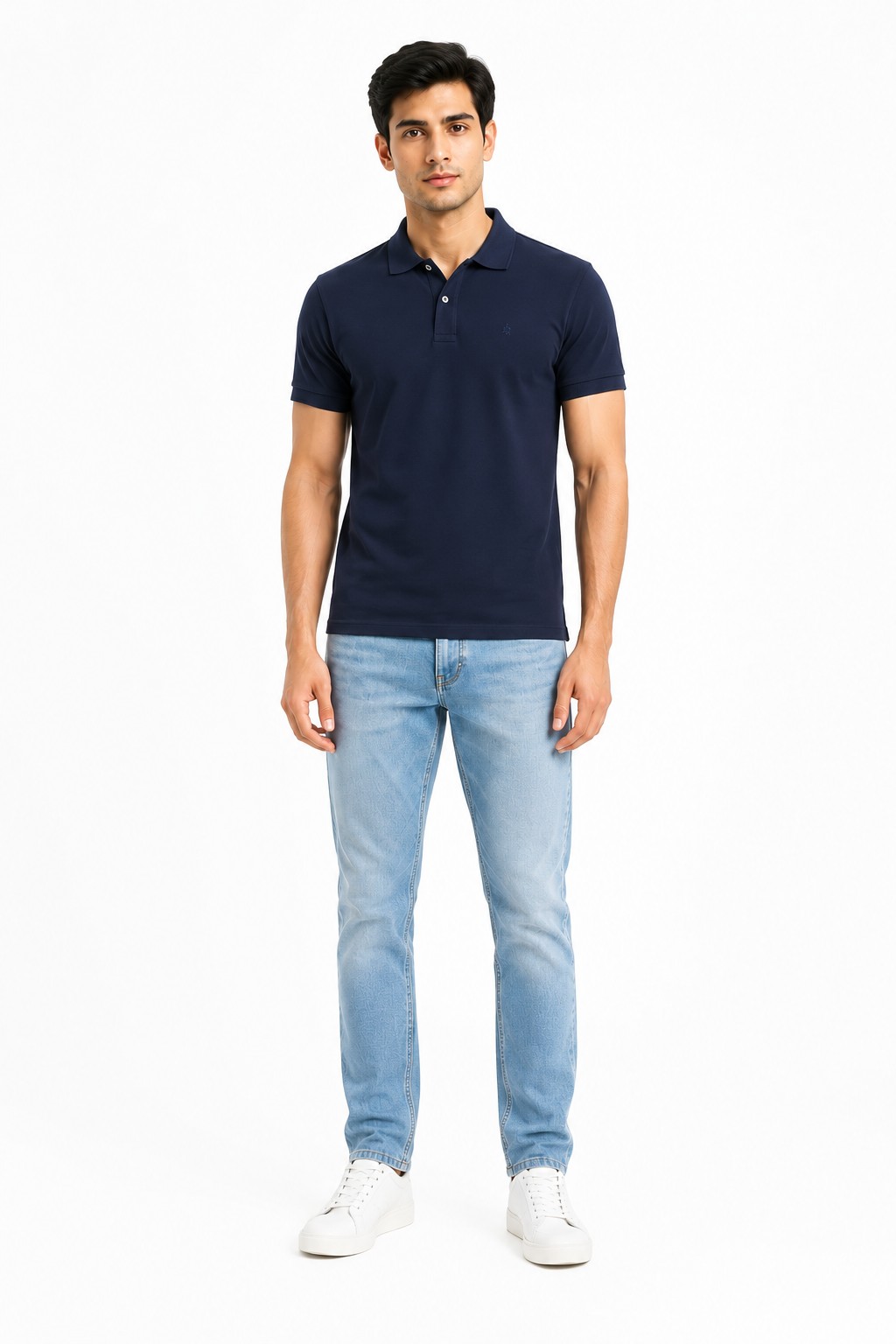
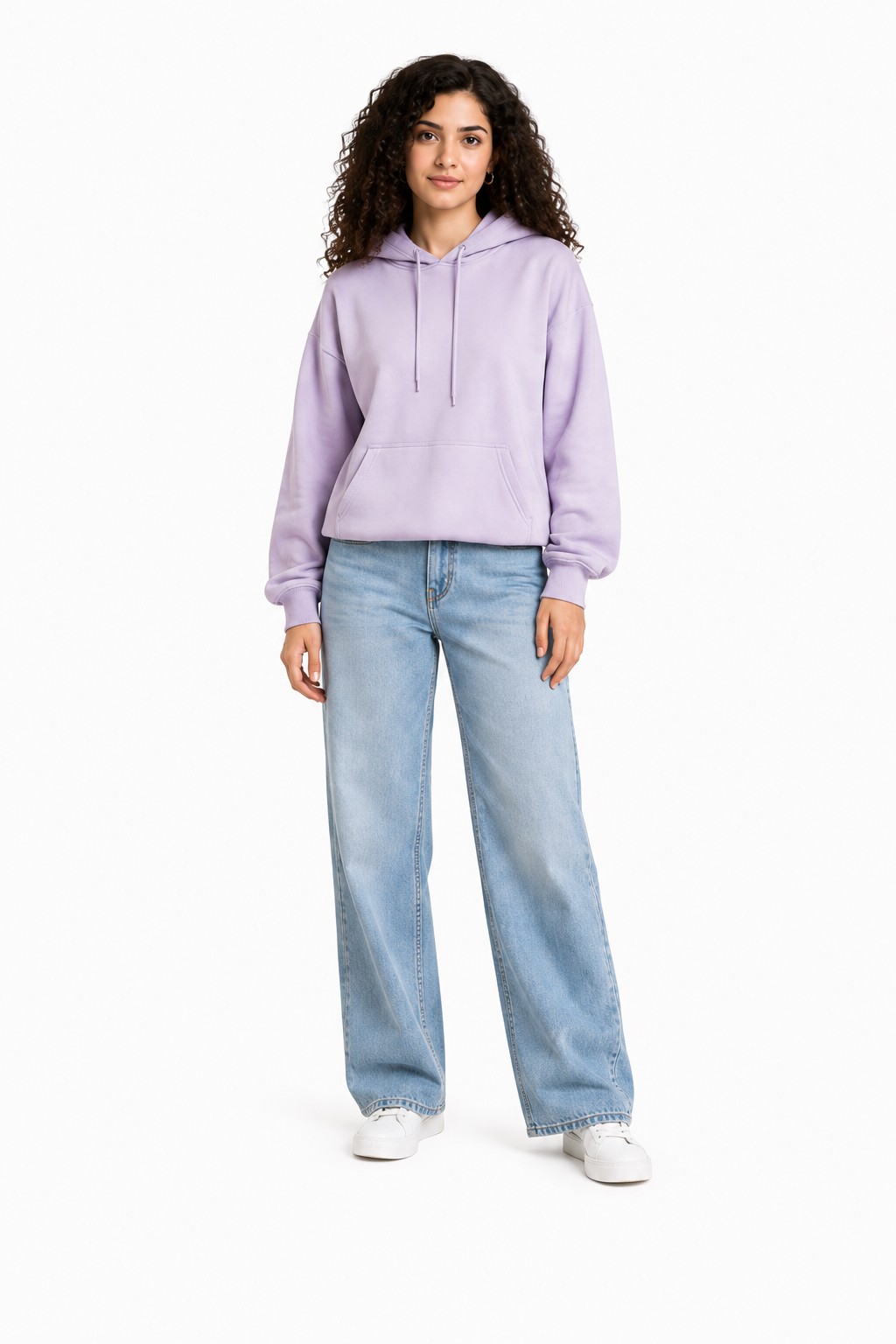
Two of the models from the CatalogX library. Pick one and reuse them across your whole closet, so every listing looks like it came from the same brand shoot.
Model library — men's casual
Model library — women's casual
Skin tones, body types and settings that match how your buyers actually shop — a men's straight fit and a women's mom jean can each get the model that sells them.
Reproduced from your photo; nothing invented, nothing smoothed
Fit & silhouette control
Whatever the sample looks like on the booked model
Defaults toward a generic tapered leg
Explicit fit + rise selection pins the leg line
Same model across the catalog
Only if you rebook the same person
Rarely controllable
Yes — one model, every listing
Works per-item for one-of-one vintage
Uneconomical below premium price points
Yes, but accuracy risk falls on you
Yes — built for exactly this
Best for
Brand campaigns, hero imagery, lookbooks
Quick social mockups where accuracy is low-stakes
Marketplace listings where the photo must match the item shipped
If you're a denim brand shooting a seasonal campaign, book the studio — nothing beats it for hero imagery. CatalogX is for the other 95% of images: every listing, every colorway, every one-off thrift find that will never justify a $300 session.
Built for Resale
Covershots that fit each marketplace's frame
Denim resale is a photo-format game as much as a photography game. The same generation exports to what each platform wants.
Poshmark — 3:4 portrait covershots
Since March 2026, Poshmark covershots display in 3:4 portrait — a gift for denim, because a full leg finally fits the frame without amputating the hem. CatalogX full-body outputs fill the portrait crop with the jeans, waistband to opening. More on the Poshmark seller page.
eBay — 1600px on the longest side
eBay wants at least 1600px on the longest side so zoom stays sharp — and zoom is where denim buyers inspect stitching and wear. CatalogX exports high-resolution on every plan, with 4K on Business. Details on the eBay seller page.
Depop & Amazon
Depop squares off at 1080×1080, where a centered full-body shot survives the crop. Amazon US adult apparel MAIN images must show the product on a standing human model — no mannequin, no flat-lay — at ~85% frame fill, 1600px+ on pure white. CatalogX output is built to those specs.
Accuracy is still your listing
Every marketplace's real rule is the same: the photo must represent the actual item shipped. Because CatalogX generates from your photo of your pair, the wash and condition shown are the ones sold — but the responsibility stays yours. Pair the on-model covershot with your real close-ups of tags, hardware and any flaws, and disclose AI use where a platform asks.
Thrifted a great pair this morning? It can be listed with an on-model covershot this afternoon — that's the whole pitch. New to shooting denim? Start with our jeans photography guide, then browse everything for US sellers on the CatalogX US home page.
No — CatalogX is built to reproduce the garment exactly as photographed. The fade across the thigh, the whiskering at the hip, the honeycombs behind the knee and every rip or repair stay where your photo shows them. Nothing is invented and nothing is smoothed away.
A flat-lay works best: lay the jeans flat, get the full leg in frame from waistband to hem, and shoot under even light so the camera records the true wash. Hanger shots and supplier catalog photos also work — tags and pins are removed automatically.
Yes — that is exactly the use case it is built for. One-of-one vintage pairs can't be re-shot from a stock library, so CatalogX generates the model photo from your photo of that specific pair, keeping its unique fading and distressing intact.
Since March 2026 Poshmark covershots display in 3:4 portrait, which suits full-leg denim shots far better than the old square crop. CatalogX outputs full-body portrait images that fill the 3:4 frame with the jeans, not with cropped-off hems.
Marketplace rules are about accuracy, not the camera: your photos must truthfully represent the actual item you ship. CatalogX generates the image from a photo of your real pair, so the wash and condition shown are the wash and condition sold. Accuracy remains your responsibility as the seller — always include your real photos alongside, and disclose AI use where a marketplace asks.
A US studio session runs $300+ before model fees, or $50–150 per finished image. CatalogX starts free with 5 credits and no card; paid plans run $9.99–$49.99 per month. A generation takes about 30 seconds.
Yes — pick one model and one background and reuse them on every listing, so your Poshmark closet or eBay store reads like one consistent brand instead of a patchwork of mismatched photos.
Yes. The model library includes 40+ male and female models across skin tones and body types, and the fit selection covers men's and women's cuts, from slim and straight through relaxed, wide-leg and mom fits.
That pair on your table could be listed tonight
Upload one flat photo, pick the fit and a model, and get a covershot that keeps the wash you're actually selling.
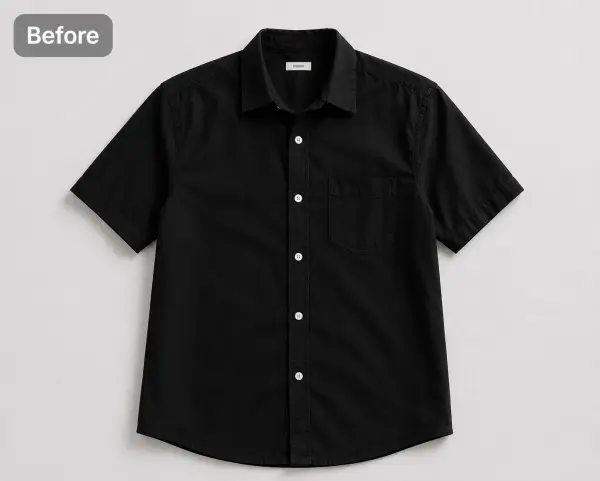 Before — flat photo
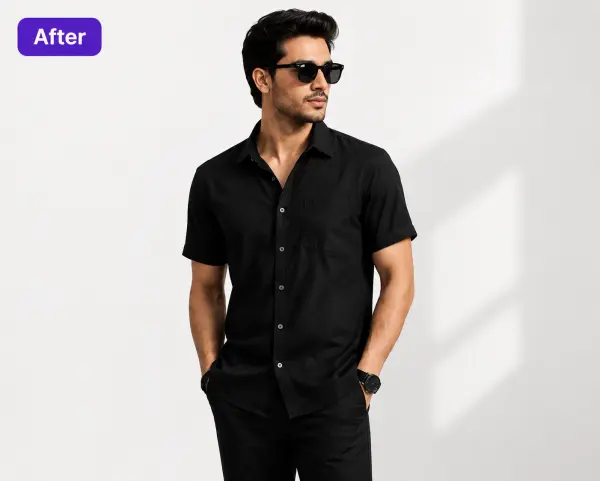 After — CatalogX