Outerwear on real models — hardware, panels and volume intact
A jacket is the hardest garment for AI try-on to get right: metal zips, snap plackets, contrast panels, patches, quilting, fill volume. CatalogX puts your photographed jacket on a model without redrawing any of it — one flat photo in, an on-model product shot out in about 30 seconds.
Sized for DepopSized for eBaySized for PoshmarkSized for Etsy
How It Works
Flat photo to on-model shot in three steps
No model booking, no studio day, no waiting for good light. The same flat-lay-to-model pipeline that handles our hardest garments handles your outerwear.
Upload the jacket photo
A flat-lay, a hanger shot, or your supplier's catalog photo. Shoot it zipped or open — the AI keeps the closure state you photographed, so decide how you want it worn before you shoot.
Pick a model & scene
40+ models across skin tones and body types, 50+ backgrounds — street, studio, editorial. Keep one model across a whole drop for a grid that reads like a lookbook.
Download marketplace-ready shots
About 30 seconds later you have a photorealistic on-model image you own outright — no watermarks, commercial use on every plan, sized to crop cleanly for Depop, eBay and Poshmark.
Real Output
The fidelity standard, shown on a real garment
Before — flat photo
After — CatalogX
To be upfront: this example pair is a black shirt, not a jacket — it's the real before/after we publish rather than a mocked-up one. The point it proves carries over: the garment on the model is the garment in the photo. Buttons where they were, collar as constructed, nothing invented. That same reproduce-don't-redraw approach is what protects a jacket's zips, patches and panels.
Why Outerwear Breaks Generic AI
The five ways AI try-on ruins a jacket
Generic try-on tools generate a plausible jacket rather than reproducing yours. On a plain tee you might not notice. On outerwear, the failures are exactly where buyers look.
Zippers, snaps and hardware redrawn or moved
Two-way zips become one-way, brass snaps turn silver, pocket zips migrate an inch, throat latches disappear. Hardware is the first thing a vintage buyer zooms in on — and the first thing a generative redraw gets wrong. CatalogX keeps every closure the style, finish and position your photo shows.
Patch and embroidery placement drifting
A chest patch slides toward the shoulder, a back embroidery shrinks, a sleeve flag flips sides. On band jackets, varsity pieces and branded streetwear, placement is the item. Your patches stay exactly where they're sewn.
Puffer volume deflated
Generic models "fit" the garment to the body, so a boxy down puffer comes back as a slim quilted liner — the silhouette that made it desirable is gone. CatalogX preserves baffle structure and fill volume, so a big jacket photographs big.
Leather texture plasticized
Grain, creasing and patina get smoothed into a vinyl-looking shell. For a moto jacket where the wear pattern is the selling point, that's a misrepresentation, not a photo. The surface texture in your photo is the surface texture on the model.
Collar style changed
A shearling collar becomes plain, a stand collar flops open, a hood evaporates. Collars define outerwear categories — swap the collar and you've listed a different jacket. CatalogX keeps the collar constructed the way it actually is.
Why CatalogX is different
CatalogX treats your photo as the source of truth and dresses the model in that garment. It's the same discipline we built for saree pleats and border continuity — the hardest fidelity problems in fashion AI — applied to hardware, panels and volume.
By Jacket Style
Denim to down — what fidelity means per style
Every outerwear category has one detail that makes or breaks the listing photo. Here's the one we protect for each.
Denim & trucker jackets
Wash and fade are the value. A stone-washed Type III with honeycomb fading has to keep that exact fade map, contrast stitching and button-front spacing — not come back in a generic mid-blue. Fading, whiskering and distressing reproduce as photographed, which is why denim resellers can list graded vintage with AI photos at all.
Leather & moto jackets
Asymmetric zips, lapel snaps, belted hems, quilted shoulder panels — moto jackets are all hardware and panel geometry. Add the texture problem (grain and patina must not smooth into plastic) and this is the style where generic tools fail hardest and CatalogX earns its keep.
Bombers
Ribbed collar, cuffs and hem set the silhouette; the sleeve zip pocket and reversible orange lining flash are the identity details on classic MA-1s. Ribbing stays ribbed, the pocket stays on the sleeve, and satin sheen reads as satin.
Puffers & down
Baffle count and loft are the listing. A 90s big-baffle puffer and a modern lightweight down jacket differ mostly in volume — flatten it and you've mislabeled the item. Volume is preserved on-body, so oversized reads oversized.
Workwear & chore coats
Triple-stitch seams, blanket lining peeking at the collar, patch-pocket layout, duck canvas texture — workwear buyers know the reference pieces stitch for stitch. The pocket map and seam work stay exactly where the factory put them.
For Brands & Seasonal Sellers
Shoot the fall drop in July
Outerwear sells on a calendar. Your photography shouldn't wait for one.
Photograph winter inventory before winter
Fall and winter listings need to be live by late summer — exactly when booking a coat shoot means sweating a model through wool and down in 90°F heat, or waiting for weather that matches the season. With CatalogX you photograph the jacket flat the day it arrives and have on-model shots the same afternoon, whatever the month.
One model across the whole drop
Pick one model and one scene, then run every colorway and style in the drop through them. The result is a product grid that looks like a single planned campaign — consistent face, consistent light — even when the pieces arrived across three months and two suppliers.
Drop economics that actually work
A US studio session runs $300+ before usage rights, or $50–150 per finished image. A 12-piece outerwear drop shot traditionally costs more than most drops gross in week one. CatalogX Pro is $19.99/month for 100 credits — the whole drop, front and detail shots included, for less than one studio image. See the full math in AI photoshoot vs studio cost.
Restocks and late additions keep pace
When a style sells out and the restock lands in a new colorway, its photo is 30 seconds away — same model, same scene, drop consistency intact. No reshoots, no orphan listings with mismatched photography.
Model Library
Models that match your buyer
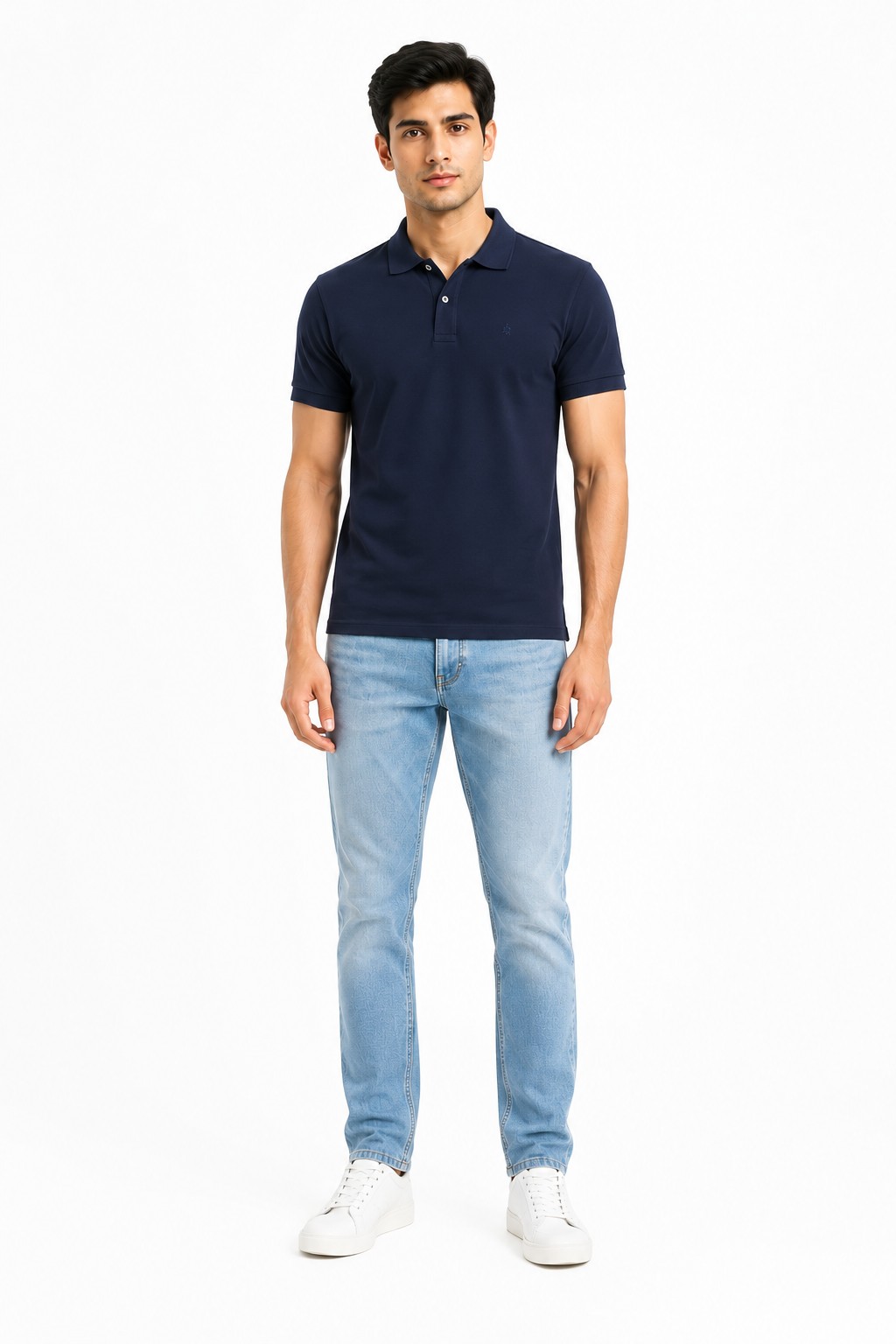
From the model library
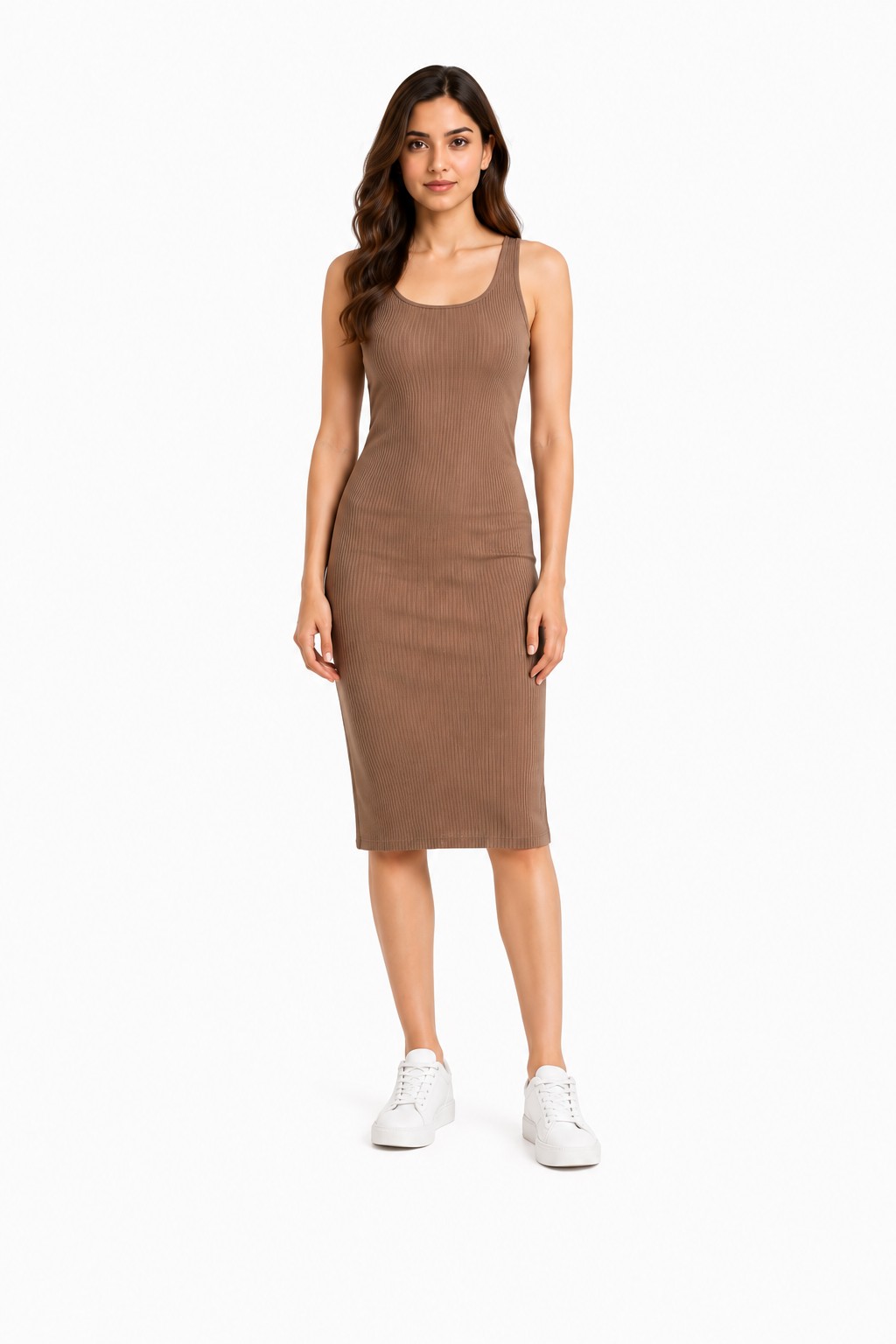
From the model library
Two of the 40+ models in the library. Streetwear pieces on a model who looks like a Depop buyer, heritage workwear on one who looks like an eBay collector — the model is a merchandising choice, and you make it per listing, not per photoshoot budget.
Compare Your Options
Photoshoot vs generic AI vs CatalogX
Studio photoshoot
Generic AI try-on
CatalogX
Cost per jacket
$50–150 per finished image; $300+ per session
Low
From free (5 credits); Starter $9.99/mo for 30 credits
Turnaround
Days to weeks — booking, shooting, retouching
Fast
~30 seconds per image
Hardware & patch fidelity
Perfect — it's a photo of the real jacket
Weak: zips, snaps and patches get redrawn or moved
Preserved as photographed
Puffer volume / leather texture
Perfect
Volume deflated, leather plasticized
Preserved as photographed
Same model across a drop
Only if you rebook the same model every time
Rarely controllable
Built in — pick once, reuse everywhere
Winter inventory in July
Uncomfortable or delayed
Yes
Yes — any season, any day
Honest note: for a hero campaign image, a great studio shoot is still the gold standard — that's a different job. For the twelfth listing of the week, the comparison above is the one that matters.
A Note for Resellers
Accuracy is the whole game in resale
Vintage and secondhand buyers zoom before they buy — and returns come from photos that flattered the item.
An on-model AI photo is only legitimate for resale if it shows the actual item, and that constraint is the reason CatalogX works the way it does: the model wears your photographed jacket, not a regenerated lookalike. Two practices keep your listings honest and your return rate down. First, keep your real close-up photos of any flaws — scuffed leather, a repaired seam, cuff wear — in the listing alongside the on-model shot; the AI image sells the silhouette, the close-ups disclose the condition. Second, disclose AI-generated imagery wherever a marketplace asks. Both Depop and eBay require that photos accurately represent the item for sale, and a faithful on-model render of your real garment meets that bar; an idealized redraw does not. Size-wise, one generation covers everything: Depop's 1080×1080 square, eBay's 1600px longest side, and Poshmark's 3:4 portrait covershot (the format since March 2026).
No — that failure is exactly what CatalogX is built to avoid. Generic AI try-on tools redraw the garment, which is how zips migrate, snaps multiply and pocket flaps vanish. CatalogX reproduces the jacket as photographed: hardware stays the same style, finish and position it has in your photo.
Yes. Baffle structure and fill volume are part of what the garment photo shows, so they are preserved rather than reinterpreted. A boxy 90s puffer stays boxy; it doesn't come back as a slim quilted liner.
Yes. Depop wants 1080×1080 squares, eBay wants at least 1600px on the longest side, and Poshmark covershots have been 3:4 portrait since March 2026. CatalogX output is high resolution on every plan (4K on Business), so one generation crops cleanly to all three.
It is, as long as the photo shows the actual item — which is the whole point of CatalogX's approach. The AI dresses a model in your photographed jacket rather than generating a lookalike. For used items, keep your real close-ups of any flaws or wear in the listing alongside the on-model shot, and disclose AI use where a marketplace asks.
A straight-on flat-lay or hanger shot in even light works best. Zip or button the jacket the way you want it worn in the final photo, keep the collar sitting naturally, and make sure distinctive details — patches, embroidery, hardware — are visible and not folded under.
You start with 5 free credits, no card required. Paid plans are Starter at $9.99/month for 30 credits, Pro at $19.99/month for 100 credits plus 4K output, and Business at $49.99/month for 260 credits plus API access. One-time packs at the same prices are also available. Compare that with a US studio photoshoot at $300+ per session, or $50–150 per finished image — full details on the pricing page.
Yes — pick one model from the library and reuse them for every piece in the drop. That gives a lookbook-consistent grid across colorways and styles, which is very hard to fake when your source photos were shot months apart.
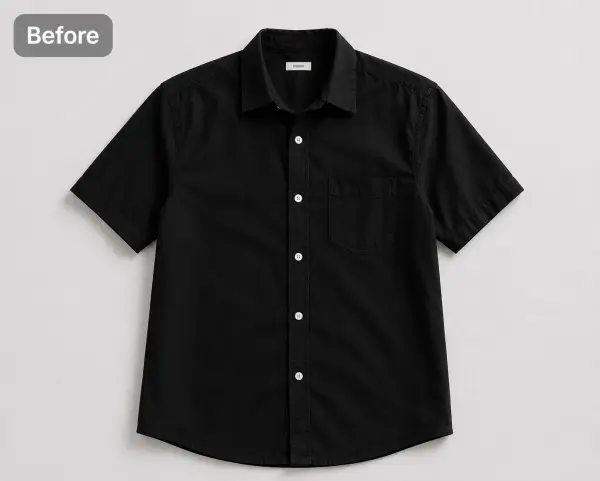 Before — flat photo
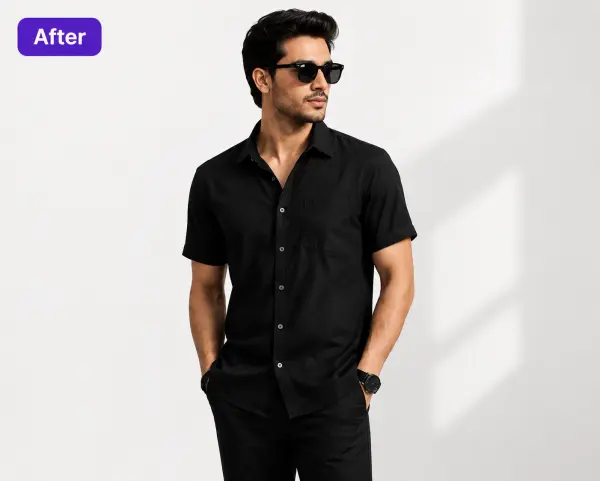 After — CatalogX