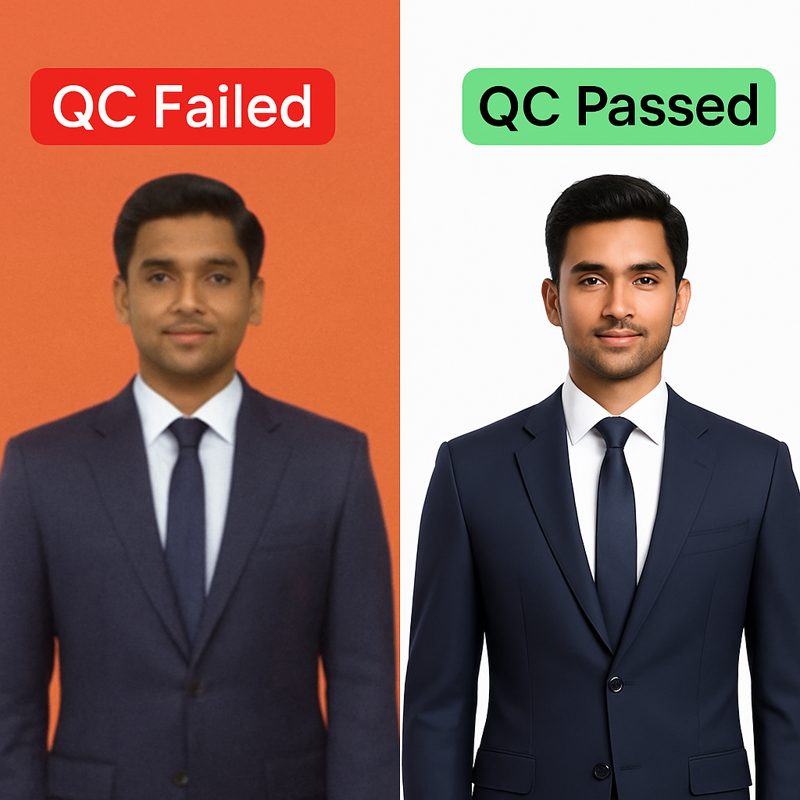
Flipkart's Big Billion Days 2026 opens to everyone on October 9, with 24-hour early access for Plus and VIP members from October 8 and early-bird deals already running since September 24. For a fashion seller that makes the real deadline early October, not the sale date: new listings and image changes still have to clear Flipkart's catalog QC, and QC queues slow down in the crush before a headline sale. The work that moves the needle in the remaining window is images — Flipkart requires a minimum of 2048px on the shortest side, a preferred 1:1.2 portrait ratio, a pure white background on the main image and the product filling 80% or more of the frame — and festive colourways listed as separate, properly photographed SKUs.
The deadline is not October 9
Work the calendar backwards. The sale opens October 9. Early access runs from October 8, and by then your listings are either live and QC-passed or invisible. A new catalog or an image replacement does not go live the moment you upload it — it goes into Flipkart's quality-check queue, and in the days before a headline sale that queue is carrying every other seller's last-minute uploads too.
That gives a fashion seller three practical deadlines:
- By September 30: decide the festive assortment. Which SKUs get festive treatment, which colourways get their own listings, what gets retired. No photography decision survives an undecided assortment.
- By October 2–3: all images finished and uploaded. This leaves QC the better part of a week to pass, reject and re-pass the stragglers.
- By October 7: every rejection fixed and resubmitted. A listing still stuck in QC on October 8 has missed the early-access window that sets the sale's velocity.
Flipkart's image requirements, exactly
QC rejections at sale time are almost never about photographic quality. They are about specs. These are Flipkart's requirements for fashion listings:
| Requirement | Flipkart fashion spec |
|---|---|
| Minimum resolution | 2048px on the shortest side — required for zoom |
| Aspect ratio | 1:1.2 portrait preferred |
| Main image background | Pure white |
| Product fill | 80% or more of the frame |
| Format | JPG or PNG |
Two failure modes dominate at sale time. Resolution: a photo that looked fine in the app is 1200px and fails the zoom requirement. Background: the main image was shot on a beige bedsheet, not white. Both are fixable without a reshoot — our Flipkart QC rejection guide walks through every rejection reason and its fix, and the Flipkart export preset resizes and formats automatically to the specs above.
Festive colourways are separate SKUs — treat them that way
Festive demand is colour demand. The same kurta sells in October because it now comes in rani pink, deep maroon and gold — and each of those is a separate listing that needs its own images. This is where sale prep quietly triples the photography workload: 50 styles times three festive colourways is 150 listings' worth of images.
Paying for a photoshoot per colourway is paying three times to photograph one garment. The arithmetic in our India catalog cost breakdown puts a mid-market on-model shoot at roughly ₹2,880 per SKU — at three colourways per style, the festive refresh of a 50-style catalog prices out near ₹4,30,000 before logistics.
The alternative: photograph each style once, generate the colourways. CatalogX's Color Variants produces the other colours from a single garment photo, and because every variant is generated from the same source image, the model, pose and framing stay identical across the colour row — which is exactly how the big-brand listings buyers compare you against look.
The 100-SKU problem: volume without a studio
A sale catalog is a volume problem. The bottleneck is not any single image — it is that there are four hundred of them and thirteen days.
The workflow that survives this at scale:
- Shoot flat, once. A phone photo of each garment, laid flat or on a hanger, in daylight. 40–80 SKUs a day is realistic because nothing is being dressed on a person.
- Generate the on-model shots in bulk. Bulk Generate runs up to 20 garments against one model in a single run — and every output keeps your own filename, so KRT-1043-maroon.jpg comes back as the model shot for KRT-1043, not as generated_0017.jpg to be re-matched by eye.
- Keep the sale catalog in one bucket. A Project per sale ("BBD 2026") holds every generation, filters the gallery, and exports as one ZIP with a manifest.csv listing every SKU–image pairing.
- Export in Flipkart's specs. The Flipkart preset in Marketplace Export handles the 2048px/portrait/white-background formatting — and Marketplace Export is free on every plan, including the free tier.
What still deserves a real photographer
This is a CatalogX article, so the honest version: not everything in a festive catalog should be generated.
- The hero pieces. If a heavily embellished lehenga is your banner product and your ad creative, that one garment justifies real photography. Shoot the five heroes properly; generate the long tail.
- Garments whose selling point is movement. A shot of chiffon mid-twirl is genuinely hard to fake well.
- Anything already photographed. Continuing SKUs with QC-passed images need nothing. Sale prep is about the gap, not a re-do.
And one thing that should never block the sale: if an image is rejected on October 7, fix the spec, not the shot. A resize or background fix resubmits in minutes; a reshoot does not.
The checklist
Printable version of everything above:
- ☐ Festive assortment decided — styles, colourways, retirements (by Sep 30)
- ☐ Flat photos of every new SKU shot (2–3 days, phone + daylight)
- ☐ On-model images generated, colourways included (by Oct 2)
- ☐ Every image ≥2048px shortest side, white main background, 80%+ fill
- ☐ Uploaded and in QC (by Oct 3)
- ☐ Rejections fixed and resubmitted (by Oct 7)
- ☐ Prices, stock counts and sale participation confirmed in Seller Hub
- ☐ Early-access morning of Oct 8: spot-check that listings render live
If Amazon is also on your list, the Great Indian Festival runs the same window — its image rules differ in exactly the ways that cause cross-posting rejections.
Frequently asked questions
October 9, 2026 for all users, with 24-hour early access for Flipkart Plus and VIP members from October 8. Early-bird pre-sale deals have been running since September 24. Dates verified 26 September 2026.
Minimum 2048px on the shortest side, a preferred 1:1.2 portrait aspect ratio, pure white background on the main image, JPG or PNG format, and the product filling 80% or more of the frame. Failing any of these is the usual reason a catalog sits in QC rejection during sale prep.
Technically until the sale itself; practically, images should be uploaded by October 2–3. New listings and image changes must clear catalog QC, queues slow before a headline sale, and a listing still in QC on October 8 misses early access.
Yes — each colourway is its own listing with its own image set. Shooting each colour separately is the expensive route; generating colour variants from one photographed garment keeps the model, pose and framing identical across the colour row at a fraction of the cost.
Flipkart's requirements are technical — resolution, ratio, background, fill — and do not prohibit AI-generated imagery that accurately represents the product. The full policy picture across Indian marketplaces is in our AI model photo policy guide.
Yes, and the constraint is workflow, not generation speed. Flat-photograph 40–80 SKUs a day on a phone, bulk-generate on-model shots 20 garments at a run with SKU filenames preserved, and export through the Flipkart preset. The photography is days; the generation is hours.