AI model photoshoot for clothes, from one flat photo
Photograph your kurti, saree or shirt on the floor, a hanger or a mannequin. CatalogX puts it on a photorealistic Indian model in about 30 seconds, keeps the print, colour and length you photographed, and sizes the result for Meesho, Flipkart, Myntra, Amazon and AJIO.
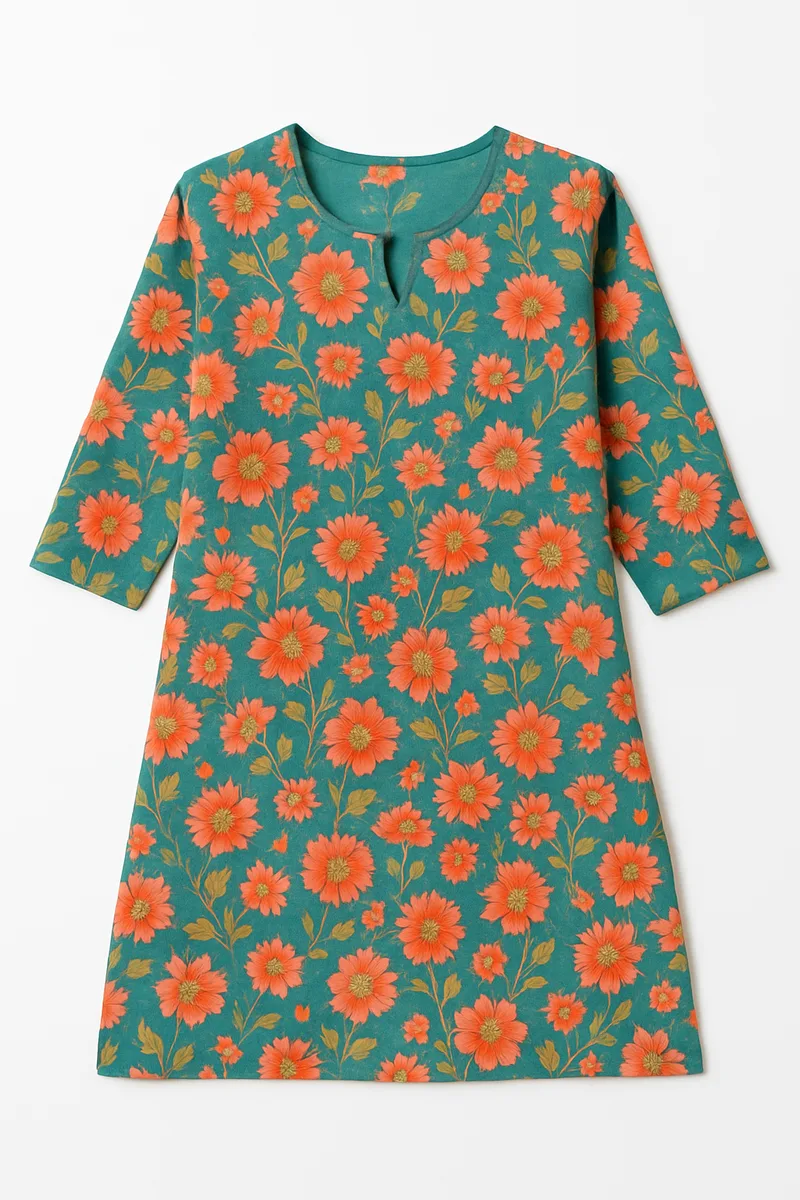
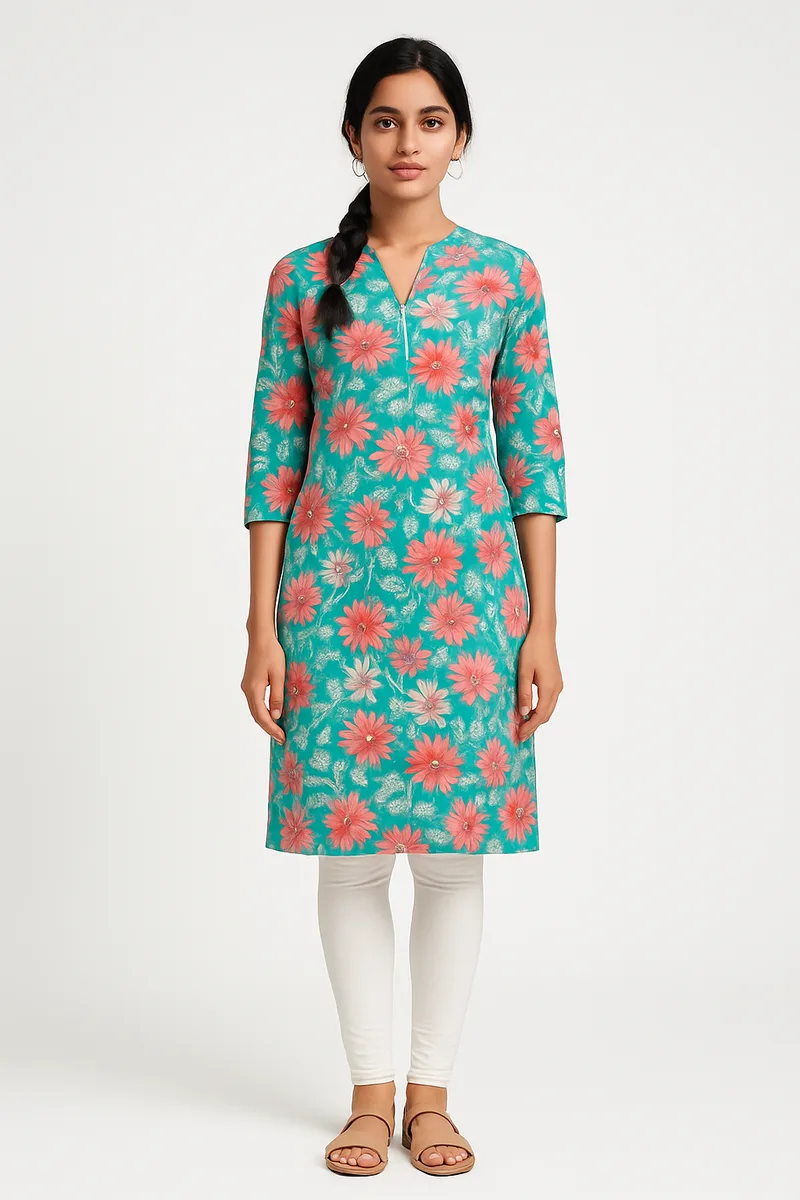
A real CatalogX input and output. The flower print, the zip neckline and the knee length all come from the flat photo.
5 free photos, no card~30 seconds a photo129 AI modelsFull commercial rights
At a glance
What you get from an AI model photoshoot
Input: one clear phone photo of the garment, flat-lay, on a hanger or on a mannequin. Add a back photo if you want a back view.
Output: an on-model photo on an Indian or international model, in a studio, outdoor or festive scene, in HD (2K on Pro, 4K on Business).
Garments: kurtis and kurta sets, sarees, lehengas, salwar suits, co-ords, dresses, western tops, menswear and kidswear.
Cost: 1 credit per HD photo. Plans run from ₹299 for 15 photos to ₹3,000 for 200, about ₹14–20 a photo, and from ₹12 on volume plans.
Listing-ready: a free Listing Pack resizes every photo for 17 marketplaces, including all five below.
The basics
What is an AI model photoshoot?
An AI model photoshoot replaces the studio day: no model booking, no photographer, no hired location. You give the software a photo of your garment, choose a model, a background and a pose, and it generates a photo of that model wearing that garment. For an online clothing seller in India, that is the difference between listing a flat-lay that buyers scroll past and listing the on-model photo that Myntra and Amazon expect for most fashion categories.
The phrase covers two very different kinds of tool, and the difference decides whether the photos are usable. Template mockup tools print a design onto a stock photo of someone else's blank garment. That works for a t-shirt graphic, but it cannot show a block-printed kurti or a zari border, because the garment in the photo is not yours. Garment-to-model tools like CatalogX start from a photo of your actual garment and build the model photo around it. The print, colour, neckline and length on the model come from your photo, which is what keeps the listing honest and returns down.
CatalogX is built for the second kind, and for Indian catalogs in particular: sarees, dupattas, lehenga flare and kurti length are the cases most general-purpose try-on tools get wrong, so they are handled as their own garment types rather than as "a dress".
The workflow
Flat photo to model photo in five steps
Photograph the garment
Lay it flat on a plain sheet, or hang it, in daylight. Fill the frame, keep the whole garment in shot and avoid folds over the print. For a saree, spread the body, both borders and the pallu in one frame and add close-ups. Our saree upload guide shows exactly how.
Upload and let it check
Before you spend a credit, the photo is checked for the common problems, such as blur, a cropped hem or a background that hides the edges. The garment is measured so its length is held on the model.
Pick the model, scene and pose
Choose from 129 AI models, Indian and international, women, men, teens, kids and plus size, or upload your own model on Pro. Pick a studio, outdoor or festive background and a pose, or copy a pose from a reference photo.
Generate and review
Each photo takes about 30 seconds. An AI reviewer compares the result with your original, and on Pro and Business, Quality mode re-shoots a photo that drifted, free. Run up to 20 garments in one batch.
Export for your marketplace
Download in HD, or make a Listing Pack: each image sized to the marketplace's canvas, with its upload sheet and a written title, bullets and description. Background removal and marketplace export never use credits.
Garment coverage
What it can shoot, garment by garment
Each garment type fails in its own way. This is what we hold on to for each one, with real inputs and outputs from the app.
Kurtis and kurta sets
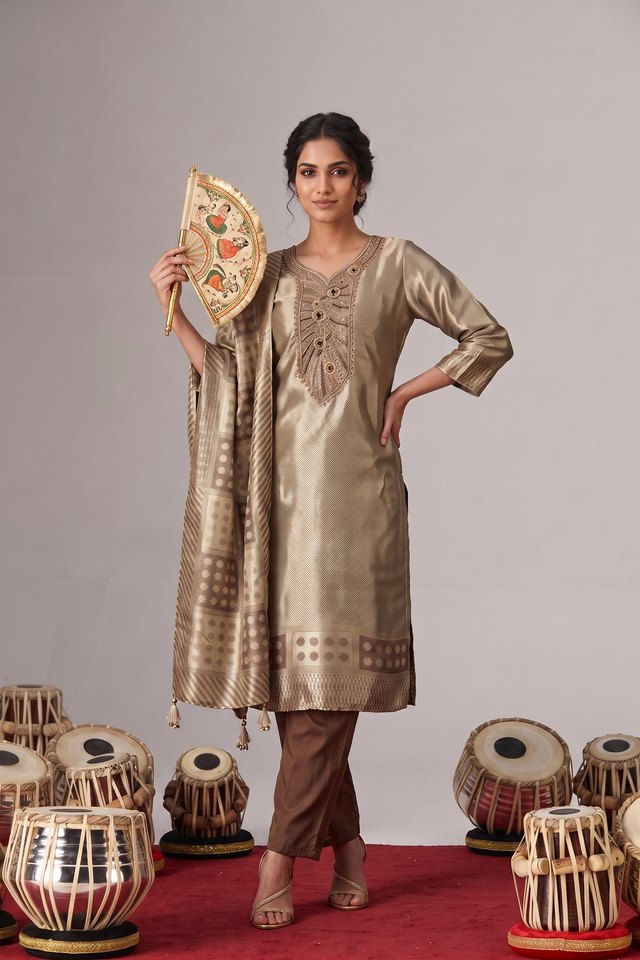
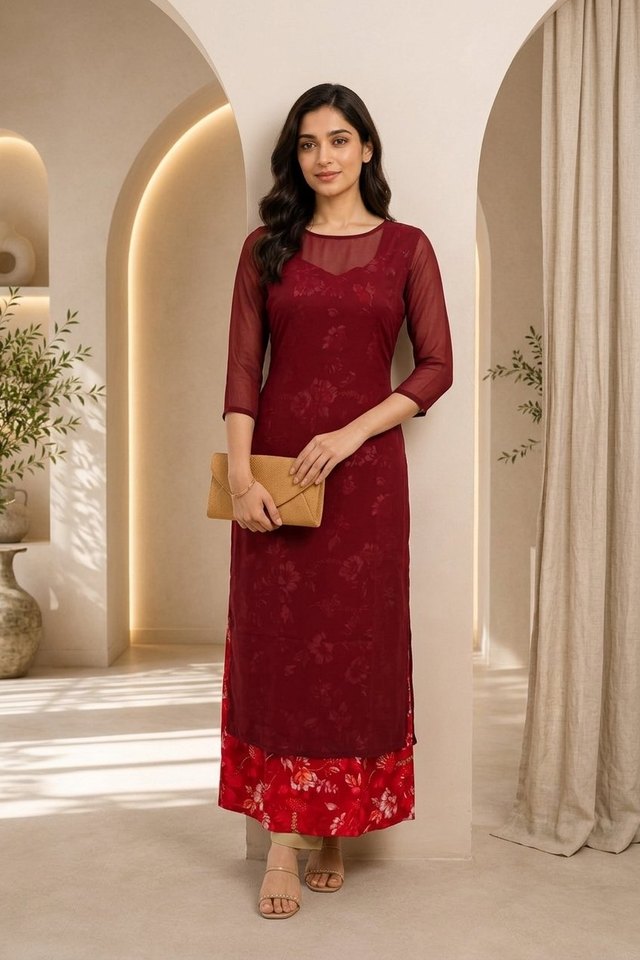
Straight, A-line, anarkali and high-low cuts fall the way that cut falls, and the hem lands at the length you photographed, measured in inches before the photo is drawn. Kurta sets keep the bottom and dupatta as separate pieces. Kurti photography guide →
Sarees
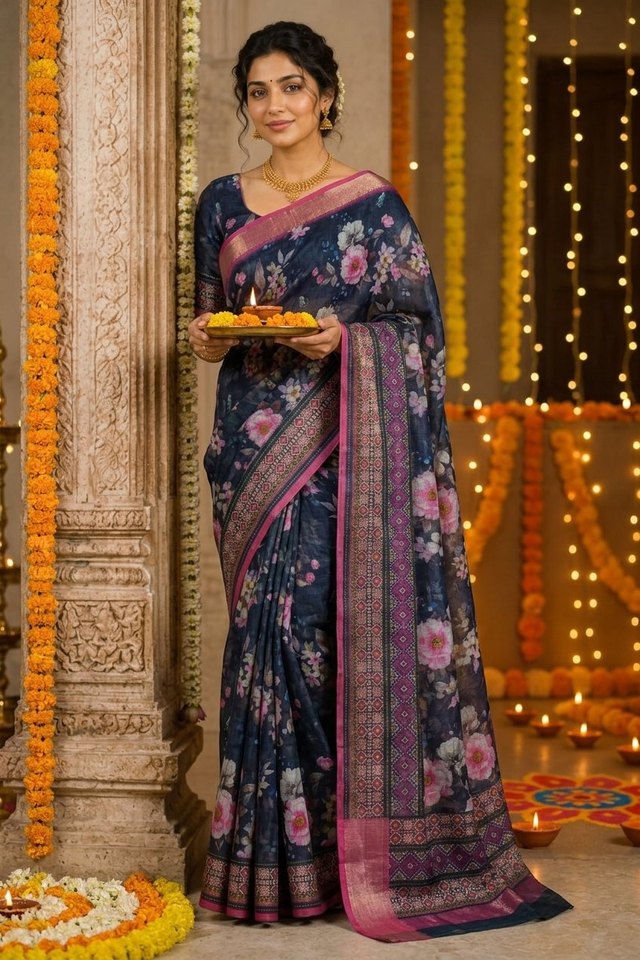
Pleats, waist tuck and pallu fall are rendered as a drape, and the border stays on the border. Give it the pallu and blouse piece as separate photos; it will not invent a pallu it has never seen. Saree photography guide →
Lehengas
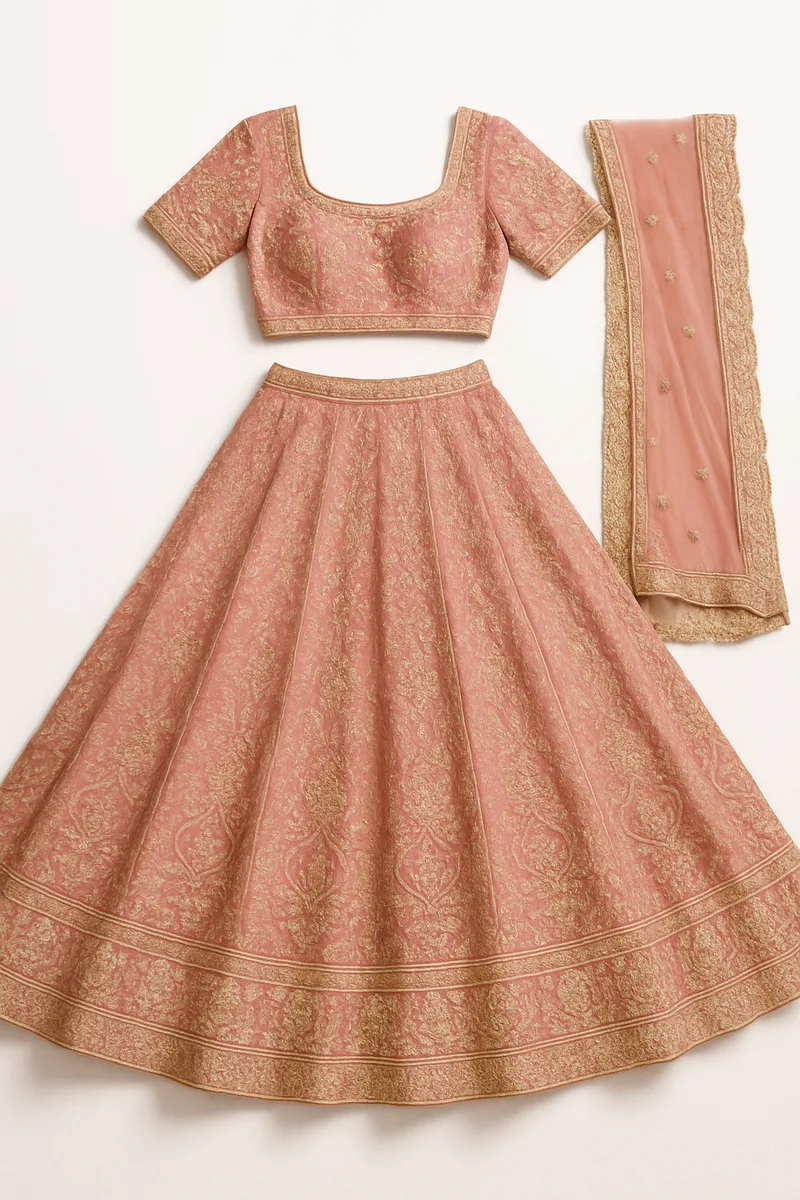
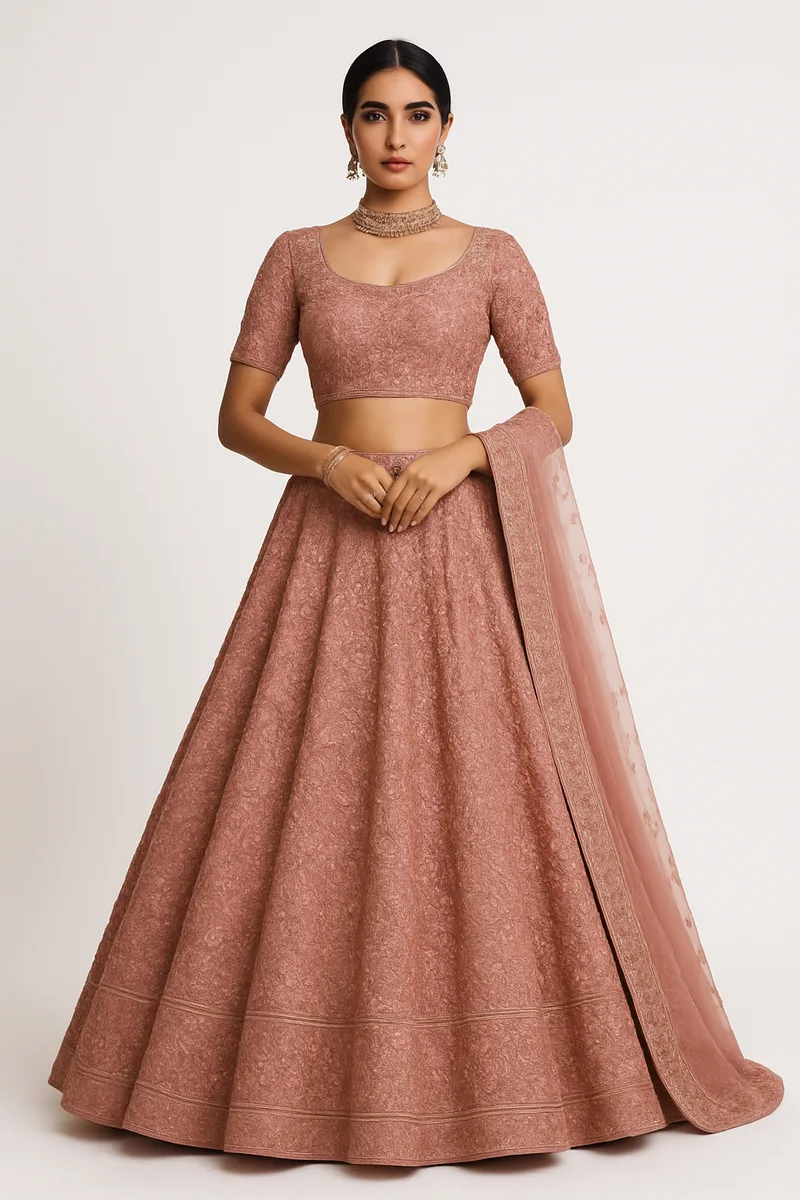
Full skirt flare, choli fit and a dupatta that hangs like separate cloth, with embroidery kept where it was stitched. Lehenga photography guide →
Co-ords and western wear
Two-piece sets are worn as a matched outfit; dresses, tops, jeans and t-shirts work from a flat-lay or hanger photo, and a back photo gives you the back view.
Menswear
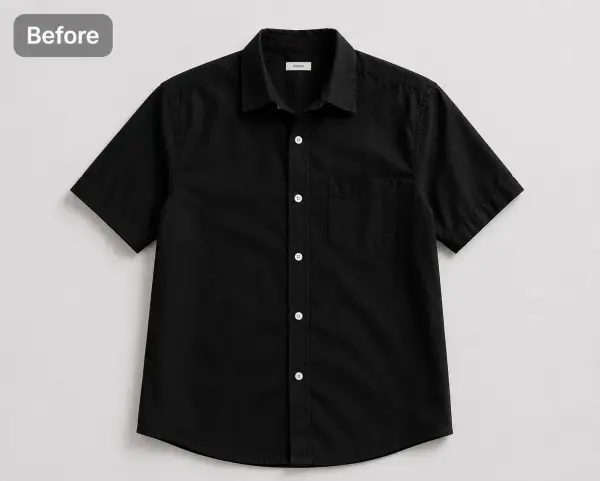
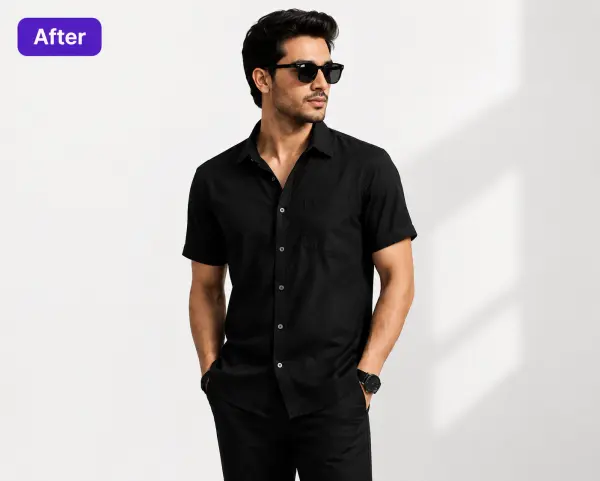
Shirts, t-shirts, kurtas, kurta-pyjama and sherwanis on Indian and international male models, with shoulder width and tailoring kept. Men's kurta guide →
Kidswear
The library has dedicated girl and boy models in a separate kids age tier, so a frock or a kids' kurta set is shown on a child of the right age, not on a teenager.
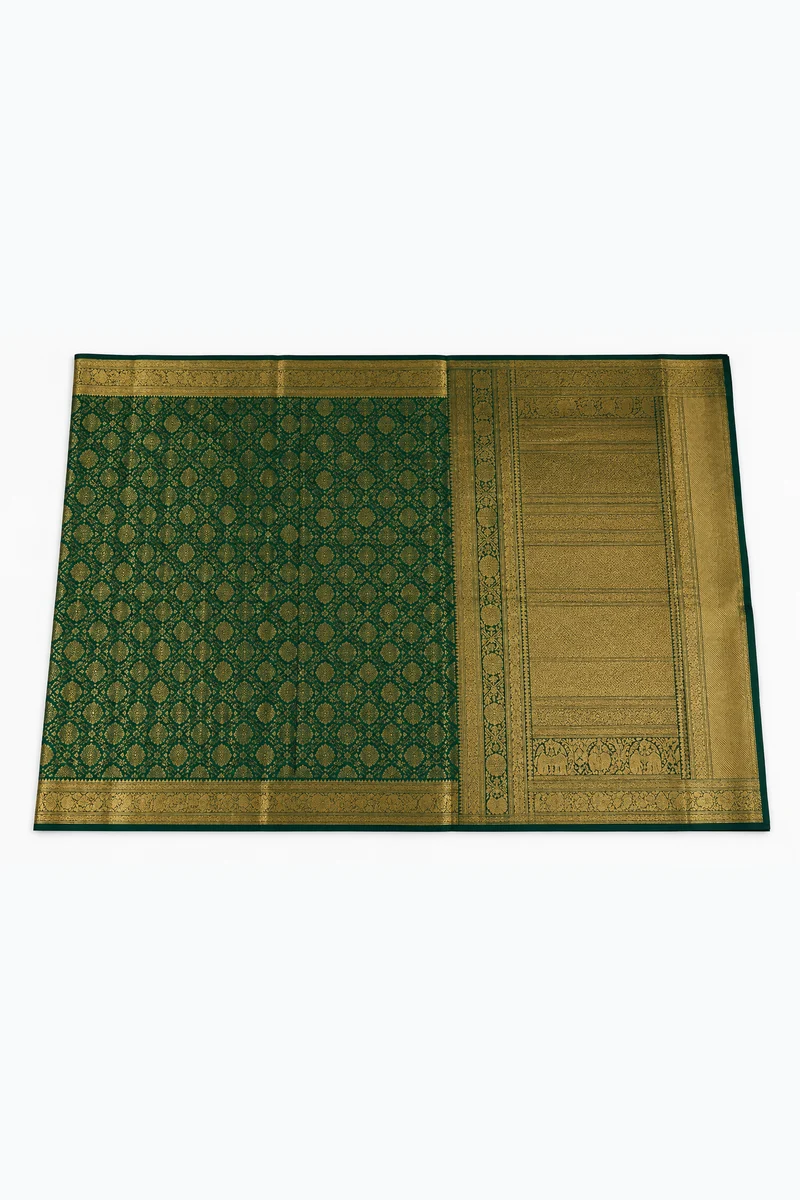
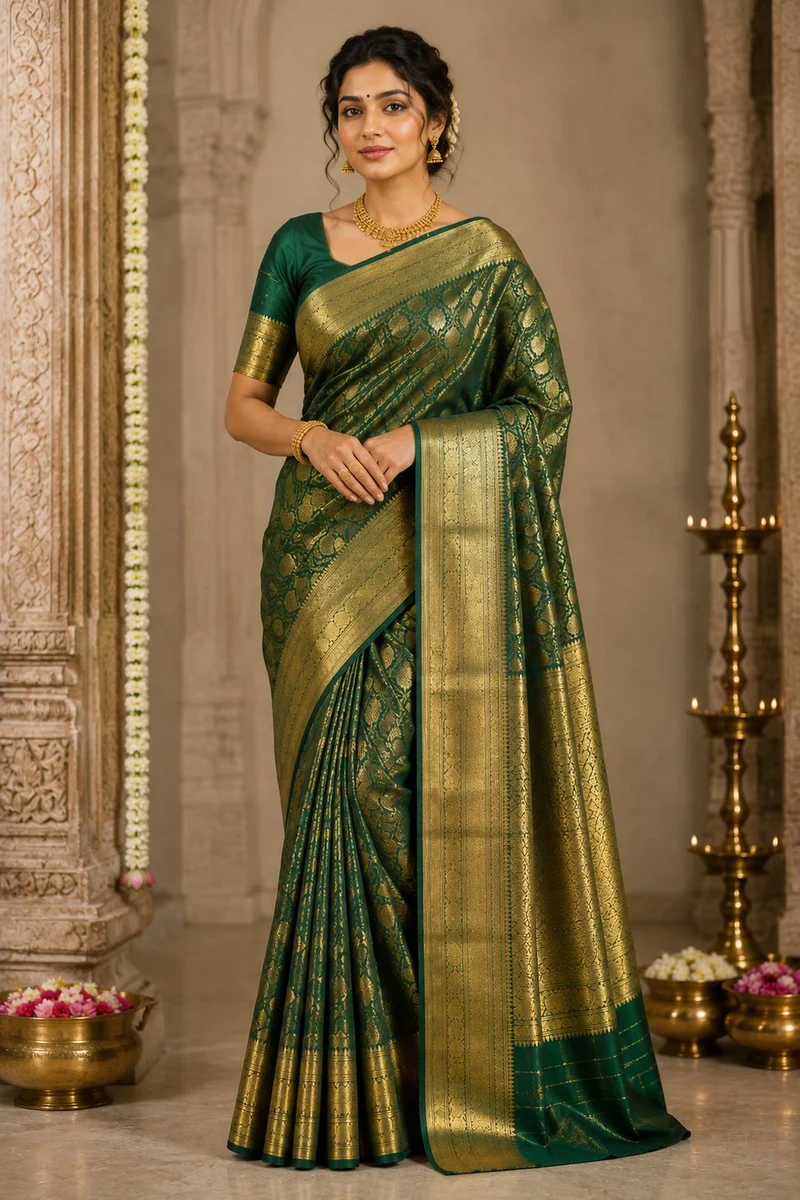
Saree: flat photo in, draped photo out
Lehenga: flare and dupatta from a flat-lay
Menswear: shirt from a flat-lay
Kurta set, silkSaree, festive sceneKurti, layered
Marketplace rules
Image rules for Indian marketplaces
What each marketplace asks for on fashion listings, as covered in our marketplace guides. The Listing Pack applies these for you.
No text or logos; wrong ratios crop hems and dupattas
The practical consequence: shoot once, in portrait, with the full garment in frame, and export per marketplace rather than cropping by hand. A 3:4 photo cropped to a square for Amazon loses the hem; a square photo padded to 3:4 for Myntra looks small in the grid. The Listing Pack works from the full render each time. If an image has already been rejected, our Flipkart QC fix guide and marketplace image sizes cheat sheet cover the usual reasons.
Pricing
What an AI model photoshoot costs in India
One credit is one HD model photo. 2K uses 2 credits and 4K uses 4. Unused credits roll over.
Plan
Price
Photos a month
Good for
Free
₹0
5, once, no card
Testing your hardest garment first
Starter
₹299/mo
15
A solo seller adding a few listings a week
Pro
₹849/mo
50
2K output, your own model, Quality mode, product video
Business
₹3,000/mo
200
4K output, API access, 8 photos at once
Agency
₹10,000/mo
700
Studios shooting for several brands
Volume
From ₹12 a photo
1,000+
Labels and exporters, agreed on a call
Every plan can also be bought once, for a month, without a subscription. For comparison, a 40-piece studio catalog shoot in India typically runs ₹40,000–₹1,20,000 once studio, model, stylist and retouching are paid, and takes around three weeks. The bigger saving is on change: a rejected image or a new colourway is one credit, not a reshoot. Full plan comparison →
Honest limits
What it won't do
It will not redesign your garment. Colour, print, hem length and drape come from your photo and are held as constraints, so it cannot show what it has not seen: no back view without a back photo, no pallu without a pallu photo. A blurry, dark or cropped input gives a worse result, which is why the photo is checked before you spend. There is no human retouch desk; the AI reviewer flags a photo that misses, and you regenerate it in seconds.
Questions
AI model photoshoot FAQ
It is a photo of a model wearing your garment, generated by AI from a plain photo of the garment itself. You upload a flat-lay, hanger or mannequin photo, choose a model, background and pose, and get an on-model catalog photo in about 30 seconds, with no studio, photographer or model booking.
On CatalogX one HD model photo is one credit. Starter is ₹299 a month for 15 photos, Pro ₹849 for 50, Business ₹3,000 for 200 and Agency ₹10,000 for 700, which works out to about ₹14–20 a photo; volume plans of 1,000+ photos a month are ₹12. 2K uses 2 credits and 4K uses 4. Your first 5 photos are free, with no card.
It is built not to. The print, colour, neckline and hem length on the model come from your photo and are held as constraints; the garment is measured before the photo is drawn, and an AI reviewer compares every result with your original. If a photo drifts, regenerate it, or let Quality mode re-shoot it free on Pro and Business.
Yes, provided the image accurately represents the garment the buyer receives. The rule on every Indian marketplace is accuracy, not how the photo was made. Because CatalogX keeps your real print and cut, the photo shows the product you ship. Each marketplace's size and background rules are applied by the Listing Pack.
No. A phone photo in daylight is enough if the whole garment is in frame, flat or hanging, without folds across the print. Avoid dark rooms and busy backgrounds. For sarees, spread the body, borders and pallu in one frame and add close-ups of the border, pallu and blouse piece.
Yes. Pick one model from the library and reuse her or him for every product, or on Pro and above upload your own model and backgrounds, so a 50-piece collection looks like one shoot.
Yes. The library includes Indian and international male models for shirts, t-shirts, kurtas and sherwanis, and dedicated girl and boy models in a separate kids age tier, so kidswear is shown on a child of the right age.
Yes, on every plan including the free one. There are no watermarks and no per-image licence, so you can use the photos on marketplaces, your own store, Instagram, ads and print.