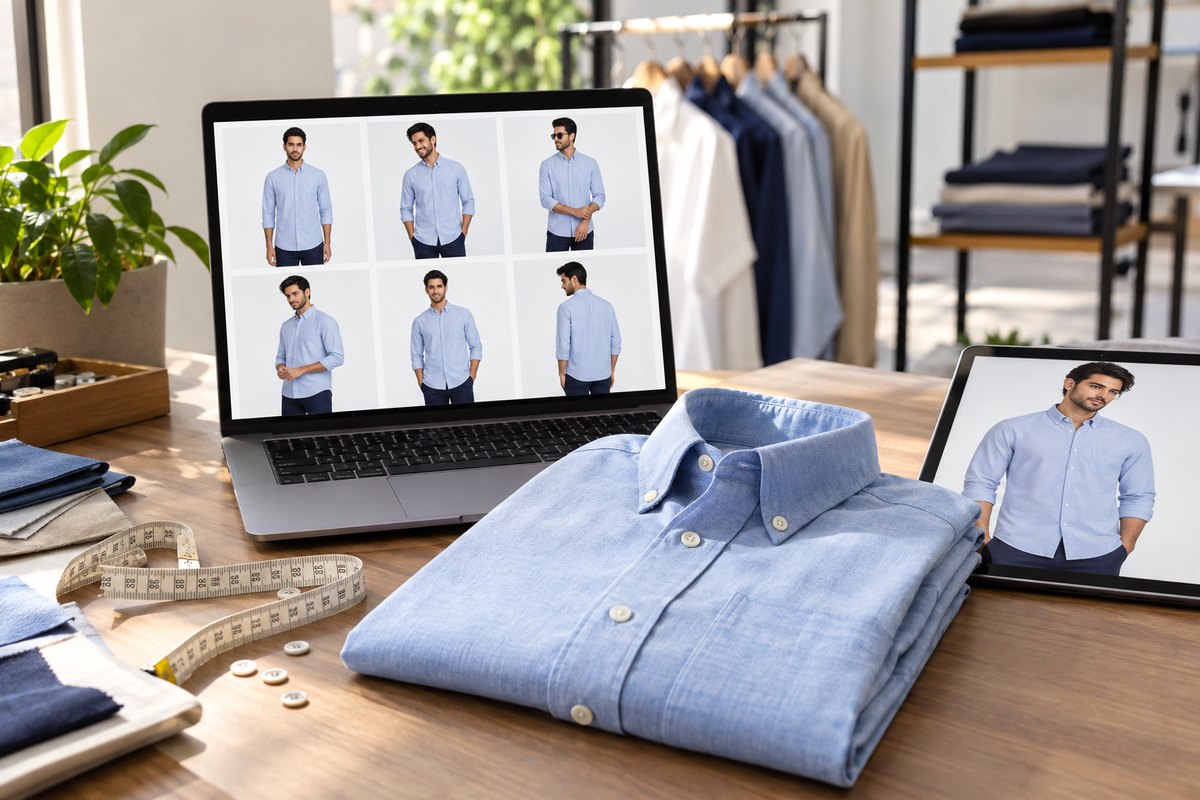
Shirt sellers ask a narrower question than the general "which mockup tool is best" crowd. They already know they need images. What they want to know is whether a given tool will render a spread collar as a spread collar, keep the button placket straight down the centre front, and stop the cuff from melting into the wrist.
Why Shirts Break Mockup Tools
A graphic tee is forgiving. It is a single tube of jersey with one flat print area, which is exactly the shape that template compositing was invented for. A shirt is not forgiving. It carries hard structure in four places, and a buyer scanning a listing grid reads all four in about half a second.
- The collar. Spread, button-down, cutaway, mandarin and Nehru collars all sit differently against the neck. A tool that fixes the collar in its template cannot show yours.
- The placket. A concealed placket, a French front and a standard box placket read as three different price points. Compositing tends to erase the difference.
- The cuff and sleeve. Barrel versus double cuff, roll-up versus full-length, half sleeve versus full sleeve. Returns on shirts are driven heavily by sleeve expectation.
- The drape and fabric weight. Slub cotton, linen, poplin and rayon fall differently across the chest. Templates render whatever the original photograph was shot in.
This is why the two categories of tool below are not interchangeable for shirts even though they are often listed side by side. One category shows a design on a shirt. The other shows your shirt.
The Full Comparison
Seven options, scored on the dimensions a shirt seller actually weighs. Scroll the table sideways on a phone. Everything here reflects the state of these tools as of August 2026; features and plans move, so treat the vendor's own site as the final word.
| Dimension | CatalogX | Placeit | Mockey | Canva Mockups | Photoroom | Botika | PSD smart-object packs |
|---|---|---|---|---|---|---|---|
| Core method | Generative AI try-on | Template compositing | Template compositing plus AI extras | Template compositing inside a design suite | AI cutout and scene generation | AI fashion image generation | Manual layer compositing |
| What you upload | A photo of the real shirt | A flat design file | A flat design file | A flat design file | A product photo | A garment or mannequin photo | A design file or product cutout |
| On-model output | Yes, newly generated | Yes, from pre-shot templates | Yes, from pre-shot templates | Yes, from pre-shot templates | Not a core capability | Yes, newly generated | Only if the PSD includes a model |
| Flat, hanger or folded mockup | Input format, not output | Yes | Yes | Yes | Yes, with generated backdrops | Limited | Yes, widest variety |
| Collar, placket and cuff fidelity | Follows your garment | Fixed by the template | Fixed by the template | Fixed by the template | Preserved from your photo | Follows your garment | Fixed by the PSD |
| Indian ethnic shirt styles | Yes, including mandarin and Nehru collars, kurta shirts, pathani | Rare in the catalogue | Rare in the catalogue | Rare in the catalogue | Neutral, it edits whatever you shoot | Oriented to western apparel | Depends entirely on the pack you buy |
| Western shirt coverage | Yes | Extensive | Extensive | Broad | Neutral | Yes | Extensive |
| Model diversity and pose control | Choose model and pose per generation | Whatever the template was shot with | Whatever the template was shot with | Whatever the template was shot with | Not applicable | Model selection available | Not applicable |
| Bulk or batch runs | Built for catalogue-scale runs | One mockup at a time | One mockup at a time | One mockup at a time | Batch editing available | Batch-oriented for brands | Scriptable in Photoshop, manual otherwise |
| Output resolution | Listing-grade, with HD upscale | Fixed to template resolution | Varies; check against marketplace minimums | Depends on plan and template | High, tied to your source photo | Listing-grade | As high as the PSD allows |
| Marketplace crop presets | Amazon, Flipkart, Myntra, Meesho and more | Generic social sizes | Generic social sizes | Generic social and print sizes | Generic e-commerce sizes | Aimed at western storefronts | Manual canvas setup |
| Background removal included | Yes | No | Yes | Yes, within the suite | Yes, it is the core product | Handled by the generation step | Manual masking |
| Learning curve | Low | Low | Low | Low | Low | Low to medium | High, Photoshop skills required |
Two Families of Tools
Read the table above and a split appears. Placeit, Mockey, Canva Mockups and PSD packs are all compositing tools. They own a photograph of a shirt and lend you its surface. Your artwork is warped onto that surface with a displacement map so it follows the existing folds. The result looks convincing because the underlying photograph is real, and it is completely independent of what your shirt is actually made of.
CatalogX and Botika are generation tools. Nothing is pasted. You supply a photograph of the finished shirt and the model, the pose and the lighting are synthesised around it. Because the source of truth is your garment, a herringbone weave stays a herringbone weave and a mandarin collar stays a mandarin collar.
Photoroom sits between the two families. It is not trying to put your shirt on a person at all; it is trying to make the shirt you already photographed sit cleanly on a background of your choosing. For a seller whose primary image is a flat lay or a ghost mannequin shot, that is often exactly the right amount of tooling.
Tool by Tool
CatalogX
CatalogX takes a photograph of a real garment and generates a model wearing it. For shirts this means you can shoot a flat lay on a bedsheet with a phone, upload it, pick a model and a pose, and get a photorealistic on-model frame back. The collar shape, button colour, pocket placement and print all come from your photo rather than from a library.
Where it helps a shirt seller: ethnic shirt styles are supported alongside western ones, which matters if your catalogue runs from an office poplin to a mandarin-collar kurta shirt. Marketplace export writes out the crops Amazon, Flipkart, Myntra and Meesho expect instead of leaving you to resize by hand, and background removal and HD upscale are part of the same flow. Bulk runs let a catalogue refresh happen in one sitting.
Where it does not help: there is no template library. If you are a print-on-demand seller who wants to preview a chest logo on a standard blank before ordering samples, a compositing tool is the correct purchase and CatalogX is not. It also expects a reasonable input photo; a crumpled shirt shot in yellow tube light limits what any generation model can recover.
Pricing: see catalogx.app/pricing.
Placeit by Envato
Placeit is the reference point for the whole category and has been for years. The shirt-adjacent library is deep, the lifestyle photography is genuinely good, and the editor is fast enough that a non-designer can produce a usable image in a couple of minutes. Envato's backing means the catalogue keeps growing and the licensing is clear, which is not a small thing when your images are going onto a commercial storefront.
Honest strengths: breadth, polish and reliability. If you need forty different lifestyle scenes for a social campaign, no AI tool will beat browsing a curated library. Placeit also covers non-apparel mockups, video and design assets, so a single subscription can serve a whole marketing function.
Honest limits for shirts: the templates fix the garment. Formal shirt coverage is thinner than tee coverage, and Indian ethnic shirt styles are largely absent. There is no batch mode, so a fifty-SKU catalogue is fifty manual sessions.
We have a longer side-by-side at CatalogX vs Placeit if you want the detail.
Mockey
Mockey built its following as a quick, low-friction template tool. The library has grown well beyond tees and it has added AI-assisted features including background removal. For a seller testing whether a design concept is worth producing, getting a first preview image takes very little effort.
Honest strengths: a simple editor, quick renders and multi-view output. Good for early-stage sellers and hobbyists previewing designs.
Honest limits for shirts: entry-level export resolution is typically too low for a marketplace primary image, and licensing terms differ by plan, so read them before commercial use. Template realism on structured garments is a step behind the premium libraries. As with all of these, verify current plans and limits directly.
Canva Mockups
Smartmockups, once a standalone favourite in this category, was acquired by Canva and its capability now lives inside Canva rather than as a separate product. As of August 2026 the practical implication is that mockups are one feature of a general design suite rather than a specialist tool.
Honest strengths: if your team already works in Canva, mockups sit next to your social posts, ad creatives and brand kit with no context switch. Collaboration and brand controls are strong.
Honest limits for shirts: the apparel selection is narrower than a dedicated mockup library and control over placement is coarser. It is a convenience feature inside a larger product, not a shirt specialist.
Photoroom
Photoroom is best understood as an AI photo editor rather than a mockup generator. Its cutouts are excellent, it can place a product on a generated backdrop, and it handles batches. For shirts photographed flat, on a hanger or as a ghost mannequin, it turns an untidy home photo into a clean catalogue asset quickly.
Honest strengths: best-in-class background removal, a strong mobile app, and speed. Nothing about it is fashion-specific, which is also a virtue if you sell more than apparel.
Honest limits for shirts: it will not put your shirt on a person. If your marketplace demands an on-model primary image, Photoroom is a supporting tool in the pipeline rather than the tool that produces the hero shot. See CatalogX vs Photoroom for the full breakdown.
Botika
Botika is a genuine AI fashion photography product: you provide garment or mannequin imagery and it returns on-model shots. Its positioning has been oriented towards apparel brands and higher-volume western catalogues, and the output quality on standard western silhouettes is strong.
Honest strengths: purpose-built for apparel, batch-friendly, and a clear fit for brands replacing repeat studio days with generated imagery.
Honest limits for Indian shirt sellers: the model library and workflow assume a western retail context, pricing is quoted in dollars, and there are no Indian marketplace crop presets. If your catalogue leans towards ethnic shirt styles you will be pushing the tool outside its comfort zone. Our detailed take is at CatalogX vs Botika.
PSD Smart-Object Mockup Packs
Not a SaaS product but still a large part of the market: downloadable Photoshop files with a smart-object layer where your artwork goes. Shirt packs are widely available from marketplaces and independent designers.
Honest strengths: total control. You can adjust the shadow layer, recolour the fabric, change the background and match your brand exactly. A one-time purchase with no recurring bill, and the file is yours offline forever.
Honest limits: you need Photoshop or an equivalent and the skills to drive it, quality varies enormously between sellers, and every new angle means buying another pack. Licensing terms differ per pack and some restrict commercial use, so read them.
Resolution and Marketplace Fit
The dimension sellers underweight is resolution, and it is the one that gets listings rejected. A mockup that looks fine on a laptop can be well under the pixel floor a marketplace enforces.
In broad terms, Amazon India wants a square primary image at 1000 pixels minimum on the short side with 2000 recommended and a pure white background. Flipkart also wants square, typically from 1000 pixels up. Myntra is the strict one: a 3:4 portrait frame at 1080x1440 or better, with a full head-to-toe model. Meesho is more relaxed but still square-oriented.
That last requirement is where the two families separate hardest. A folded-shirt template mockup cannot satisfy a head-to-toe model requirement no matter how good it looks. If Myntra is in your channel mix, you either need on-model generation, a real photoshoot, or you skip the channel. Our guide to Myntra's five-image requirement walks through the full set.
Free tiers are where resolution quietly bites. A tool that exports at a few hundred pixels on its free plan is fine for a design review and useless for a listing. Check the export size before you build a workflow around any free plan.
What These Tools Cost
We are deliberately not printing competitor price tables here. Plans in this category change several times a year, regional pricing differs, and a stale number in an article is worse than no number. As of August 2026 the shapes of the pricing models are what matter, and those are stable:
- Subscription with unlimited downloads. Common among template libraries. It suits high-volume creative output where the image previews a design rather than showing your actual garment.
- Subscription with a credit or export cap. Common among AI generation tools. Watch the cap rather than the headline price.
- Pay-per-generation credits. Suits seasonal sellers whose volume spikes around a festive drop and falls away after.
- One-time purchase. PSD packs. Cheapest over a long horizon if you already own Photoshop and your angles never change.
Two costs are usually left off the comparison. First, the labour cost of manual work: at fifty SKUs, a tool with no batch mode can consume more of your week than the subscription saved you. Second, the currency and payment friction of a dollar-billed subscription for an Indian seller, which is a real consideration on top of the sticker price. CatalogX bills in INR; for current rates see catalogx.app/pricing.
Learning Curve and Time to First Image
Roughly how long it takes a first-time user to get one usable shirt image, assuming they already have their input file:
- Template libraries (Placeit, Mockey, Canva): a few minutes. Browse, upload, position, download. Effectively no learning curve.
- AI editors (Photoroom): a few minutes for a cutout and background. Slightly longer if you are batching.
- AI generation (CatalogX, Botika): a few minutes for the first generation, plus some experimentation to learn which input photos produce the cleanest results. Shooting the shirt properly the first time is most of the skill.
- PSD packs: an hour or more if you are new to Photoshop smart objects, then a few minutes per image afterwards.
If you are photographing your own shirts to feed any of these tools, our flat lay versus model shots comparison covers what to shoot, and the ghost mannequin guide covers the hollow-shirt look that works well for structured garments.
Choose by How You Sell
- You print designs on blank shirts. A template library. Placeit for depth and polish, Mockey for quick design previews, Canva if your team already lives there.
- You manufacture or source finished shirts and sell on Indian marketplaces. AI on-model generation with marketplace presets. This is what CatalogX is built for.
- You are a western apparel brand replacing studio days at volume. Botika is a serious option and worth trialling head to head.
- Your primary images are flat lays and you only need them to look clean. Photoroom, and skip the model question entirely.
- You have a designer on staff and exacting brand standards. PSD packs give you control nothing else matches.
- Your catalogue includes mandarin-collar shirts, kurta shirts or pathani sets. Template libraries will not have them. Generation is the only route that does not involve a photographer.
Plenty of sellers run two of these at once, and that is a reasonable outcome rather than a failure to decide. A common pattern is generation for the listing images that have to be accurate, plus a template library for the aspirational lifestyle content that drives traffic to those listings.
Related Articles
- Best T-Shirt Mockup Generators Compared (2026)
- 7 Best AI Virtual Try-On Tools for Indian Fashion Sellers
- Flat Lay vs Model Shots: Which Converts Better?
- Ghost Mannequin Effect with AI
Frequently Asked Questions
Shirts are structured garments, so judge a tool on how honestly it renders the collar stand, the button placket, the cuff and the shoulder seam. Beyond that, check whether it produces on-model or flat output, what resolution it exports, whether it offers marketplace crop presets, whether it can run a batch, and how large its free tier is. A tool that nails a flat lay but distorts the collar is not usable for a listing.
They work well when your product is a printed or embroidered design that will be applied to a standard blank. Template libraries such as Placeit and Mockey were built for that workflow. They work less well when the shirt itself is the product, because the template already fixes the fabric weight, collar shape, cuff style and fit, so a linen mandarin-collar shirt and a poplin spread-collar shirt end up looking identical.
Yes. AI virtual try-on tools generate a photorealistic model wearing a garment you photograph yourself, typically from a flat lay, hanger or mannequin shot. CatalogX, Botika and similar tools work this way. The output is a new generated image rather than your design pasted onto a stock photo, so the actual fabric, colour and construction of your shirt carry through.
It depends on the type. Template mockups usually pass on Flipkart and Amazon where flat and mannequin images are accepted, but they often fail on Myntra, which expects a full head-to-toe model image at a 3:4 ratio. Photorealistic on-model output at listing resolution is the safer route for Myntra, and it also gives you a stronger primary image everywhere else.
Check the export size before you build a workflow around any tool. Template libraries export at the template's fixed resolution, and entry-level exports are often a few hundred pixels, which is fine for a design review and too small for a listing. PSD packs go as high as the file allows. CatalogX generates listing-grade images with HD upscale and crops them to marketplace presets for Amazon, Flipkart, Myntra and Meesho, from a photo of your actual shirt.
With template libraries, usually yes, because most catalogues are built around western apparel and rarely include mandarin-collar kurta shirts, Nehru-collar shirts or pathani sets. With AI on-model generation the same workflow covers both, since the garment you upload defines the silhouette rather than a pre-shot template. This matters for Indian sellers whose catalogue mixes formal shirts with ethnic shirt styles.
About this comparison. Written and last reviewed on 9 August 2026. Capabilities, plans and prices in this category change frequently; we have described pricing models rather than quoting figures precisely so this page does not go stale, and we recommend confirming details on each vendor's own website before you buy. Placeit and Envato, Mockey, Canva and Smartmockups, Photoroom, Botika and Adobe Photoshop are trademarks of their respective owners. CatalogX is not affiliated with, endorsed by or sponsored by any of them. This article is published by CatalogX, which is one of the tools compared; we have tried to describe every competitor's genuine strengths, and where we were unsure of a current detail we have said so rather than guessed. Corrections are welcome via our contact page.