Whether you're launching a print-on-demand store, pitching designs to a client, or building product listings for a marketplace, you need t-shirt mockups. The question is which tool to use — and the answer depends on what kind of mockup you actually need.
Most t-shirt mockup generators work the same way: you pick a template of a blank t-shirt (on a model, flat-lay, or hanger), upload your design, and the tool composites it onto the shirt. This is great for POD sellers who need to preview a logo or graphic on a blank. But if you're selling finished garments — not just prints on blanks — these tools fall short. They can't show your actual shirt with its unique fabric, cut, stitching, and color on a model.
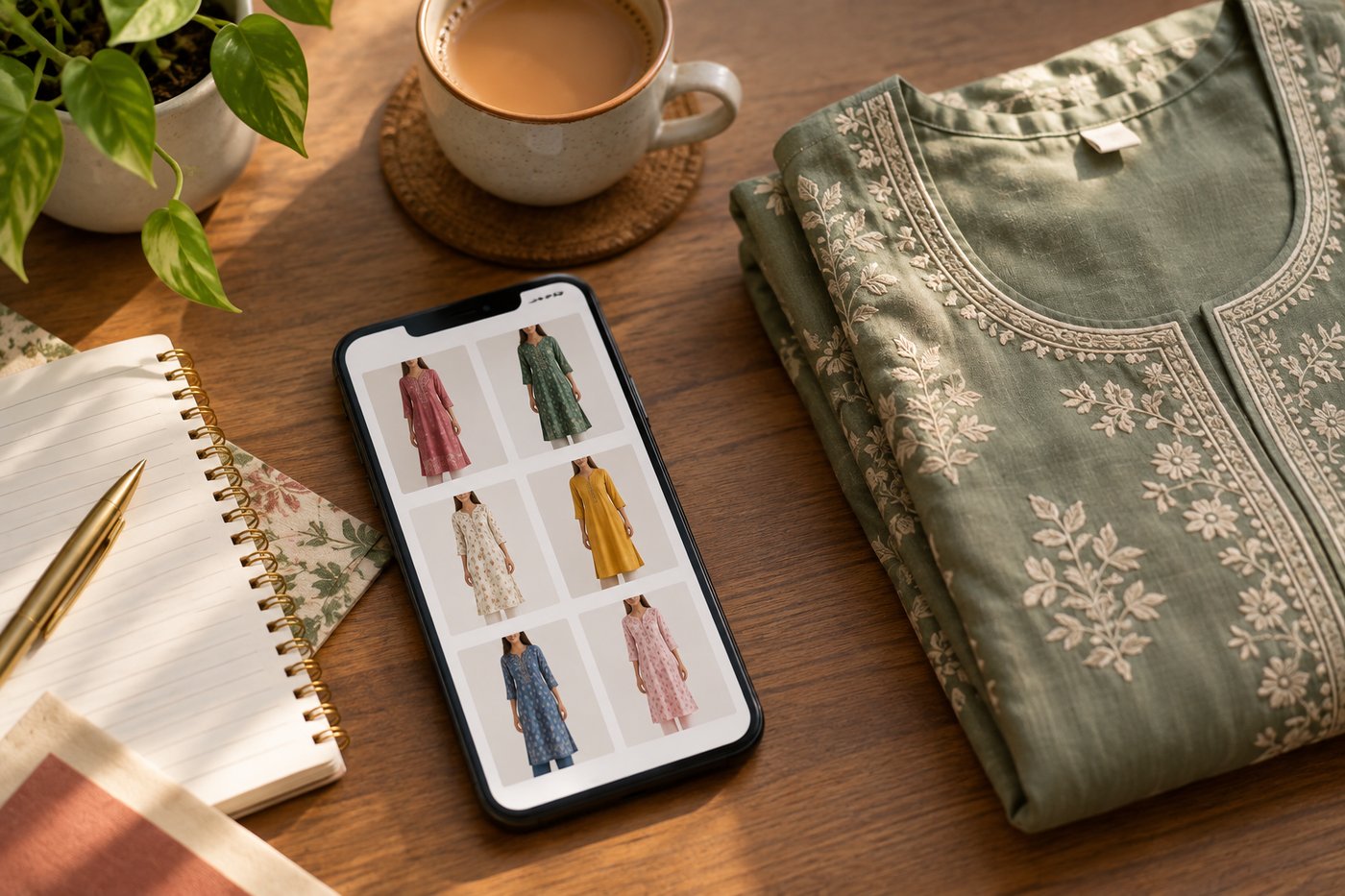
That's where AI virtual try-on differs. Instead of pasting a design onto a template, it takes a photo of your real garment and generates a photorealistic image of a model wearing it. Different problem, different technology, different results.
This comparison covers both categories so you can pick the right tool for your specific workflow.
Quick Comparison
Here's a high-level view of all seven tools. Scroll right on mobile to see all columns.
| Feature | CatalogX | Placeit | Mockey | Printful | Mock It | MediaModifier | Vexels |
|---|---|---|---|---|---|---|---|
| Type | AI virtual try-on | Template mockup | Template + AI mockup | Template mockup | Template mockup | Template mockup | Template + design assets |
| How it works | Upload real garment photo → AI puts it on a model | Pick blank tee template → paste your design | Pick template → paste design; some AI features | Pick Printful product → paste design | Pick brand blank → paste design | Pick template → paste design | Pick template → paste design |
| T-shirt templates | N/A (uses your garment) | 10,000+ | 27,000+ (all categories) | Printful catalog only | 425+ (t-shirt specific) | 10,000+ (all categories) | 500,000+ (all assets) |
| Real garment input | Yes | No | No | No | No | No | No |
| Model-on photos | Yes (AI-generated) | Yes (pre-shot templates) | Yes (pre-shot templates) | Yes (pre-shot templates) | Yes (pre-shot templates) | Yes (pre-shot templates) | Limited |
| Free tier | 5 credits | Limited (watermarked) | 3 downloads/day (low-res) | Unlimited (Printful account required) | 7-day trial | Very limited | 7-day trial |
| Starting price | See catalogx.app/pricing | $14.95/mo | $7/mo | Free | $9/mo | $8.25/mo (annual) | $14/mo |
| Indian marketplace export | Yes (Amazon, Flipkart, Myntra, Meesho) | No | No | No | No | No | No |
| Background removal | Yes | No | Yes (AI) | Yes | Yes | No | No |
| HD upscale | Yes | No | No | No | No | No | No |
| Best for | Fashion sellers with finished garments | POD sellers, design preview | Budget POD sellers | Printful users | Apparel brands using specific blanks | Marketers, social media | High-volume POD sellers |
Template Mockups vs AI Virtual Try-On
Before diving into individual tools, it's worth understanding the fundamental difference between the two categories in this comparison.
Template mockup generators (Placeit, Mockey, Printful, Mock It, MediaModifier, Vexels) all work essentially the same way. They have a library of pre-photographed blank t-shirts — on models, flat surfaces, hangers, or in lifestyle scenes. You upload your design (a logo, graphic, or pattern), and the tool composites it onto the blank shirt using perspective transforms and blending. The output is a mockup of what your design would look like on that particular blank.
This workflow is perfect for print-on-demand sellers who are designing graphics to be printed on standard blanks. You don't have the finished product yet — you're previewing what it will look like before ordering samples or listing it for sale.
AI virtual try-on (CatalogX) works differently. You already have a finished garment — with its own fabric, color, cut, embroidery, and construction. You photograph it (flat-lay, hanger, or mannequin) and the AI generates a photorealistic image of a model wearing that specific garment. No templates, no design overlay — the AI understands how the garment drapes and fits on a human body.
This workflow is for fashion sellers who manufacture or source finished garments and need model-on product photos for e-commerce listings. The garment already exists; you need professional photography without the photoshoot.
Detailed Breakdown
1. CatalogX — AI Virtual Try-On
CatalogX is the only tool in this comparison that doesn't use templates. Instead of picking a blank tee and pasting a design onto it, you upload a photo of your actual finished garment — the real product with its fabric, print, stitching, and details — and the AI generates a photorealistic image of a model wearing it.
For t-shirt sellers, this means the output shows your exact product: the actual fabric texture, the specific shade of your dye, the way your screen print or embroidery looks on the material. Template mockups can't do this because they start with a generic blank — your garment's unique characteristics are lost.
What stands out for t-shirt sellers:
- Works with your actual garment: Upload a flat-lay or mannequin photo of your real t-shirt. The AI generates model-on shots that show the actual product, not a template approximation.
- Fabric and detail preservation: Screen prints, embroidery, tie-dye, acid wash, distressing — the AI renders these as they appear on your garment, not as a flat graphic overlay.
- Indian marketplace export: One-click export pre-formatted for Amazon India (1:1, white background), Flipkart, Myntra (3:4), and Meesho.
- Background removal and HD upscale: Built-in tools that would require separate subscriptions with template mockup generators.
- All garment types: Beyond t-shirts — kurtas, sarees, lehengas, hoodies, dresses, and more. Useful if your catalog includes multiple categories.
Limitations: CatalogX doesn't have a template library — if you're a POD seller who needs to preview a logo on a Gildan 5000 before printing, this isn't the right tool. It's designed for sellers who already have the finished product and need model-on photos. Bulk generation is coming soon but not yet available.
Pricing: Credit-based. 5 free credits to start, no credit card required. See catalogx.app/pricing for paid plans.
Best for: Fashion sellers and brands with finished garments who need professional model-on product photos for e-commerce listings — especially those selling on Indian marketplaces.
2. Placeit (by Envato) — Template Mockup Library
Placeit is the largest and most established template mockup platform, with over 50,000 mockup templates across all categories. For t-shirts specifically, they offer thousands of templates featuring models in lifestyle settings, studio shots, flat-lays, and close-ups.
The workflow is straightforward: browse the t-shirt mockup library, pick a template that matches the vibe you want (streetwear model in urban setting, clean studio shot, casual lifestyle scene), upload your design file, adjust positioning and color, and download. The output quality is consistently good because the underlying photos are professionally shot.
Strengths:
- Largest template library: More t-shirt mockup variety than any competitor — diverse models, settings, and styles.
- Realistic rendering: Good shadow, crease, and fabric simulation on design overlays.
- Lifestyle scenes: Models in real-world settings, not just studio white backgrounds. Effective for social media and Etsy listings.
- POD integrations: Direct export compatibility with Printful, Printify, and other print-on-demand fulfillment providers.
- Unlimited downloads: Paid plans include unlimited mockup downloads with commercial license.
Limitations: Some older templates from the early 2010s look dated — you'll want to filter by "Newest" to avoid them. Limited control over element positioning within templates. No bulk automation — each mockup is created manually. No AI generation, background removal, or HD upscale features.
Pricing: $14.95/month or $89.69/year (~$7.47/month). Individual mockups available from $2.99 each. Free tier is limited and watermarked.
Best for: POD sellers on Etsy, Shopify, and Amazon who need to preview designs on blank t-shirts with high-quality lifestyle photography.
3. Mockey — Free AI Mockup Generator
Mockey has gained popularity as a free alternative to Placeit. The standout feature is genuinely free downloads without watermarks — most competitors either watermark free outputs or don't offer a free tier at all.
The template library has grown to 27,000+ mockups across 60+ categories, with decent t-shirt coverage. Mockey also offers some AI-powered features like background removal and AI product photography, though these are primarily available on paid plans.
Strengths:
- Free tier with no watermarks: 3 free downloads per day, no watermark. The only major mockup tool that offers this.
- Low entry price: Paid plans start at $7/month — cheaper than Placeit and most alternatives.
- Fast processing: Mockups generate in under 30 seconds.
- Multi-shot feature: Generate front, back, and side views together.
- Animation and video: Create animated mockups for social media (paid plans).
Limitations: Free tier is limited to 400x500px resolution (too low for marketplace listings) and JPG only. No commercial use license on the free plan. The template quality and realism is a step below Placeit — design overlays can look flat on some templates. No auto-save, so you can lose work if you navigate away. Limited design positioning control (can't place designs on pockets or sleeves).
Pricing: Free (3/day, low-res, no commercial use). Starter: $7/month. Creator: $19/month (AI tools, animation). Lifetime: $199 one-time.
Best for: Budget-conscious POD sellers who need basic mockups to test designs before investing in a paid tool. Good for Etsy sellers and hobbyists getting started.
4. Printful Mockup Generator — Free for Printful Users
Printful's Mockup Generator is free and unlimited — but only for products in Printful's catalog. If you're already using Printful for print-on-demand fulfillment, this is the obvious first choice for t-shirt mockups because you're generating previews of the exact products you'll be selling.
The generator covers all Printful-available t-shirt blanks with multiple angles, model shots, and lifestyle scenes. Quality is decent for product listings, and the mockups match the actual products you'll receive from Printful.
Strengths:
- Completely free: No limits, no watermarks, commercial license included. No premium tier to upsell.
- Product-accurate: Mockups match the actual Printful blanks you'll be ordering — same fabric, fit, and available colors.
- Background removal: Built-in background removal tool included free.
- Diverse models: Multiple model options across different demographics.
Limitations: Only works with Printful's product catalog — you can't use it for garments from other suppliers or your own manufactured products. Templates are shared across all Printful sellers, so your listings will look similar to competitors using the same blanks. No 3D renders, 360-degree views, or animated exports. Limited customization compared to dedicated mockup tools. Slower processing for large batches.
Pricing: Free (requires Printful account, which is also free to create).
Best for: Printful users exclusively. If Printful is your fulfillment provider, use this for product mockups — there's no reason to pay for another tool for basic Printful product previews.
5. Mock It — Authentic Brand Blanks
Mock It differentiates itself by offering mockups of real, named brand blanks — Bella+Canvas, Gildan, Comfort Colors, Champion, Next Level, and 45+ other brands. If your POD business uses a specific blank and you want your mockups to accurately represent the fit, neckline, and fabric weight of that exact shirt, Mock It is purpose-built for this.
Each mockup set includes 3 front and 3 back views, so you get comprehensive coverage for product listings. The mockups are production-accurate — they show the actual cut and proportions of each brand's shirts, not a generic t-shirt shape.
Strengths:
- Brand-specific blanks: Accurate mockups for 45+ real clothing brands. Your Bella+Canvas 3001 mockup actually looks like a 3001, not a generic tee.
- Production accuracy: Mockups match the actual garment structure — neckline, sleeve length, fit, and proportions.
- Comprehensive views: Every mockup set includes multiple front and back angles.
- Affordable: $9/month for unlimited mockups and downloads.
- Trusted: Used by 30,000+ fashion designers with a 4.7/5 rating.
Limitations: Fewer lifestyle and creative scene options compared to Placeit — the focus is on accurate product representation, not aspirational lifestyle photography. Apparel only — no mockups for mugs, phone cases, or other POD products. Smaller overall template count (5,000+ total, 425 t-shirt specific). No free tier beyond the 7-day trial.
Pricing: 7-day free trial (50 credits). $9/month or $79/year (~$6.58/month) for unlimited access.
Best for: POD sellers who use specific brand blanks (Bella+Canvas, Gildan, Comfort Colors) and want their mockups to accurately represent the actual product their customers will receive.
6. MediaModifier — Mockup + Design Editor
MediaModifier combines a mockup generator with a broader design editor, making it useful for teams that need mockups alongside social media graphics, presentations, and marketing materials. The mockup library includes 10,000+ templates across t-shirts, devices, packaging, and more.
The design editor adds value if your workflow extends beyond just mockups — you can create social media posts, ad creatives, and branded content in the same tool. A Mockup API is also available for teams that need programmatic access.
Strengths:
- All-in-one design tool: Mockups, social media templates, and design editor in one platform.
- PSD export: Download mockups as layered PSD files for further editing in Photoshop.
- Mockup API: Programmatic mockup generation for teams and integrations.
- Custom PSD uploads: Upload your own PSD mockup files to use within the platform.
- Team features: Shared assets and collaboration on the Team plan.
Limitations: Can't download mockups without a paid subscription (the free tier is very restrictive). Less t-shirt template variety than Placeit. The mockup quality is adequate but not best-in-class — some templates feel generic. Higher price point relative to template quality compared to focused competitors.
Pricing: Free (very limited). Professional: $8.25/month billed annually ($99/year) or $15.83/month. Team: $37.50/month billed annually. Mockup API: $499/month.
Best for: Marketing teams and agencies that need mockups as part of a broader design workflow, and businesses that need API-based mockup generation for automation.
7. Vexels — Design Assets + Mockup Generator
Vexels is primarily a design asset library — 500,000+ POD-ready templates, graphics, illustrations, and design elements — with a mockup generator included. The mockup tool itself is secondary to the massive design library, which is what most Vexels users pay for.
If you're a POD seller who needs both designs to print and mockups to preview them, Vexels bundles both into one subscription. The mockup generator covers t-shirts, hoodies, mugs, and phone cases with customizable backgrounds and colors.
Strengths:
- Massive design library: 500,000+ POD-ready designs, templates, and graphics included with your subscription.
- All-in-one for POD: Design assets + mockup generator in one tool — no need for separate subscriptions.
- All-over print support: Mockups that handle full-coverage designs, not just front chest prints.
- AI design tools: AI-powered tools for generating printable merch designs.
- Commercial license: All assets include commercial use rights.
Limitations: The mockup generator is less polished than dedicated mockup tools — it's an add-on to the design library, not the core product. Reports of customer service issues and billing problems. Template customization options are more restrictive than Placeit or MediaModifier. The sheer volume of assets can make it hard to find quality content without extensive filtering.
Pricing: 7-day free trial. Paid plans from $14/month (25% discount on annual billing).
Best for: High-volume POD sellers who need a steady stream of new designs and mockups. If you're creating dozens of new t-shirt designs per week and need ready-made assets to work from, Vexels' library is the draw.
Notable Mention: Smartmockups (Discontinued)
If you've seen Smartmockups recommended in older articles, note that the standalone platform shut down in September 2024 after being acquired by Canva. Its mockup functionality has been absorbed into Canva's design platform. If you're already a Canva user, check out Canva Mockups as an alternative — but it's not a dedicated mockup tool in the same way these other platforms are.
Pricing Comparison
Here's how pricing compares across the tools. Note that pricing models differ — some charge monthly subscriptions with unlimited downloads, others use per-credit or per-download models.
| Tool | Free Tier | Entry Plan | Pro / Full Plan | Pricing Model |
|---|---|---|---|---|
| CatalogX | 5 credits | Starter plan | Pro plan | Credit-based (pay per generation) |
| Placeit | Limited (watermarked) | $14.95/mo | $89.69/year | Subscription (unlimited downloads) |
| Mockey | 3 downloads/day (low-res) | $7/mo | $19/mo or $199 lifetime | Subscription + lifetime option |
| Printful | Unlimited (free) | Free | Free | Free (Printful catalog only) |
| Mock It | 7-day trial | $9/mo | $79/year | Subscription (unlimited downloads) |
| MediaModifier | Very limited | $8.25/mo (annual) | $15.83/mo (monthly) | Subscription (unlimited downloads) |
| Vexels | 7-day trial | ~$14/mo | Higher tiers available | Subscription (assets + mockups) |
For POD sellers on a tight budget, Printful (if you use their fulfillment) and Mockey's free tier are the cheapest starting points. For the best template variety, Placeit's annual plan at ~$7.47/month is hard to beat. For accurate brand-specific blanks, Mock It at $9/month is the most focused option.
For fashion sellers who need model-on photos of finished garments (not design previews on blanks), CatalogX's credit-based pricing means you only pay for what you generate — see catalogx.app/pricing for current rates.
Which Tool Should You Choose?
The right tool depends on what you're actually selling and where you're selling it.
- If you sell finished garments and need model-on product photos — CatalogX. It's the only tool here that works with your real garment (not a template), and the only one with Indian marketplace export.
- If you're a POD seller who needs the widest variety of lifestyle mockups — Placeit. Largest library, best lifestyle photography, most model diversity.
- If you're testing POD designs on a budget — Mockey. The free tier with no watermarks is unmatched for getting started. Upgrade to paid when resolution matters.
- If you use Printful for fulfillment — Printful Mockup Generator. It's free, unlimited, and matches your actual products. No reason to pay for another tool for Printful product previews.
- If you use specific brand blanks (Bella+Canvas, Gildan, Comfort Colors) — Mock It. The only tool with production-accurate mockups for named brand blanks.
- If you need mockups + a design editor + API access — MediaModifier. The all-in-one approach works well for marketing teams.
- If you need designs and mockups in one subscription — Vexels. The massive design asset library is the real value; the mockup generator is a useful addition.
Upload a photo of your actual tee — not a template — and get a model-on shot in 30 seconds. 5 free credits, no card needed.
Try Free Now →
Can You Use Multiple Tools Together?
Yes, and many serious sellers do. A common workflow for fashion brands:
- CatalogX for model-on product photos on your marketplace listings (the primary listing images that drive conversions).
- Placeit or Mockey for lifestyle mockups on social media and marketing materials (aspirational content that drives traffic to your listings).
- Printful for any POD products you sell alongside your main fashion line.
The tools serve different purposes, and combining them gives you the best of both worlds — accurate product representation for listings, plus creative marketing content for acquisition.
Bottom Line
The t-shirt mockup market has bifurcated into two distinct categories: template-based generators for POD design preview, and AI virtual try-on for finished garment photography. Most sellers need one or the other — a few need both.
If you're printing a design on a blank tee, template mockup generators (Placeit, Mockey, Printful, Mock It) are the right tool. Pick based on budget, template variety, and whether you need specific brand blanks.
If you're selling a finished garment and need professional model-on photos without a photoshoot, CatalogX is built specifically for that. No other tool in this comparison can take a photo of your actual product and generate a realistic model-on image from it.
Most of these tools offer free trials or tiers. Try two or three with your actual products before committing to a subscription.
Related Articles
- Best AI Product Photo Generators for Fashion Sellers (2026 Comparison)
- AI Virtual Try-On: How It Works and Why Brands Are Switching
- Free AI Product Photo Generator for Indian Fashion Sellers
Frequently Asked Questions
For template-based mockups, Placeit by Envato offers the largest library with over 10,000 t-shirt mockup templates. For AI-generated model-on shots from your actual garment, CatalogX is the best option as it generates photorealistic images from flat-lay photos. Mockey is a strong free alternative for basic template mockups.
Yes, Mockey offers unlimited free mockups with no watermarks. Smartmockups provides limited free access. CatalogX gives 5 free credits for AI-generated model-on images from your actual garment photos. Placeit offers a limited free tier. For unlimited free template-based mockups, Mockey is the best option.
Template mockups overlay your design onto pre-photographed blank garment images, which works for print-on-demand but all outputs use the same base photos. AI mockups like CatalogX generate entirely new photorealistic images from your actual garment, preserving the real fabric texture, color, and construction details.
For print-on-demand, Placeit or Printful are the best options since they are designed for overlaying custom designs onto blank t-shirts. They offer thousands of model and lifestyle templates. CatalogX is better suited for sellers who have finished garments to photograph rather than digital designs to overlay.
Template-based mockups from Placeit or Mockey work for social media and website use but may not pass marketplace QC on platforms like Myntra that require model-on photography. AI-generated images from CatalogX produce photorealistic model shots that meet Amazon, Flipkart, and Myntra listing requirements.
Pricing varies widely. Mockey is completely free with unlimited mockups. Placeit costs around $15 per month for unlimited downloads. CatalogX offers 5 free credits with paid plans from Rs 999 per month for AI-generated model photos. Printful includes free mockup generation for products in their catalog.