Zalando-spec model shots from a single flat garment photo
Zalando's image guide is one of the strictest in European fashion: a 1:1.44 portrait at 1801×2600 pixels, model views that are not on white, the same model across every view, and from December 2026 an invisible marking on any AI-generated asset. CatalogX renders on-model shots to that canvas, keeps one model across front, back and detail views, and writes IPTC provenance metadata into every file.
One supplier photo in, a zDirect-ready article out
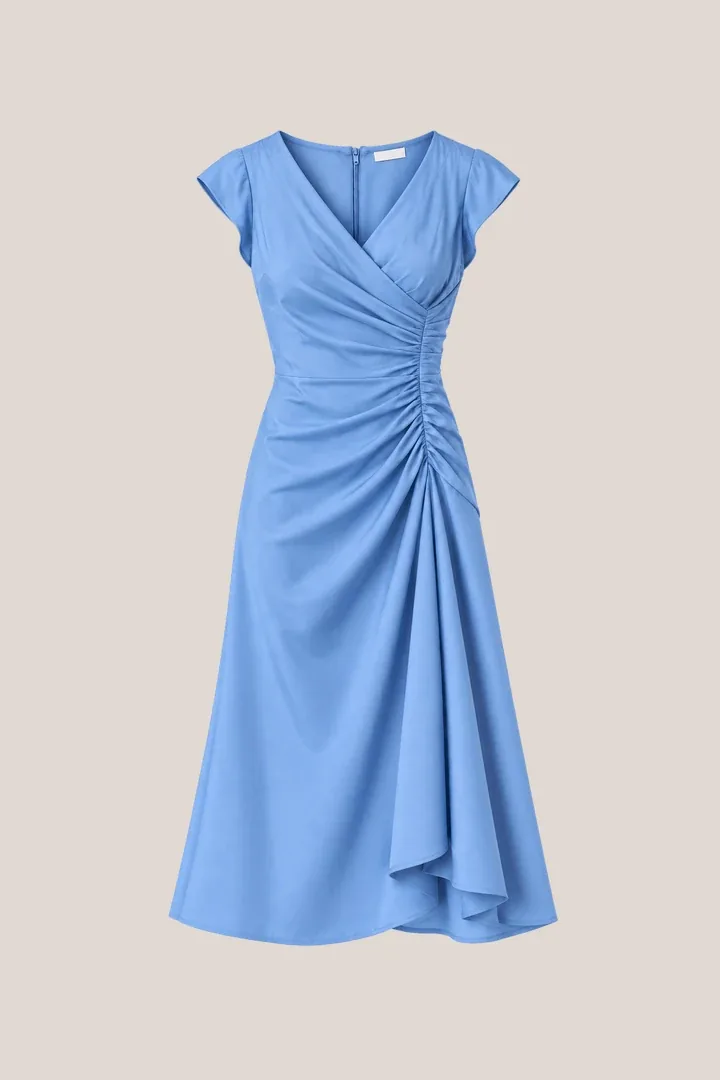
Before — flat photo
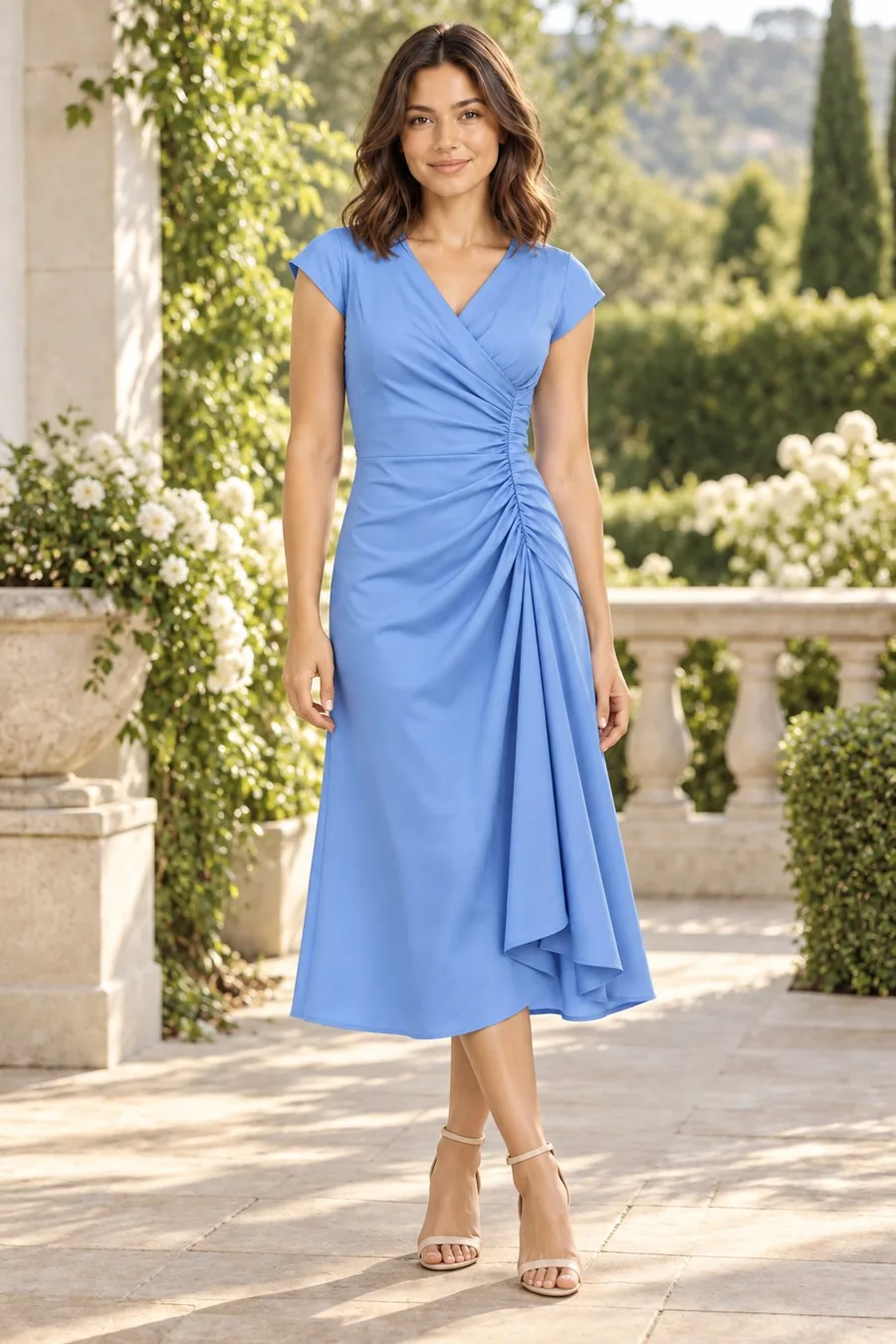
After — CatalogX
The same denim jacket, seams and wash unchanged, 30 seconds apart. The Zalando preset re-frames it to 1:1.44 on light grey, the background Zalando applies to model views.
Zalando Image Requirements
What Zalando requires of a partner image
From Zalando's partner image guidelines, read October 2026.
1:1.44
Aspect ratio, portrait, width to height
1801×2600
Best-practice size (762×1100 minimum; 1800×2600 for designer brands)
JPG
File type, sRGB, up to 20 MB
Light grey
Model views are not white — Zalando converts white packshots to light grey itself
3
Minimum images per apparel, shoe or accessory article
Dec 2026
Invisible AI marking strongly recommended; on-image labels not permitted
Compliance Check
Zalando’s image rules, clause by clause
Zalando's published requirements for partner-supplied images, and how the CatalogX export meets each one.
Zalando rule
How CatalogX complies
1:1.44 portrait, 1801×2600 best practice, JPG in sRGB
The Zalando export preset renders a 1801×2600 JPEG in sRGB — the exact best-practice canvas, not a crop of a square
Model views on a light grey background, not white
The preset fills the canvas with light grey (#F1F1F1), the tone Zalando's own processing targets, so a model view is never rejected for a white field
Same model and styling across all views of an article
Every view of an article is rendered on the same CatalogX model with the same scene; front, back and detail shots come from one upload
AI assets accepted, but rejected if they break believability or misrepresent the product; invisible marking recommended
Each file carries IPTC trainedAlgorithmicMedia provenance metadata — the invisible marking Zalando asks for — and an AI reviewer checks the garment against your photo before export
Zalando reserves the right to reject AI images with irregularities or that fail to represent the product. That is the failure CatalogX is built around: the garment is reproduced from your photo, not imagined, and every result is scored before you see it.
Listing Pack
Zalando-sized, reviewed before you see it
One download per shoot: every approved shot exported at Zalando’s spec, each one already checked against the garment you photographed.
1801×2600 on light grey
Each image in the Listing Pack is sized to Zalando’s canvas with the background filled and the garment scaled to fill the frame — nothing to crop or pad in a photo editor, and every file carries AI-provenance metadata.
Files for your zDirect feed
Zalando partners deliver images through zDirect or an integrator rather than a spreadsheet, so the pack carries the sized files under a zalando/ folder, named by SKU and slot, up to six per article — each one already carrying the provenance metadata Zalando recommends.
Checked, not just generated
Before a shot reaches the pack an AI reviewer scores it against your original photo — print, colour, neckline, hem length — and flags a miss. Pro and Business re-render a flagged shot automatically, so what you upload is the garment you sell.
A flat-lay or hanger photo from your supplier. Tags and packaging are removed and the colour is corrected before anything is rendered.
Keep one model across the article
Choose a model once; front, back and detail views are generated on the same person with the same styling, which is what Zalando's consistency rule demands.
Export at Zalando's canvas
One click renders every approved view at 1801×2600 on light grey with IPTC provenance metadata embedded, ready for the zDirect feed.
Why European Brands Use CatalogX
Built for compliance at volume
Rejections cost weeks; accuracy costs nothing
Zalando's review is strict about products looking like the product. CatalogX reproduces the garment you photographed — seams, wash, print, hem — so the article you submit is the article you ship.
Provenance built into the file
Zalando strongly recommends invisible marking of AI assets by December 2026 and forbids visible labels. CatalogX writes IPTC trainedAlgorithmicMedia metadata into every export, which is exactly that.
Full-sleeve, full-garment views
Zalando wants sleeves shown at full length and the whole article visible. The renderer keeps garment construction intact rather than rolling, cropping or restyling it.
One assortment, one look
Bulk generation runs a season through the same model and background, so your brand page on Zalando reads as one shoot rather than a patchwork of suppliers' photography.
FAQ
Zalando partner image FAQ
Zalando's partner guidelines specify a 1:1.44 portrait ratio with a best-practice size of 1801×2600 pixels, a minimum of 762×1100 (1800×2600 for designer brands), JPG files in sRGB up to 20 MB. CatalogX's Zalando export preset renders at exactly 1801×2600.
No. Zalando applies a light grey background to model views and converts white packshots to light grey itself; a white field on a model view is not what the platform wants. The CatalogX Zalando preset fills the canvas with light grey (#F1F1F1), the tone Zalando's processing targets.
Zalando accepts AI-generated assets but reserves the right to reject any that break believability, show irregularities or fail to represent the product accurately. It strongly recommends invisible marking through metadata or watermark by December 2026 and does not permit visible on-image labels. CatalogX images are generated from your real garment photo, reviewed against it, and carry IPTC provenance metadata in every file.
Zalando requires a minimum of three images for apparel, shoes and accessories, using the same model and styling across all views of an article. CatalogX generates front, back and detail views on one model from a single upload.
No. CatalogX reproduces the garment as photographed — construction, print, colour and hem — and an AI reviewer scores each result against the original before it reaches you. Pro and Business plans re-render a flagged shot automatically.
 Before — flat photo
 After — CatalogX