AI virtual try-on has moved from research labs to production tools in the last two years. Brands that were spending lakhs on photoshoots are now generating product images with AI — and the results are often indistinguishable from real photography. But how does it actually work?
The Basic Concept
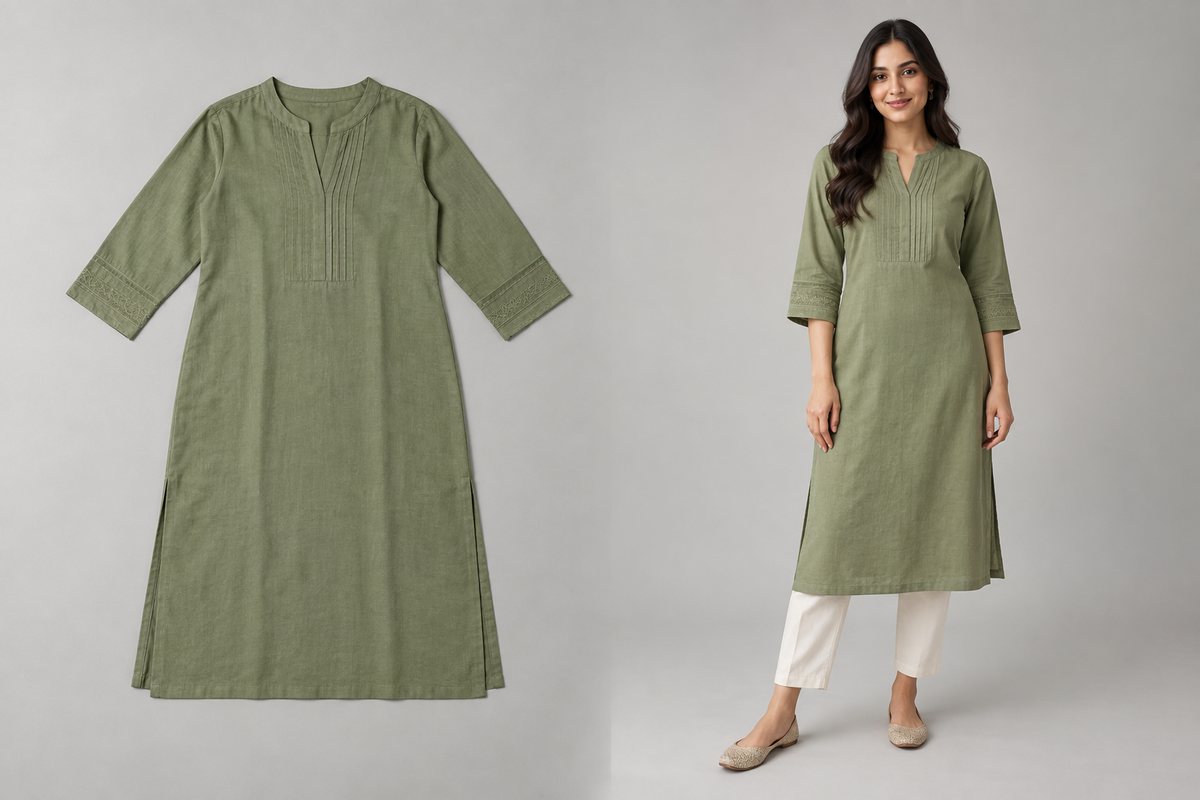
At its core, AI virtual try-on takes two inputs — a person image and a garment image — and generates a new image of that person wearing that garment. The output looks like a real photograph, not a cut-and-paste job.
This is fundamentally different from what you can do in Photoshop or with traditional image editing:
- Photoshop: You manually cut, warp, and overlay images. Even skilled editors struggle with realistic fabric draping, shadow casting, and natural body-garment interaction. It takes 30-60 minutes per image.
- AI try-on: The model understands how fabric drapes on bodies, how light creates shadows, how different materials behave. It generates everything — draping, shadows, wrinkles, reflections — from scratch. It takes 30 seconds.
How the Technology Works
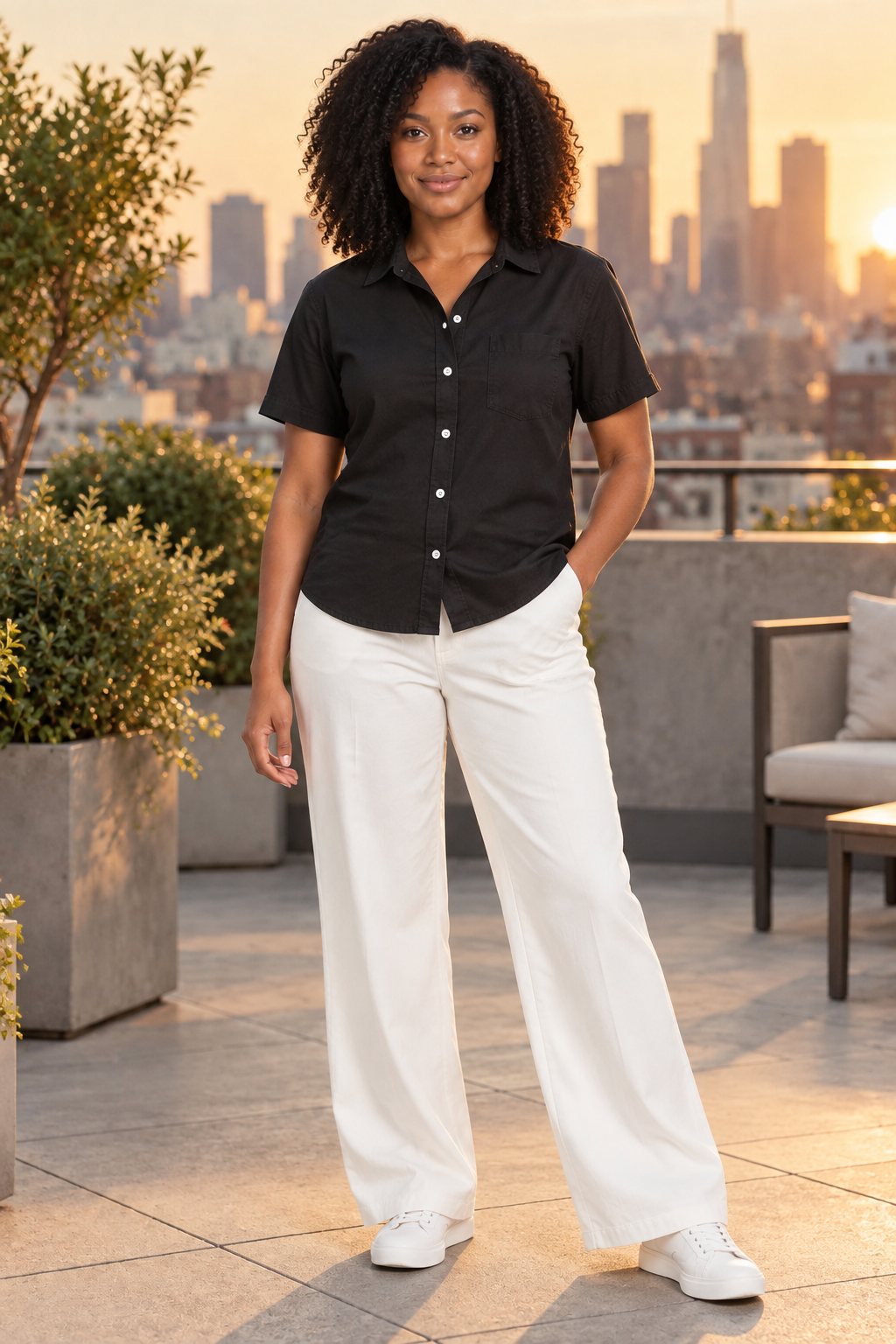
Modern AI try-on systems use generative image models — the same class of AI that powers tools like DALL-E and Midjourney, but specialized for fashion. Here's the pipeline:
- Person understanding: The AI analyzes the person image — identifying body pose, proportions, skin tone, facial features, and the boundary between body and background.
- Garment understanding: Separately, it analyzes the garment image — identifying the type of clothing, its shape, color, pattern, texture, and fabric type.
- Generation: Using both analyses, the AI generates a new image where the person is wearing the garment. It handles draping based on the body's pose, creates realistic shadows based on the lighting in the person image, and preserves the garment's exact colors and patterns.
- Face preservation: Advanced systems include a face preservation step that ensures the person's identity — facial features, skin tone, expression — remains unchanged in the output.
Upload your garment and get a studio-quality AI mockup in 30 seconds. 5 free credits, no card needed.
Try Free Now →
What Makes It Different from Simple Image Editing
The key difference is that AI try-on generates the result rather than compositing it. Consider what happens with a saree:
- A Photoshop approach would try to warp a flat saree image onto a body — resulting in unnatural folds, wrong shadow angles, and visible distortion.
- An AI approach generates the saree on the body as if it were a photograph — with natural pleats, correct shadow casting from the body's position, and fabric movement consistent with the pose.
This generation-based approach is why AI try-on results look convincingly real, while manual editing always has a "photoshopped" quality to it.
What AI Try-On Can (and Can't) Do Today
What it does well:
- Single garment try-on (tops, bottoms, dresses, sarees, kurtas)
- Preserving garment colors, patterns, and textures accurately
- Natural fabric draping and body-garment interaction
- Consistent lighting and shadow generation
- Face and identity preservation
- Multiple pose, angle, and background variations from a single input pair
Current limitations:
- Complex multi-layer outfits (e.g., a jacket over a shirt with a scarf) can sometimes produce inconsistent results
- Very unusual poses or extreme camera angles may not render perfectly
- Extremely detailed accessories (fine jewelry, complex belts) may lose some detail
- Video generation is still in early stages — current tools focus on static images
Why Fashion Brands Are Switching
The adoption of AI try-on isn't just about technology being cool — it's driven by concrete business benefits:
- Cost reduction (90%+): Eliminating models, studios, photographers, and post-production drops the per-image cost from hundreds of rupees to single digits.
- Speed: New products can have listing-ready images within hours of production, not weeks of photoshoot scheduling.
- Consistency: Every image in your catalog uses the same model, same lighting style, same aesthetic — creating a cohesive brand presentation.
- Scalability: Whether you have 10 SKUs or 10,000, the cost and time per image stays the same. Traditional photography gets exponentially more expensive as you scale.
- Experimentation: Want to test how your product looks in a different setting? On a different model? With a different pose? AI lets you iterate without reshooting.
The Quality Question
The most common concern from brands considering AI try-on is: "Will it look real enough?"
The honest answer: for product listing images, yes. Current AI try-on tools produce images that are functionally indistinguishable from professional photography in the context of an e-commerce listing. Zoomed in to pixel level, an expert might spot differences — but shoppers browsing your store won't.
The more relevant question is whether AI-generated model images perform as well as real photography in terms of click-through and conversion rates. Early data suggests they do — and in some cases outperform, because AI allows you to optimize every variable (pose, angle, background) for maximum conversion.
Getting Started
If you're considering AI try-on for your brand, the barrier to entry is low. Most tools — CatalogX included — offer free trials that let you test with your own garment images. The key things to evaluate:
- Does it handle your garment category well? (Test with your actual products)
- Is the face/identity preservation accurate?
- Do the colors match your actual garment?
- How does it handle your specific fabric types?
The technology is advancing rapidly. What was experimental a year ago is now production-ready. Brands that wait for "perfection" will find themselves behind competitors who adopted early and built workflows around AI-first product photography.
Related Articles
- 5 Ways AI Is Changing Fashion E-Commerce in 2026
- AI Mockups for D2C Brands: From Instagram Ads to Marketplace Listings
- Best AI Product Photo Generators for Fashion Sellers (2026 Comparison)
Frequently Asked Questions
AI virtual try-on uses image generation models trained on fashion photography. You upload a garment photo and a person or model image. The AI analyzes the garment's shape, color, pattern, and fabric type, then generates a new photorealistic image showing the garment naturally worn on the model with accurate draping, lighting, and shadows.
Yes, fundamentally different. Photoshop compositing pastes a garment cutout onto a model photo, often producing unnatural lighting and draping. AI virtual try-on generates an entirely new image where the garment naturally conforms to the body, with realistic fabric physics, shadow casting, and lighting that matches the scene.
AI virtual try-on is used by brands of all sizes, from large fashion retailers to small D2C sellers on marketplaces worldwide. The technology is particularly popular among fashion sellers on Amazon, Etsy, Shopify, Flipkart, Myntra and Meesho who need professional model-on shots but cannot afford traditional studio photography.
Yes, modern AI virtual try-on tools like CatalogX are specifically trained on Indian garment categories including sarees, kurtas, lehengas, salwar suits, and sherwanis. The AI understands how a pallu should drape, where a dupatta falls, and how ethnic garments fit differently from western wear.
Current-generation AI virtual try-on tools produce results that are indistinguishable from real photography to most online shoppers. The AI preserves garment details like print patterns, embroidery, and color with high accuracy. Results are best with clean, well-lit source images and structured garments like shirts, kurtas, and dresses.