Etsy T-Shirt Image Requirements
Selling t-shirts and graphic tees to handmade, vintage and small-batch fashion buyers? Here is what Etsy expects from your t-shirt images in 2026:
| Requirement | Etsy specification |
|---|
| Resolution | 2000px minimum on the shortest side — Etsy zoom stays sharp |
| Photos per listing | Up to 20 photos plus 1 video |
| First photo | Becomes the search thumbnail and gets cropped — keep the garment centred so it survives a square crop |
| Background | No white-background rule — lifestyle scenes are welcome |
| Format | JPG or PNG, high quality |
How to Shoot T-Shirts for Etsy
Etsy t-shirt buyers are usually buying the print — a hand-drawn design, a screen-printed slogan, a small-batch graphic. The first photo has to do two jobs at once: show the print clearly and survive Etsy's square thumbnail crop. An on-model shot with the print centred at chest height does both; a flat-lay shot from an angle does neither.
Because Etsy gives you 20 photo slots, don't stop at one. Lead with the on-model front, then add a close crop of the print, a back view if the design wraps, and a lifestyle scene — Etsy has no white-background rule, so a model in a casual setting sells the vibe a plain studio shot can't. CatalogX generates all of these from your one flat photo, with the print reproduced exactly as printed.
One Flat Photo In, One Listing Shot Out
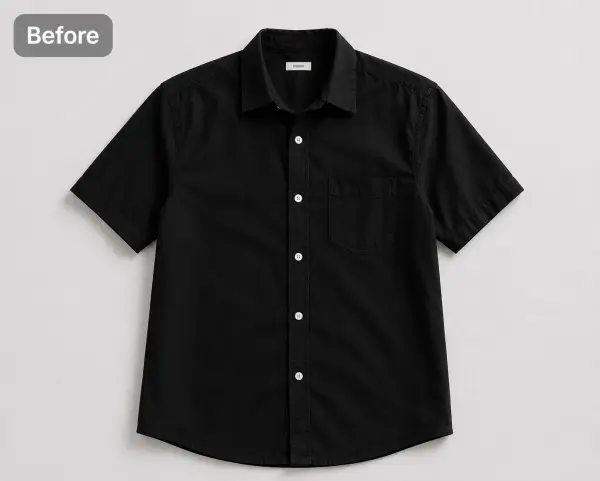 Before — flat photo
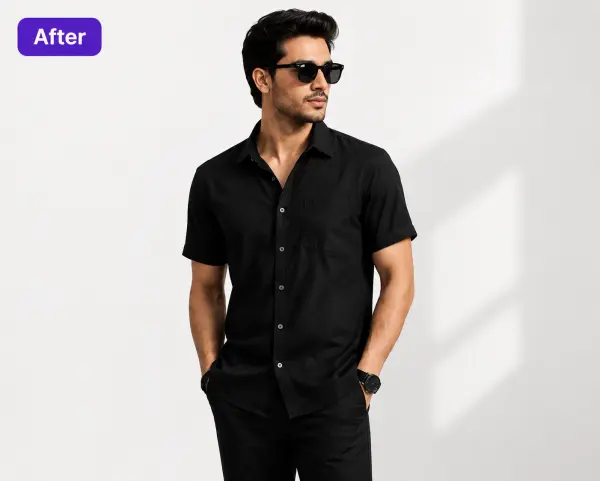 After — CatalogX
A black shirt from our public gallery, 30 seconds apart — the print-and-fabric flow is identical for t-shirts: what your flat photo shows is what lands on the model.
From Photo to Live Listing
1. Upload your t-shirt — a flat-lay, hanger shot or supplier photo works. Tags and pins are removed automatically.
2. Pick a model — 120+ models across skin tones and body types. The AI respects your garment's construction; it doesn't guess.
3. Set the scene — 120+ backgrounds — Etsy has no white-background rule, so lifestyle scenes are fair game.
4. Generate and export — about 30 seconds per image, sized for Etsy's specs. You own every output; commercial use is included on all plans, no watermarks.
On cost: a US studio photoshoot runs $300+ per session, or $50–150 per finished image. CatalogX starts free (5 credits, no card) and paid plans start at $9.99/month — see USD pricing or the full AI vs studio cost breakdown.