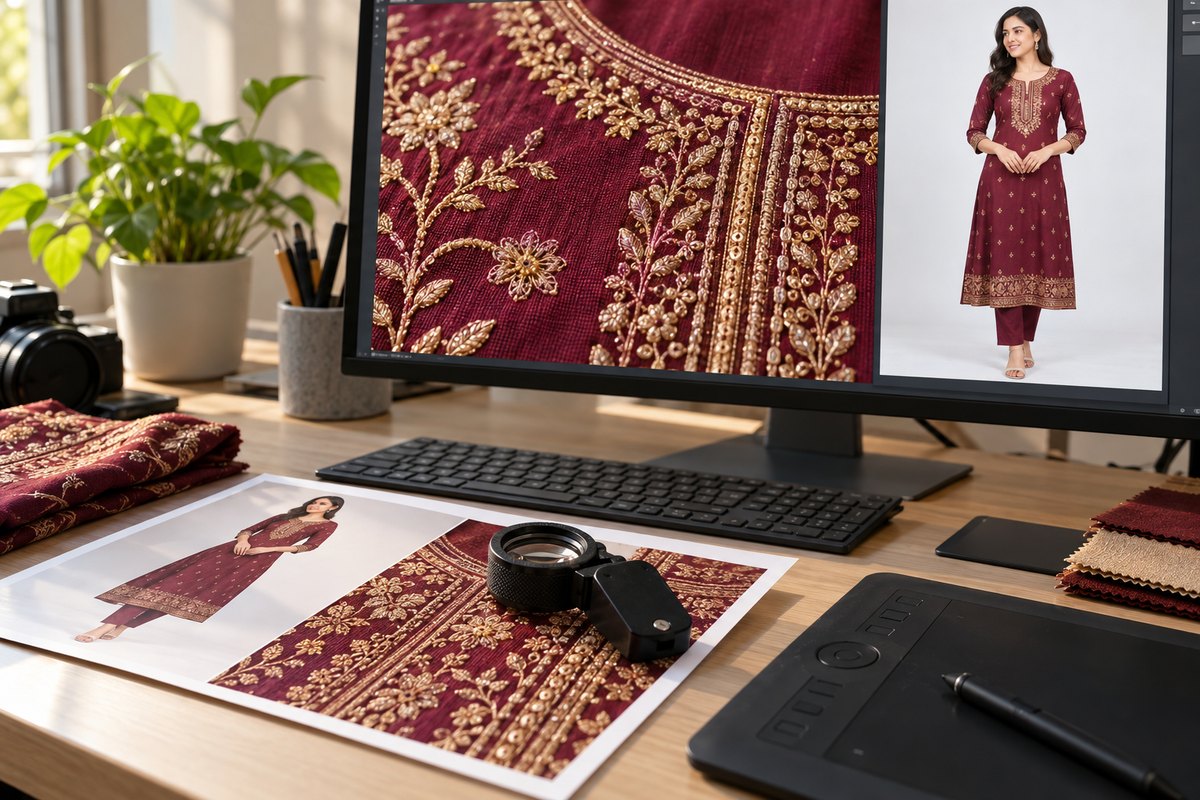
Getting a single 4K fashion photo the traditional way means booking a studio, hiring a model, renting lighting equipment, and paying a photographer. For most Indian fashion sellers, that adds up to ₹25,000-50,000 (about $300-$600) per session — and you still only get photos of the garments you brought to the shoot.
AI-powered mockup generation changes this completely. Upload a flat-lay or hanger shot of your garment, and CatalogX generates a photorealistic 4K image of a model wearing it. The entire process takes under two minutes, costs a fraction of a studio session, and works for any garment type — from kurtas to lehengas to western wear.
What Makes 4K Different from Standard Mockups?
Resolution determines how much detail is visible in your product images. The difference between HD, 2K, and 4K is not just a number — it fundamentally changes what your customers can see:
| Resolution | Dimensions | Megapixels | Detail Level |
|---|---|---|---|
| HD (1080p) | 1080 x 1440 px | ~1.5 MP | Basic garment shape and color visible |
| 2K | 2048 x 3072 px | ~6 MP | Print patterns and fabric texture visible |
| 4K | 4096 x 6144 px | ~25 MP | Every thread, stitch, and embroidery detail visible |
At 4K resolution, customers can zoom in and see individual stitching on embroidery, the exact weave pattern of the fabric, the precise color of a print detail, and the quality of finishing. This is the same level of detail you would get from a professional DSLR camera at a studio shoot.
Step-by-Step: Generate a 4K Mockup on CatalogX
The process is straightforward — five steps from garment photo to finished 4K mockup:
- Upload your garment photo — use a flat-lay shot on a clean surface or a hanger shot against a plain background. The clearer the garment photo, the better the AI result. Supported formats: JPG and PNG up to 10MB.
- Select a model from the library or upload your own — CatalogX provides a diverse library of AI-ready model photos across body types, skin tones, and poses. You can also upload your own model photo if you have a specific look in mind.
- Choose the garment type — select the correct category (kurta, saree, lehenga, shirt, dress, etc.). This helps the AI understand how the garment should drape, fit, and fold on the model's body.
- Set resolution to 4K in settings — in the generation settings panel, select "4K" as the output resolution. This tells the AI to generate natively at 4096x6144 pixels instead of a lower resolution.
- Generate and download — click Generate, wait 30-90 seconds, and download your finished 4K mockup. The image is ready to use on your website, marketplace listing, or print catalog.
Upload a garment photo, select a model, and get a studio-quality 4K image in under 2 minutes.
Try 4K Generation →
Best Use Cases for 4K Mockups
4K resolution is overkill for a small product thumbnail — but it is essential for high-impact placements where image quality directly affects perception and sales:
- Hero banners for D2C websites: Full-width banners on your Shopify or custom website need high resolution to look sharp on desktop monitors and retina displays. A 4K source image ensures the banner looks crisp at any screen size.
- Print catalogs and lookbooks: Print requires 300 DPI at the output size. A 4K image (4096px wide) prints at 300 DPI up to 13.6 inches wide — enough for a full-page spread in a standard catalog.
- Large format displays: Trade show banners, retail store displays, and exhibition signage need source images with enough pixels to avoid visible pixelation at large sizes.
- Amazon A+ Content: Amazon's A+ Content (Enhanced Brand Content) modules accept and benefit from high-resolution images. 4K source images ensure your A+ modules look professional and detailed.
- Brand decks for retailers: When pitching to retail chains or distributors, your product images represent your brand quality. 4K images in a brand deck signal a professional operation.
- Lookbook PDFs and social media: High-resolution source images give you flexibility to crop, zoom, and reformat for different platforms without losing quality.
4K Generation: How the Engine Works
CatalogX runs several image models and routes each job to the one best suited to the garment. What makes this different from other approaches is that the AI generates natively at 4K resolution — it does not generate a small image and upscale it.
This distinction matters because:
- Native generation preserves fabric texture: When an AI generates at full 4K resolution, it creates genuine detail at every pixel. Upscaling a 1K image to 4K produces artificial, smoothed-over detail that looks plastic.
- Print details remain accurate: Block prints, digital prints, and embroidery patterns are rendered with the precision that only native high-resolution generation can achieve. The AI references your garment photo at full resolution.
- Natural draping and fold shadows: At 4K, the subtle shadows in fabric folds, the way light catches different weave directions, and the natural compression at seam points are all rendered with photographic accuracy.
- Color fidelity: Higher resolution generation means more color information per area of the garment, resulting in more accurate color representation — critical for fashion where a shade difference can mean returns.
Tips for Best 4K Results
The AI can only work with what you give it. Follow these guidelines to get the best possible 4K mockups:
- Start with sharp garment photos: The most common cause of underwhelming results is a blurry or low-resolution source image. Shoot your garment photos in good lighting with a steady camera. The AI reconstructs detail from your reference — if the reference is blurry, the output will lack detail.
- Use multiple angle uploads for complex garments: A single front-facing flat-lay works well for simple garments like t-shirts and basic kurtas. For garments with back detail, side panels, or complex draping (like sarees and lehengas), uploading 2-3 angle photos dramatically improves accuracy.
- Select the correct garment type: The garment type setting affects how the AI handles fit, drape, and silhouette. Selecting "kurta" for a dress or "shirt" for a sherwani will produce incorrect proportions and draping.
- Good model photos help: If you are uploading your own model photo, ensure it is well-lit, in focus, and shows the full body in a natural pose. The model photo quality directly affects the final output quality.
- Check the output at 100% zoom: After generation, download the 4K image and zoom in to 100% on your computer to inspect fabric detail, print accuracy, and edge quality. This is the best way to verify the generation quality before using the image.
Cost: 4K AI Generation vs 4K Photography
The cost difference between traditional 4K photography and AI generation is substantial, especially for fashion sellers who need to shoot large catalogs:
| Cost Component | Studio Photoshoot | CatalogX AI |
|---|---|---|
| Camera + lighting equipment | ₹5,000-10,000 (about $60-$120) (rental per session) | Not needed |
| Studio rental | ₹3,000-8,000 (half day) | Not needed |
| Model fees | ₹5,000-15,000 (about $60-$180) (per session) | Included in credits |
| Photographer fees | ₹5,000-15,000 (about $60-$180) (per session) | Not needed |
| Post-processing / retouching | ₹2,000-5,000 (about $24-$60) | Automatic |
| Total per session (10-15 looks) | ₹25,000-50,000 (about $300-$600)+ (about $300-$600+) | Credits-based, fraction of cost |
| Turnaround time | 3-7 days (shooting + editing) | Under 2 minutes per image |
| Availability | Requires scheduling | Available 24/7 |
Frequently Asked Questions
A 4K fashion mockup at 4096x6144 pixels typically results in a file size between 8 MB and 15 MB depending on the complexity of the garment and the amount of detail in the image. JPEG downloads are on the smaller end (8-10 MB), while PNG downloads with full quality preservation are larger (12-15 MB). All downloads are optimized to balance quality and file size.
4K generation is available on the CatalogX Business, Agency and Enterprise plans (4 credits per image). Free, Starter and Pro generate HD and 2K. You can upgrade your plan at any time from the account settings to unlock 4K generation. Each 4K generation uses credits from your plan's monthly allocation.
Yes, CatalogX supports 4K generation for all garment types including sarees, lehengas, kurtas, sherwanis, gowns, and western wear. For draped garments like sarees, uploading multiple angle photos of the fabric helps the AI understand the draping pattern and produce more accurate results. Select the correct garment type during generation for best results.
4K mockups are downloaded as high-quality JPEG files by default, which provides the best balance of quality and file size for e-commerce use. PNG format is also available if you need lossless quality or transparent backgrounds. Both formats preserve the full 4096x6144 pixel resolution.
A single 4K fashion mockup typically takes 30 to 90 seconds to generate, depending on garment complexity. This is longer than HD or 2K generation because the AI is producing a 25-megapixel image natively — not upscaling a smaller image. Complex garments with intricate prints or heavy embroidery may take closer to 90 seconds.