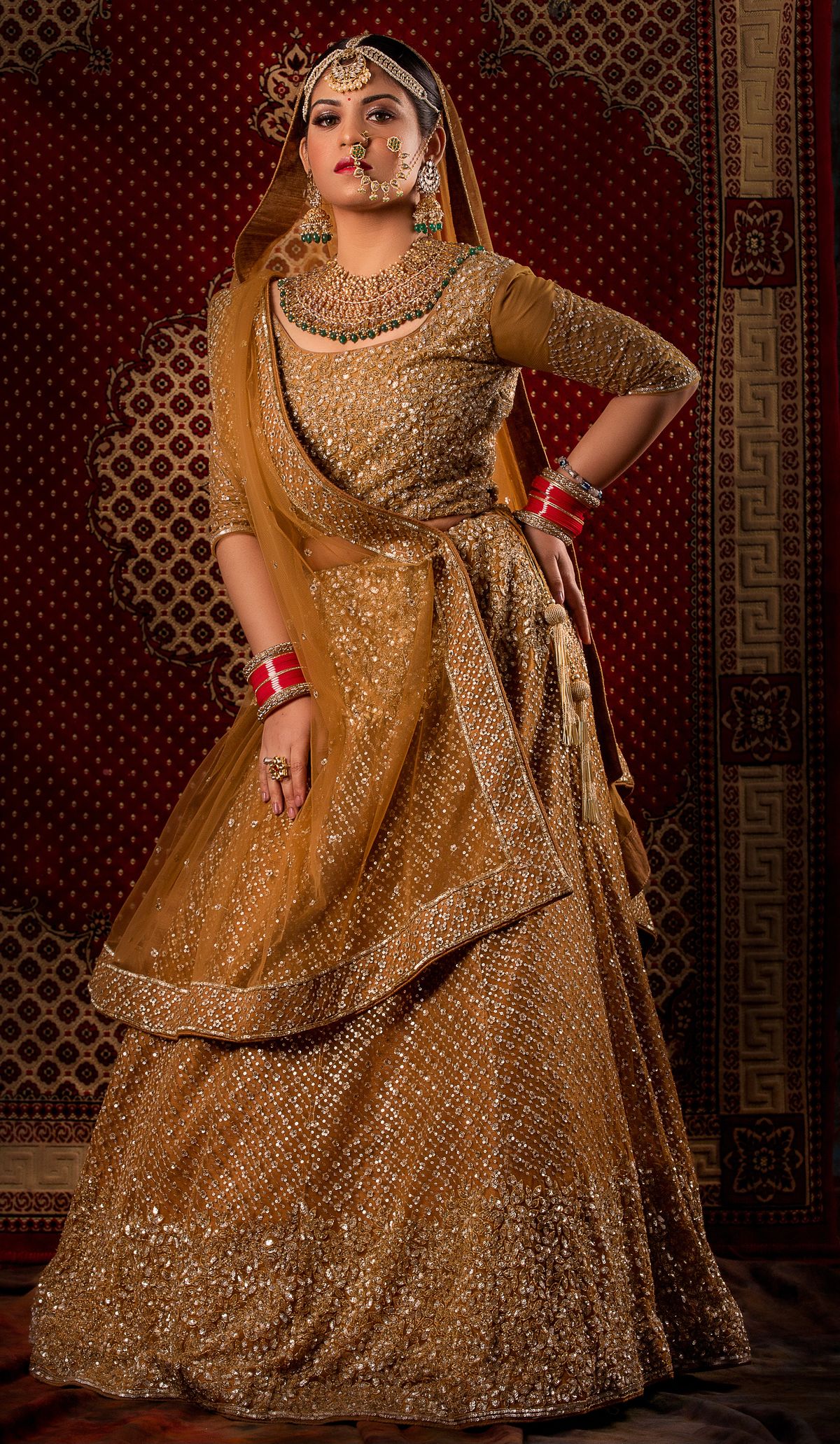
The Gemini "Nano Banana" saree trend is a viral Instagram phenomenon where people upload a selfie to Google Gemini and ask it to transform them into a retro Bollywood-style portrait — flowing chiffon saree, golden hour light, flowers in the hair, and grainy vintage film texture. It is a fun selfie trend. But if you sell sarees online, there is a catch: text-to-image tools invent a new saree every time, so the garment in the photo will never match the one you ship. This guide covers the viral prompts, the privacy questions, and how sellers get the same aesthetic with their real saree using virtual try-on.
What Is the Gemini "Nano Banana" Saree Trend?
"Nano Banana" is the nickname of Google Gemini's image generation and editing model. Sometime after its release, Indian users discovered it was remarkably good at one specific thing: taking an ordinary selfie and re-rendering it as a stylised, cinematic portrait while keeping the face recognisable. The look that caught fire was unmistakably retro Bollywood — a flowing chiffon saree, wind in the fabric, gajra or flowers in the hair, warm golden hour or moody studio lighting, and the soft grain of 70s and 90s Hindi film photography.
The trend spread the way all good Instagram trends do: someone posted a before-and-after, the comments demanded the prompt, and within days feeds across India were full of vintage saree portraits. A few reasons it resonated so strongly:
- Nostalgia meets novelty: The retro Bollywood aesthetic — think old film posters and song sequences — is instantly recognisable to every Indian viewer, and seeing yourself inside that aesthetic is genuinely delightful.
- It keeps your face: Unlike earlier AI avatar apps that produced a stranger who vaguely resembled you, Gemini's edits preserve facial identity well, which makes the results feel personal and shareable.
- Zero skill required: Copy a prompt, upload a selfie, wait a few seconds. The barrier to entry is essentially nil.
- Cultural pride: The saree is the centrepiece. The trend celebrated Indian fashion in a format built for sharing.
Newsrooms and creators published prompt roundups, boutiques rode the hashtag, and "gemini saree prompt" became a breakout search term in India. If you sell sarees for a living, that search interest is worth paying attention to — even if the trend itself is a selfie game rather than a selling tool.
10 Viral-Style Gemini Saree Prompts
Below are ten prompts in the style that made the trend viral. Paste one into Gemini along with a clear, front-facing selfie. The common ingredients are: an instruction to keep the face identical, a specific saree fabric and colour, a lighting direction, and a film-era texture cue.
Want more variations organised by fabric, era, and lighting? We maintain a full library at Gemini saree prompts, and if you photograph sarees for a living, our saree photography guide covers the fundamentals that make any AI edit look better.
Privacy: What to Check Before Uploading Your Selfie
Any trend that involves uploading your face to an AI service deserves a moment of caution. None of this is a reason to panic, but these are sensible habits:
- Read the data policy of the tool you use. Understand whether uploaded photos may be retained or used to improve models, and use the available settings to manage or delete your activity. Google exposes controls for Gemini activity — review them before uploading personal photos.
- Use the official app or site. When a trend goes viral, copycat websites and apps appear promising "one-click saree AI." Some exist purely to harvest photos and emails. Stick to tools from companies you can name.
- Mind the background of your selfie. A photo taken at home can reveal your address area, family members, or workplace. Crop tight or shoot against a plain wall.
- Never upload someone else's photo without consent. That includes friends, and especially children.
- Assume anything you post publicly can be re-edited by others. The same technology that put you in a chiffon saree can put your photo into contexts you did not choose. Share at a resolution and crop you are comfortable with.
The Catch for Sellers: AI Invents a Different Saree Every Time
Here is the pivot every saree seller who tried the trend has discovered. The prompts above are wonderful for a selfie because nobody cares which exact saree the AI paints. The saree is a costume; it only has to look beautiful.
Your catalog works under the opposite rule. When a buyer on Meesho, Amazon, or your Instagram shop orders a saree, the saree that arrives must be the saree in the photo — same border, same pallu, same motifs, same colour. Text-to-image tools like Gemini fundamentally cannot promise that, because they generate the garment from a text description:
- Patterns drift between generations. Ask for "red chiffon saree with gold border" five times and you get five different borders, five different blouse designs, five different drapes. None of them is your saree.
- Even image-to-image edits hallucinate details. Upload a photo of your actual saree and ask Gemini to put it on a model, and the output will typically resemble your saree while quietly redrawing the zari work, changing motif spacing, or inventing a new blouse. For a selfie that is fine; for a listing it is a misrepresentation.
- Marketplaces penalise the mismatch. Listing images that do not accurately show the shipped product lead to returns, "product not as shown" complaints, and catalog rejections. (We cover platform policies in detail in our marketplace AI image policy guide.)
- Buyers notice. Saree buyers zoom in. A pallu that does not match the delivered piece is the fastest route to a one-star review.
So the honest summary: the Gemini saree trend is a brilliant marketing moment for saree culture, and a useless production method for saree catalogs. What sellers actually need is the trend's aesthetic — cinematic light, beautiful model, evocative background — applied to their exact garment.
How Sellers Get the Same Aesthetic with Their Real Saree
That is what AI virtual try-on does differently. Instead of describing a saree in words and letting the model paint one, you upload a photo of your actual saree — flat-lay, hanger, or mannequin — and the AI drapes that garment onto a model. The border, motifs, and pallu in the output come from your photo, not from the model's imagination. (For the technical detail on how draping, pleats, and pallu are handled, see AI saree draping explained.)
Recreating the trend's look, catalog-safe
With CatalogX the workflow looks like this:
- Photograph your real saree in good, even light — a neat mannequin drape or flat-lay works. Our saree photography guide has a full setup walkthrough.
- Pick a model. Choose from 40+ diverse Indian models, so the on-model shot looks like your actual customer rather than a generic stock model.
- Pick a background. 50+ backgrounds include the settings that make the Gemini trend work — festive and golden-hour style scenes for Instagram, plus the clean studio backgrounds marketplaces prefer.
- Generate. A photorealistic on-model image is ready in about 30 seconds, with your exact saree preserved.
Text-to-image vs virtual try-on at a glance
| Question | Gemini / text-to-image | CatalogX virtual try-on |
|---|---|---|
| Where does the saree come from? | Generated from the prompt text | Your uploaded garment photo |
| Border, motifs, pallu match shipped item? | No — details change every generation | Yes — the real garment is preserved |
| Best use | Selfie trends, creative content | Catalog and listing images, social posts of real inventory |
| Consistency across a catalog | Different look each time | Same model and background across all products |
| Time per image | Seconds, plus retries chasing accuracy | ~30 seconds, garment accurate on the first pass |
A practical way to use both: enjoy the Gemini trend on your personal account, and even post trend-style content to ride the hashtag — but when the post links to a product, the product image should come from your real saree via try-on. Buyers who arrive from a viral aesthetic and land on a photo of the actual piece they will receive convert better and return less.
Upload a saree photo, pick a model and a festive background, and get an on-model shot of your exact garment in ~30 seconds. 5 free credits on signup.
Start Free — 5 Credits →
Frequently Asked Questions
It is a viral Instagram trend from India where people upload a selfie to Google Gemini (whose image model is nicknamed Nano Banana) with a prompt asking for a retro Bollywood-style portrait — typically a flowing chiffon saree, golden hour lighting, flowers in the hair, and grainy vintage film texture. The AI transforms the selfie into a cinematic vintage portrait while keeping the face recognisable.
The most shared version asks Gemini to transform the photo into a cinematic portrait while keeping the face 100% identical, wearing a vintage red chiffon saree, with golden hour lighting and a blurry bokeh background. Variations swap the saree colour, fabric, setting, and era — 90s Bollywood, black-and-white film, or festive Banarasi silk. Ten ready-to-use versions are listed above in this article.
Not for the product image itself. Text-to-image tools like Gemini invent the saree in each generation — the border, pallu, blouse, and motifs change between images and will not match the saree you actually ship. Marketplaces require listing images to accurately show the real product. For catalog images, use a virtual try-on tool that preserves your actual garment photo instead.
Treat any upload as potentially retained data. Before uploading, read the tool's privacy policy, avoid photos that reveal your home, workplace, or children, and use official apps rather than unknown third-party sites that piggyback on the trend. Google provides settings to manage Gemini activity data — review them before uploading personal photos.
Use AI virtual try-on instead of text-to-image. With CatalogX you upload a photo of your actual saree, pick from 40+ Indian models and 50+ backgrounds including festive and outdoor settings, and generate an on-model image in about 30 seconds. The saree in the output is your real product — same border, same pallu, same motifs — so it can be used for listings and social media.
CatalogX gives 5 free credits at signup so you can test it with your own saree photos. The Starter pack is Rs.299 one-time for 20 HD credits, and Pro is Rs.699 per month for regular catalog volume. Unlike free prompt experiments, every output preserves your actual garment, which is what matters for a commercial catalog.