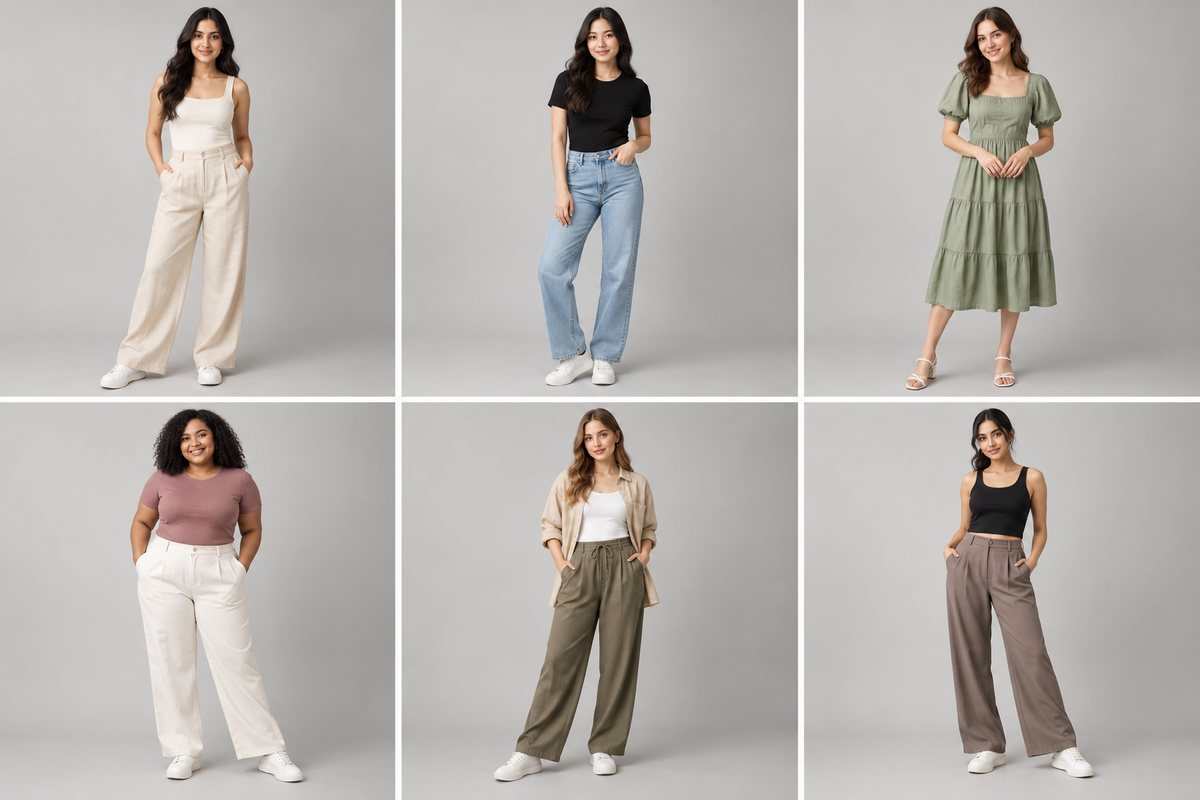
The nine AI fashion photography tools worth an apparel brand's attention in 2026 are CatalogX, FASHN.ai, Botika, Photoroom, WearView, Ayna, Rewarx Studio, Photta and Flair.ai. They separate on four axes: whether the tool renders your real garment or a template, how well it handles a catalog rather than a single image, whether it exports to marketplace specs automatically, and whether anything checks the output against your garment before you see it. All nine ship globally — the differences that matter by market are payment currency, which marketplaces the export presets cover, and whether the model library looks like your customers.
How to evaluate an AI fashion photography tool
Most comparisons in this category rank on image quality alone. Image quality has largely converged — the leading tools all produce photorealistic output on simple garments. What separates them shows up at catalog scale.
- Does it render your garment, or a template? The single biggest divide. Template tools print artwork onto stock photos; AI try-on tools render the physical piece you photographed.
- Model diversity that is actually usable. Not "we have 200 models" but: can you hold one model constant across a whole catalog, and does the library cover the body types and ages your buyers are?
- Batch workflow. Can you push 200 SKUs through and get back files you can match to SKUs? File naming and a manifest matter more than throughput.
- Marketplace export. Amazon, Etsy, Shopify, eBay, Depop, Poshmark and TikTok Shop all want different canvases. A tool without presets pushes that work onto you.
- What happens when a render is wrong. Ask whether failures are billed and whether anything reviews output before you see it.
The nine tools compared
| Tool | Renders your garment? | Batch | Marketplace export |
|---|---|---|---|
| CatalogX | Yes | Projects + SKU manifest | 15 presets, free on all plans |
| FASHN.ai | Yes | Via API | No |
| Botika | Yes | Limited | No |
| Photoroom | Partial | Yes on batch plan | Partial |
| WearView | Yes | Yes | No |
| Ayna | Yes | Limited | No |
| Rewarx Studio | Yes | Unlimited batch | White-bg compliance only |
| Photta | Yes | No | No |
| Flair.ai | Yes | Limited | No |
The pattern in the right-hand column is the one to notice. Almost nobody automates marketplace export, which means almost every brand on this list is resizing files by hand.
Where each tool is genuinely strongest
CatalogX
Built for catalog volume rather than single images. 114 AI models, 43 of them in the US catalog, across a range of ages, body types and ethnicities; 79 stock poses across three garment sets; 111 backgrounds; and 15 marketplace export presets covering Amazon, Amazon US, Etsy, Shopify, eBay, Depop, Poshmark, TikTok Shop, Instagram and the Indian marketplaces. Every render passes a two-stage quality review — measured checks plus a second AI pass holding your original photo — and failures are re-shot automatically at no cost to you. It is also one of the few tools here that handles western and ethnic wear equally well, which matters more than it sounds if any part of your range is draped, embellished or multi-piece. Caveat: it is built around on-model fashion output, so if you mainly need background removal or general edits across non-fashion categories, a general editor such as Photoroom covers more ground.
FASHN.ai
The strongest documented API in the category, with genuinely good model consistency across product variations. Best choice if you are building try-on into your own storefront. Caveat: in our own paid testing its Try-On failed on kurtis and other non-western silhouettes.
Botika
The best model library for diversity — real breadth across ethnicity, body type and age, plus a dedicated retouching workflow. Caveat: subscription-only, and no meaningful ethnic wear support.
Photoroom
The most mature product overall and by far the biggest company here. Background removal, AI scenes, ghost mannequin and a virtual model feature, with a real batch tier. Caveat: it is a general product-photography editor, so fashion-specific problems — drape, hem length, multi-piece sets — are not its focus.
Rewarx Studio
Unlimited batch and guaranteed RGB-255 white backgrounds, which is exactly what an Amazon-heavy seller wants. Caveat: strong claims, thin public evidence of testing behind them.
The compliance question, market by market
This is newer than most comparison articles acknowledge, it is not optional, and it differs by where you sell.
| Market | What applies | Practical effect |
|---|---|---|
| United States | Amazon AI-disclosure metadata; New York synthetic performer law | Metadata keyword required on generated imagery; $1,000–$5,000 penalties for undisclosed synthetic performers in advertising |
| United Kingdom | ASA/CAP rules on misleading advertising; UK GDPR if a real person's likeness is involved | An AI image that misrepresents the product is a misleading ad; disclosure is expected where the image could deceive |
| Australia | ACCC rules on misleading or deceptive conduct (Australian Consumer Law) | Same principle — the image must not misrepresent what ships |
| Singapore & Hong Kong | Platform policy rather than statute | Marketplace terms govern; accuracy is the standard |
| India | Marketplace image policy | Meesho, Flipkart, Myntra and Amazon India all permit AI imagery that meets image specs |
The common thread everywhere is the same, and it is not about AI at all: the image must accurately represent the product that ships. A render that shifts your garment's colour or invents a detail is a consumer-protection problem in every jurisdiction on that table, whether or not anyone mentions AI. That is why colour fidelity is a compliance feature and not just a quality one.
CatalogX writes the required disclosure metadata into every exported file automatically. We cover the US rules in detail in Amazon's AI model disclosure rule and New York's synthetic performer law.
Which should you choose?
By situation:
- Under 20 SKUs, testing the waters: run your own garments through CatalogX's 5 free credits or Ayna's free trial and judge the colour and detail before you subscribe to anything.
- Print-on-demand, selling designs: none of these. You want a template tool — see our Placeit alternatives guide.
- 100+ SKU catalog, marketplace-heavy: CatalogX or Rewarx, on export automation and batch.
- Building try-on into your own site: FASHN.ai, for the API.
- Diverse model representation is the priority: Botika.
- You already use Photoroom for everything else: stay there until it specifically fails you.
By market:
- United States — Amazon and Etsy dominate, so export presets for both matter more than anything else on the list. Check that whatever you pick writes Amazon's AI-disclosure metadata.
- United Kingdom — resale and marketplace platforms carry disproportionate weight. Depop is UK-founded, and Vinted, ASOS Marketplace and Etsy UK all matter. CatalogX ships Depop and Poshmark presets; most tools here ship neither.
- Australia — a smaller domestic market means most brands sell through their own Shopify store plus eBay and Etsy. Prioritise Shopify-shaped output and batch over marketplace breadth.
- Singapore & Hong Kong — regional marketplaces (Shopee, Lazada, Zalora) plus Instagram-led selling. Square and 3:4 Instagram exports do more work here than anywhere else.
- UAE & Gulf — Noon and Amazon.ae, with a large South Asian diaspora buying ethnic wear. Tools with genuine ethnic-wear handling have a real advantage in this market and almost none of them have it.
- India — Meesho, Flipkart, Myntra and Ajio, and rupee pricing without foreign transaction fees. See our India-specific comparison.
Frequently asked questions
There is no single best — the right choice depends on whether you sell designs or physical garments, and on catalog size. For physical garments at catalog scale with marketplace export, CatalogX and Rewarx Studio lead. For building try-on into your own storefront, FASHN.ai's API is the strongest. For model diversity, Botika.
Yes, provided they accurately represent the product and meet Amazon's image standards. Amazon does require AI-disclosure metadata on generated imagery, and New York's synthetic performer law adds advertising disclosure requirements with $1,000 to $5,000 penalties. The images themselves are not prohibited.
Unevenly. Most tools are trained predominantly on western clothing and struggle with draped or multi-piece garments — in our own paid testing, FASHN.ai's Try-On failed on kurtis. Tools built for the Indian market, including CatalogX, handle sarees, kurtas and lehengas considerably better.
Tools price per credit, per image, by flat subscription or by enterprise quote, so the useful comparison is cost per usable image — and that depends on how often a render gets your garment's colour and detail right first time. CatalogX runs from ₹12 a photo in India and, internationally, from $9.99 for 30 credits and from $0.15 per image on volume plans, with failed renders re-shot at its own cost.
Yes, and phone photos are what most sellers use. What matters is the shooting setup rather than the camera — overhead angle, even indirect light, plain background, garment steamed and fully in frame. A good phone flat lay beats a badly lit DSLR shot.
Virtual try-on is the narrower term: putting a specific garment onto a specific body, often for a shopper previewing fit. AI fashion photography is the broader production workflow — model selection, posing, backgrounds, colour accuracy, batch processing and marketplace export. Most tools listed here do both, weighted differently.