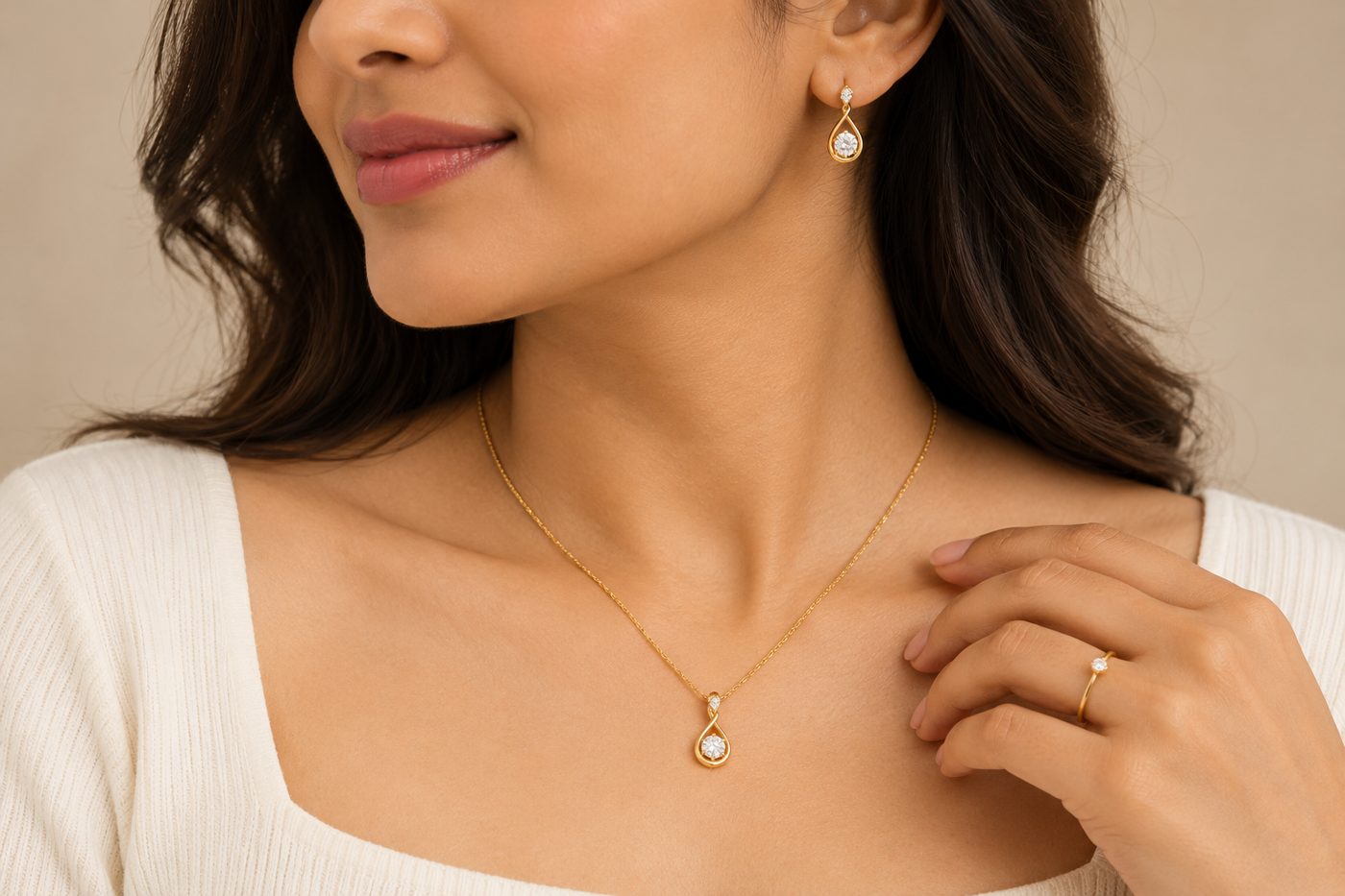
To make an AI model photo of a piece of jewelry, upload a sharp photo of the piece on its own, tell the tool what kind of piece it is (necklace, earrings, ring, bangle, set), and check the render against the real piece — stone count, metal colour and how far it drops on the body. CatalogX has a dedicated jewelry lane with nine piece kinds, each worn at its own body location, and an optional measurement box that turns “45 cm chain” into “sits just below the collarbone”. One photo costs 1 credit at HD ($0.15–$0.33 depending on plan), the first 5 are free, and there is no watermark.
Why jewelry is harder than clothing
A garment photo carries its own scale — a kurti’s outline implies a body. A pendant on a white sweep implies nothing: a 12 mm charm and a 40 mm statement pendant photograph identically. Jewelry is also the category where small errors are the whole product. A render that turns gold to silver, drops one stone from a cluster, or merges a hoop and its drop into one shape is not a slightly worse photo of your earring; it is a photo of a different earring.
That is why CatalogX does not send jewelry through its clothing pipeline. Accessories use a separate base prompt where the model presents the product rather than wearing it as an outfit, and jewelry adds its own instructions on top: reproduce the exact design, metal tone and finish, stone colour, cut, size, count and setting, chain or band style, clasp, and any enamel, pearl or bead work, with every stone and motif at its exact position and scale.
What goes wrong, and how CatalogX handles it
| What goes wrong in AI jewelry photos | How CatalogX handles it |
|---|---|
| Gold hardware comes back silver, or stones change colour | The accessory prompt states it outright: hardware that is gold in the reference stays gold. Metal tone, stone colour, cut, count and setting are all listed as must-match. |
| A multi-part earring is simplified (hoop dropped, jhumka kept) | The piece is rebuilt component by component, from where it attaches to its lowest drop — never merging two parts or dropping one. |
| A necklace renders as a bracelet, or earrings appear that you never uploaded | You state the piece kind; on Pro and above the reviewer then fails any render with the wrong kind or wrong wear location. If the reference is a necklace alone, ears and wrists stay bare. |
| A delicate chain is rendered as a statement piece (or the reverse) | Optional size tier or exact measurement, translated to a body landmark — and on Pro and above the reviewer checks the render against it. |
| Hair or a collar covers the piece | Each piece kind sets its own pose: hair tucked behind the ear for earrings, a neckline that leaves the throat and collarbone clear for a necklace. |
| Blown-out highlights erase the metalwork | Framing is tight enough for stones and setting to read, with realistic shine and fire but no clipped highlights. |
Nine piece kinds, each worn where it belongs
In CatalogX you choose Accessories → Jewellery and, optionally, the piece kind. Each kind changes the pose and framing rather than leaving it to chance:
| Piece kind | Where it is worn | What the shot is built to show |
|---|---|---|
| Necklace | Throat and décolletage | Chin slightly lifted, hair away from the chain, the full run from clasp to pendant visible |
| Earrings | Ears | Hair tucked back, head turned toward the light, both earrings rendered when both ears are in frame |
| Ring | A finger | The hand raised near the collarbone or face, ring face toward the camera and the sharpest thing in frame |
| Bangle / bracelet / cuff | Wrist | Wrist raised into frame, piece facing the lens, how much of the forearm it covers |
| Anklet | Ankle | Foot and lower leg in frame, where it sits on the ankle bone and how charms fall |
| Brooch / pin | Chest, lapel or shoulder | Chest-and-shoulders frame, fabric smooth so the piece reads in relief |
| Nose pin, maang tikka | Nostril; hair parting and forehead | Close three-quarter or frontal head shot, chain shown in full |
| Set | Each piece at its own location | Every piece in the reference rendered — nothing dropped, merged or invented — in one frame |
Leave it on auto and CatalogX reads the piece kind from your photo before generating. Stating it is still worth the click: it turns wear location from an inference into a fact the reviewer checks.
Getting the size right
Size is the one thing a jewelry packshot cannot say, and the most common reason for a “smaller than expected” return. CatalogX offers two controls. The size tier is worded for jewelry, not borrowed from bags: mini is a stud or thin band no wider than a fingernail, medium a pendant about thumb-width or a chain ending at the collarbone, oversized bridal scale — earrings to the shoulder, a necklace from throat to well below the collarbone.
The measurement box takes the real number. With the piece kind set to necklace or set, a chain length maps to the standard jewelry bands; with earrings, the drop length maps to how far it hangs:
| Necklace length | Renders as | Earring drop | Renders as |
|---|---|---|---|
| up to 38 cm | Collar, halfway up the neck | up to 1.5 cm | Stud scale, on the lobe |
| 38–42 cm | Choker, base of the neck | 1.5–3 cm | Short drop just below the lobe |
| 42–48 cm | Princess, just below the collarbone | 3–6 cm | Reaching toward the jawline |
| 48–61 cm | Matinee, collarbone to bust | 6–9 cm | Past the jawline toward the shoulder |
| 61–91 cm | Opera, mid-chest | over 9 cm | Shoulder-grazing |
| over 91 cm | Rope, below the chest |
It anchors the render to the right landmark; it is not millimetre metrology. The full method, including bags and watches, is in why AI product photos get accessory size wrong.
Shooting the reference, and where each image goes
- Uncoil the chain. A coiled or piled necklace’s length cannot be read. CatalogX’s upload check flags a coiled chain, and fine detail too small to copy, before you spend a credit.
- Fill the frame with the piece. Stones, prongs and engraving have to be legible in the photo to be reproduced.
- One product per photo unless it is a set — a tray of mixed pieces is flagged as other items in frame.
On Amazon, most categories require the main image to be the product alone on pure white, so on-model shots belong in the secondary slots — check the current category style guide before listing. Etsy and Shopify leave the first image to you, and an on-model shot there answers the size question at a glance. CatalogX’s free marketplace export resizes to each platform (Amazon 2000×2000 at 85% fill, Etsy 2000×1600, Shopify 2048×2048) on white. If you would rather show the piece with no model at all, accessories also render as a flat lay or on a plain display block — see presented, not worn.
What it costs
| CatalogX plan | Price | Credits | Per HD jewelry photo |
|---|---|---|---|
| Free | $0 | 5 on signup | Free |
| Starter | $9.99 | 30 | $0.33 |
| Pro | $19.99 | 100 | $0.20 |
| Business | $49.99 | 260 | $0.19 |
| Agency | $149.99 | 900 | $0.17 |
HD is 1 credit, 2K is 2, and 4K (Business and above) is 4. A short product video of the finished shot is available from Pro at 2 credits a second (720p, 4, 6 or 8 seconds); for jewelry the motion keeps every stone in the same count, colour and setting and the piece in the same place on the body.
Frequently asked questions
It can, if the tool is built to preserve them and you check the result. CatalogX’s jewelry lane lists metal tone, stone colour, cut, count and setting as must-match, keeps gold hardware gold, and on Pro and above reviews each render against your photo. Small stones are still the hardest detail for any image model, so zoom in before you list.
Yes. Choose the Set piece kind and CatalogX renders every piece in the reference at its own location — necklace at the throat, earrings at the ears, tikka on the forehead, bangles at the wrist — framed wide enough to hold them all.
Choose Jewellery, piece kind Ring. The model raises the hand near the collarbone or face with fingers relaxed, so the ring’s face points at the camera and stays the sharpest thing in the frame.
Without a size statement, any model guesses. Enter the real chain length in CatalogX’s measurement box — “45 cm” renders just below the collarbone (princess length) — or pick a size tier, and the render is anchored to that body landmark.
No. CatalogX gives 5 free credits on signup — five HD photos — with no watermark and no card.