Walmart T-Shirt Image Requirements
Selling t-shirts and graphic tees to value-focused US shoppers who compare on the product grid? Here is what Walmart expects from your t-shirt images in 2026:
| Requirement | Walmart specification |
|---|
| Resolution | 2200×2200px recommended; 1500×1500px minimum to keep the zoom feature |
| Aspect ratio | 1:1 square |
| Background | Seamless white, RGB 255,255,255, on the main image |
| Format | JPEG, JPG, PNG or BMP under 5MB — no GIF |
| Gallery | At least four images per listing |
How to Shoot T-Shirts for Walmart
Walmart's product grid is a wall of white squares, so a t-shirt listing is judged on one thing first: does the main image read as a clean, correctly sized product on seamless white? Walmart recommends 2200×2200px and unpublishes images that fall below its minimum, so the first job is simply meeting the spec. CatalogX's Walmart export preset renders every shot square on RGB 255 white at 2200 pixels, with the print reproduced from your flat photo rather than redrawn.
Walmart asks for at least four images per listing, and the general guide is silent on models for apparel while category specs can add rules — so lead with a clean white-background shot and put the on-model front, back and detail views in slots two to four. The ecommerce pack produces all of them from one upload, each scored against the original print before you see it.
One Flat Photo In, One Listing Shot Out
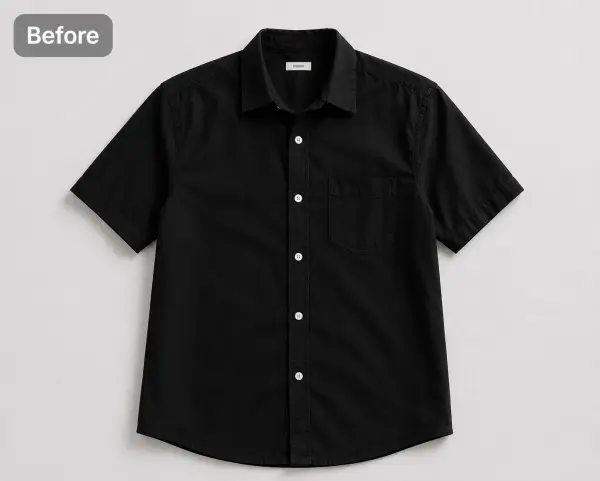 Before — flat photo
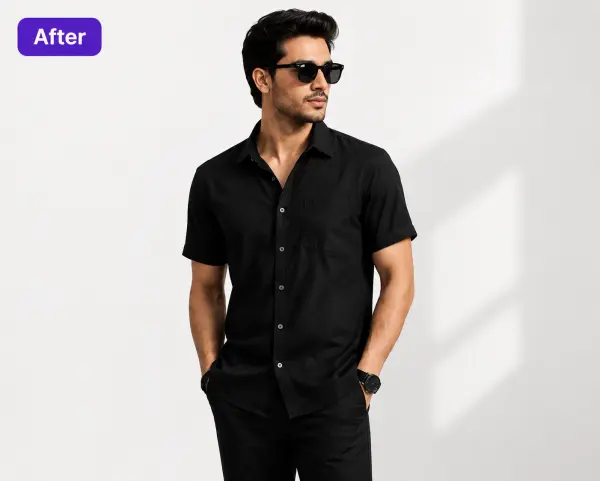 After — CatalogX
A black shirt from our public gallery, 30 seconds apart — the print-and-fabric flow is identical for t-shirts: what your flat photo shows is what lands on the model.
From Photo to Live Listing
1. Upload your t-shirt — a flat-lay, hanger shot or supplier photo works. Tags and pins are removed automatically.
2. Pick a model — 40+ models across skin tones and body types. The AI respects your garment's construction; it doesn't guess.
3. Set the scene — seamless white for the main image, lifestyle scenes for the additional slots.
4. Generate and export — about 30 seconds per image, sized for Walmart's specs. You own every output; commercial use is included on all plans, no watermarks.
On cost: a US studio photoshoot runs $300+ per session, or $50–150 per finished image. CatalogX starts free (5 credits, no card) and paid plans start at $9.99/month — see USD pricing or the full AI vs studio cost breakdown.