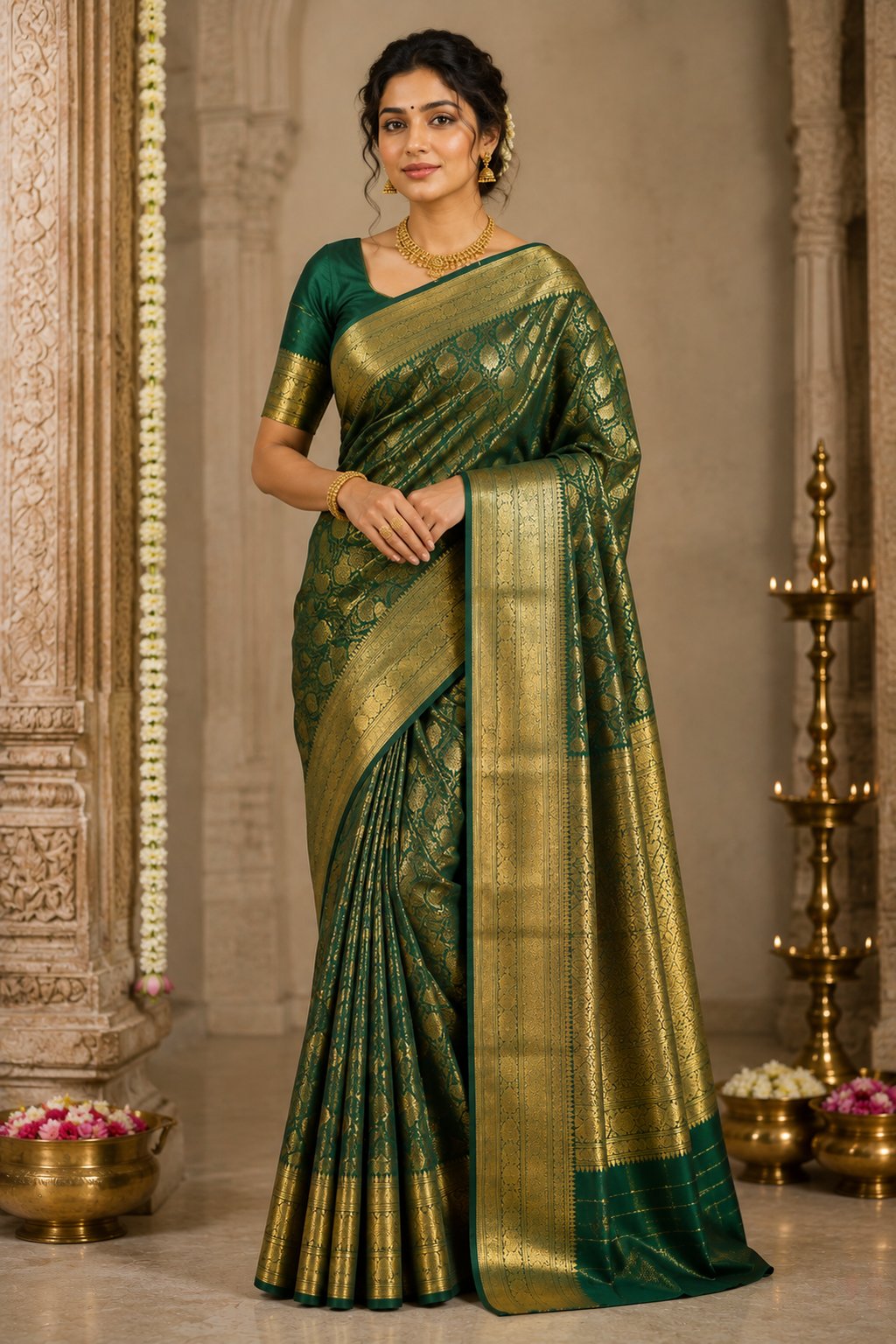
Kurtis are the highest-volume women's apparel category on Indian marketplaces. On Meesho alone, "kurti" is consistently among the top-searched fashion terms, and Amazon and Flipkart each list lakhs of kurti SKUs. That volume is both the opportunity and the problem: your kurti listing competes against thousands of near-identical products, and the catalog images are usually the only thing separating a sale from a scroll-past.
This guide covers the full catalog workflow: planning your catalog structure, photographing each kurti silhouette correctly, grouping colors and variants, laying out lookbook pages, and meeting each marketplace's image requirements — plus how AI model shots compress the whole process from weeks to hours.
Step 1: Plan the Catalog Before You Shoot Anything
Most sellers shoot first and organize later, which produces inconsistent catalogs where every listing looks like it came from a different brand. Do the opposite — decide the structure first:
- Define your image formula. Decide the exact shot list every kurti gets: e.g., front model shot, back shot, three-quarter, detail close-up, styled outfit, size chart. Every SKU follows the same formula. Consistency across listings is what makes a seller page look like a brand.
- Pick one visual identity. Same background style, same lighting mood, same model styling across the catalog. A buyer browsing your storefront should instantly recognize your listings.
- Group SKUs by silhouette for the shoot. Shoot all straight-cut kurtis together, then all Anarkalis, and so on. Each silhouette needs different poses (covered below), and batching keeps the direction consistent.
- Decide variant strategy upfront. Same design in 5 colors? Plan a single parent listing with color variants, and shoot each color in the identical pose so the swatch experience feels seamless.
Step 2: Photography Tips by Kurti Style
The single biggest kurti photography mistake is using one generic pose for every silhouette. Each cut sells on a different attribute, and the camera needs to prove that attribute.
Straight-Cut Kurtis
Straight kurtis sell on their clean, structured line — the office-wear staple.
- Pose: Upright, front-facing, arms slightly away from the body so the side seams are visible. The straight fall from shoulder to hem is the product; don't break the line with hands on hips.
- Angle: Camera at the model's chest height, lens parallel to the body. Shooting from above or below distorts the hemline and makes the kurti look shorter or longer than it is.
- Detail shots: Collar/neckline, side slits, and sleeve finish. Buyers of straight kurtis check slit depth to judge office-appropriateness.
- Styling: Slim leggings or cigarette pants in a neutral color. Wide bottoms hide the silhouette you're selling.
A-Line Kurtis
A-line kurtis sell on gentle flare and flattering fit.
- Pose: Front-facing with a slight weight shift onto one leg — the small hip angle emphasizes the A-shape. A second shot with one hand gently lifting the hem edge shows the flare width.
- Angle: Full-length frame with a little breathing room below the hem so the flare shape reads.
- Detail shots: Panel seams (the vertical seams that create the A-shape) and any yoke embroidery.
Flared & Anarkali Kurtis
These sell on volume and drama. Static poses waste them.
- Pose: The twirl shot — the model spins gently and you capture the flare mid-motion. Even a half-turn shot with the flare swinging outperforms a static pose. For Anarkalis, add one shot with the flare fully spread while the model stands still.
- Angle: Slightly lower camera height (waist level) exaggerates the flare gracefully.
- Detail shots: The kalis (panels) count is a quality signal for Anarkalis; show the flare density up close. Include the bust fitting since Anarkali fit issues drive returns.
- Styling: Churidar or leggings only — anything voluminous below competes with the flare.
High-Low, Asymmetric & Shirt-Style Kurtis
- Pose: Side or three-quarter pose is mandatory — the asymmetry is invisible from straight-on. For high-low hems, a full side profile shows the front-back length difference clearly.
- Detail shots: Hem close-up showing the cut line, plus button placket for shirt-style kurtis.
Short Kurtis & Kurti-Pant Sets
- Pose: Full-outfit shots matter most for sets — buyers are purchasing the combination. Shoot front, back, and one seated pose showing how the set works together.
- Clarity rule: If you sell the kurti alone but photograph it with matching pants, state "kurti only" prominently — mismatch between image and included items is a top reason for returns and negative reviews on Meesho and Flipkart.
Step 3: Color Grouping & Variant Strategy
Kurtis are a color-driven purchase. How you organize colors affects both search ranking and conversion:
- One design, many colors = one listing with variants. On Amazon and Flipkart, parent-child variant listings pool reviews and sales history, which improves ranking for the whole family. Five separate listings for five colors splits your ranking signal five ways.
- Shoot every color in the identical pose. When a shopper taps between color swatches, the image should change color and nothing else. Identical poses across variants look professional and make color comparison effortless. This is nearly impossible to achieve across multiple photoshoot days with a live model — and trivial with AI generation, where the same pose is reproduced exactly for each colorway.
- Group catalog pages by color story. For lookbooks, WhatsApp catalogs, and Instagram grids, arrange kurtis in color families — pastels together, jewel tones together, darks together. Resellers browsing a Meesho catalog respond to organized color runs far better than random order.
- Get color accuracy right. "Color was different" is the #1 kurti return reason. Shoot under neutral white light (5000-5500K), calibrate white balance, and never oversaturate in editing. A slightly duller but accurate image beats a vibrant image that triggers returns.
Step 4: Catalog Layout Ideas That Convert
Beyond individual listings, sellers increasingly need catalog pages — for WhatsApp selling, reseller networks, B2B buyers, and brand lookbooks. Layouts that work:
- The grid catalog: 4-6 kurtis per page, identical crop and background, design code and price under each. This is the workhorse for WhatsApp and reseller distribution. Keep every model shot the same size — mixed crops look chaotic.
- The hero + supporting layout: One large model shot of the bestseller with 3-4 smaller shots of related designs. Good for the first page of a collection or a festive drop.
- The colorway strip: One design shown in all its colors in a horizontal strip. Extremely effective for wholesale buyers deciding color ratios.
- The occasion spread: "Office Edit," "Festive Edit," "Everyday Cottons" — grouping by occasion helps buyers self-select and increases items per order.
Step 5: Marketplace-Specific Image Requirements
Each Indian marketplace has its own image rules, and a kurti catalog needs to satisfy all of them if you sell multi-platform:
| Marketplace | Key Requirements | Notes for Kurtis |
|---|---|---|
| Amazon India | Pure white background (RGB 255,255,255), 1000x1000 px minimum (2000x2000 recommended), 1:1 ratio, product fills 85% of frame | Model shots allowed and recommended; no text or logos on main image |
| Flipkart | Minimum 500x500 px (1000x1000+ recommended), white or light grey background for apparel main image | Model shots strongly preferred for women's ethnic wear |
| Meesho | Minimum 500x500 px, clear single-product images, no watermark or text | Model shots dramatically outperform flat-lays with reseller audiences |
| Myntra | Minimum 5 images per style, model shots mandatory for apparel, specific aspect ratio per category | The strictest — front, back, side, detail, and look shots all required |
Practical approach: shoot or generate at 2000 x 2000 px or larger on a compliant background, then export per-marketplace crops. Never upscale a small image to meet minimums — marketplaces detect soft, upscaled images and shoppers zoom in on kurti fabric before buying.
Step 6: The Economics — Photoshoot vs AI Model Shots
Here's what a conventional kurti catalog shoot costs for a 50-design catalog with 3 colorways each (150 SKUs):
- Model: 15,000-40,000 per day, and 150 SKUs at realistic changeover speed means 3-4 shoot days
- Studio + lighting: 5,000-15,000 per day
- Photographer: 10,000-25,000 per day
- Steaming, styling, coordination: your time plus assistant costs
- Post-production: 50-150 per image, 1-2 weeks of turnaround
Total: easily 1.5-3 lakhs and 3-4 weeks before your catalog is live — and the entire cost repeats when next season's designs arrive.
The AI alternative: photograph each kurti as a simple flat-lay with your phone (an hour's work for dozens of pieces), upload to CatalogX, select a model and the pose suited to each silhouette — upright for straight-cuts, flare poses for Anarkalis — and generate photorealistic model shots at roughly 299 per generation. Every colorway gets the identical pose automatically, your catalog stays visually consistent by default, and new designs go live the same day they arrive from the manufacturer. The marketplace export then produces Amazon, Flipkart, Meesho, and Myntra-compliant files in one click.
Detail & Close-Up Shots That Justify Your Price
Full-length model shots win the click; close-ups win the purchase. Kurti buyers zoom before they buy, and the close-ups they look for are predictable:
- Neckline and yoke: The neckline is the most-inspected part of any kurti. Shoot it straight-on and well-lit, showing embroidery, piping, buttons, or prints clearly.
- Fabric weave and print: A tight shot where the texture is unmistakable. Rayon, cotton, and polyester look identical at full-length; a close-up is the only honest way to communicate fabric, and honesty here is your return-rate insurance.
- Sleeve finish: Three-quarter sleeves with button tabs, bell sleeves, lace edging — sleeve details differentiate otherwise similar kurtis and deserve their own frame.
- Pockets: If your kurti has pockets, show them. "With pockets" is one of the highest-converting attributes in women's ethnic wear, and an image proves the claim better than a bullet point.
- Stitch quality: An inside-hem or seam close-up is a quiet quality signal for premium-priced kurtis, rarely used and instantly differentiating.
Seasonal & Festive Catalog Planning
Kurti demand in India follows a predictable calendar, and your catalog should refresh ahead of it, not during it:
- February-April: Light cottons and pastels for summer. Shoot bright, airy imagery.
- June-July: Rakhi and early festive teasers; office-wear refreshes after summer sales.
- August-October: The big one — Navratri, Durga Puja, Diwali. Festive catalogs with richer colors, embellished styles, and dressier styling need to be live by early September to build ranking before peak search volume.
- November-January: Wedding-guest styles and winter pairings (kurtis styled with jackets or shrugs).
This calendar is where photoshoot logistics traditionally hurt most — festive stock arrives from manufacturers weeks before the season, and studio slots are scarce exactly then. AI-generated model shots remove the bottleneck: images are ready the day stock arrives, so your festive catalog earns ranking weeks before competitors who are still waiting on their photographer.
Common Kurti Catalog Mistakes to Avoid
- One pose for every silhouette. An Anarkali shot like a straight kurti loses its main selling point. Match pose to cut.
- Inconsistent images across a variant family. Different poses, lighting, or crops between color variants make the listing feel stitched together from stock photos.
- Oversaturated colors. Boosting vibrance wins clicks and loses them back as returns. Accuracy beats punch.
- Missing the back view. Kurti buyers always check back neck design and length. A listing without a back shot leaks conversions.
- No size chart image. Kurti sizing varies wildly between manufacturers. Include actual garment measurements (chest, waist, hip, length) as an image, not just text.
- Cluttered styling. Heavy jewellery, busy dupattas, and statement bags distract from a 499-rupee daily-wear kurti. Style to the price point.
Backgrounds and Styling: Getting the Mood Right per Price Band
Kurti buyers price-anchor from the image before they read the price. The background and styling should agree with the number:
- Budget daily wear (299-599): Clean white or light-grey studio background, minimal jewellery, simple hair. Anything more elaborate creates a "too good to be true" dissonance that suppresses trust.
- Mid-range (599-1,299): Studio main image plus one soft lifestyle background (textured wall, doorway, plain curtain) in the supporting set. Light earrings, one bangle — polished but relatable.
- Premium and festive (1,299+): Warmer lifestyle backgrounds, richer styling, and a visible fabric story in close-ups. This band earns editorial treatment — but the main marketplace image still needs to be clean and compliant.
Whatever the band, keep the background consistent within a listing and across a collection. With AI-generated shots, the background is a selectable parameter, so holding this consistency across 150 SKUs takes zero extra discipline.
Your Kurti Catalog Checklist
- Fixed shot formula applied to every SKU (front, back, three-quarter, detail, styled, size chart)
- Pose matched to silhouette — straight, A-line, flared, Anarkali each shot differently
- All colorways in identical poses under one variant listing
- Neutral, accurate lighting; no oversaturation
- Images at 2000 x 2000 px+, exported per marketplace spec
- Catalog pages grouped by color story or occasion for WhatsApp/reseller distribution
A kurti catalog is a system, not a pile of photos. Build the system once — shot formula, pose map, variant strategy, export presets — and every new design drops into it in minutes.
Related Articles
- How to Photograph Sarees & Kurtas for E-Commerce Without a Model
- The Exact Image Sizes Every Indian Marketplace Requires in 2026
- How to Create a Full E-Commerce Listing in Under 5 Minutes with AI
Frequently Asked Questions
A complete kurti listing needs 5-7 images: a front-view model shot as the main image, a back view, a side or three-quarter view showing the silhouette, a fabric and detail close-up, a full-outfit styling shot showing bottom-wear pairing, and a size chart image. Myntra requires a minimum of 5 images for apparel listings.
Match the pose to the silhouette. Straight-cut kurtis need upright front-facing poses that show the clean line. A-line and flared kurtis benefit from slight movement or a twirl to show the flare. Anarkalis need full-length shots with the flare spread, and one seated or spinning shot to show volume. Always shoot at the model's chest height to avoid distorting the hemline.
The main image should focus on the kurti being sold, styled with simple neutral bottom-wear such as leggings or straight pants so shoppers are not confused about what is included. Add one styled full-outfit image later in the set to help buyers visualize pairings, and state clearly in the listing what is included.
List color variants of the same design under a single listing with variant swatches rather than separate listings — this pools reviews and improves search ranking. Within a catalog page or lookbook, group kurtis by color family (pastels, brights, darks) or by occasion (office, casual, festive) so browsing feels organized.
Yes. Upload a flat-lay or mannequin photo of the kurti to an AI try-on tool like CatalogX, choose a model and pose suited to the silhouette, and generate a photorealistic model shot in seconds. You can then export it at the exact dimensions required by Amazon, Flipkart, Meesho, or Myntra.