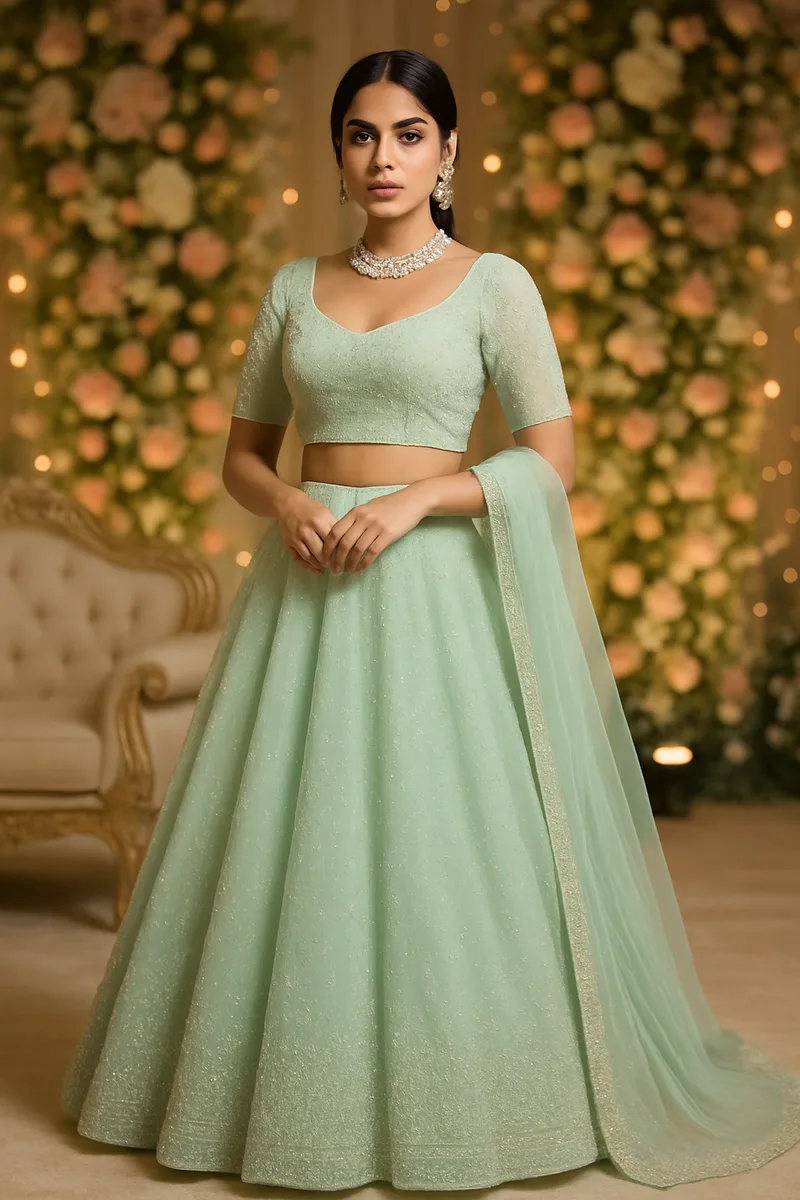
If you use CatalogX for AI-powered fashion photography, you may have noticed that we now offer two different AI engines under the hood. Some accounts use OpenAI's GPT-Image-2, while newer accounts default to Google's Gemini. Both produce professional-quality model shots from flat product photos — but they're not identical.
We've run thousands of generations on both engines across every garment category — sarees, kurtis, lehengas, t-shirts, western wear. This post shares what we've learned, so you can make an informed choice about which engine works best for your products.
The Two Engines
GPT-Image-2 (OpenAI) was the original CatalogX engine. It's been powering virtual try-on generations since our early days and has a proven track record across thousands of fashion sellers. GPT-Image-2 is known for its consistency and reliability — it handles a wide variety of prompts and garment types with predictable, high-quality output.
Gemini (Google, via Nano Banana) is our newer addition, now the default engine for new CatalogX accounts. Gemini brings native high-resolution generation, faster processing, and lower per-image costs. It was integrated through our Nano Banana provider layer, which allows us to support multiple AI backends seamlessly.
Side-by-Side Comparison
Here's how the two engines compare across the key factors that matter for fashion photography:
| Feature | GPT-Image-2 (OpenAI) | Gemini (Google) |
|---|---|---|
| Max Native Resolution | 1024 x 1536 px | Up to 4K |
| Generation Speed | ~20-30 seconds | ~15-25 seconds |
| Cost per Generation | Higher | Lower |
| Face Preservation | Very good | Very good |
| Fabric Accuracy | Very good | Very good |
| Print/Text Reproduction | Slightly better at exact text | Strong at patterns |
| Saree Draping | Comparable | Comparable |
| Color Reproduction | Good | Very good |
| Fabric Texture Rendering | Good | Very good |
| Maturity | Well-tested, proven | Newer, rapidly improving |
For most garment types and most sellers, the differences are subtle. Both engines produce images that are ready for marketplace listings on Amazon, Flipkart, Myntra, and Meesho without any post-processing.
Where GPT-Image Excels
GPT-Image-2 has specific advantages in certain scenarios:
- Text and print accuracy on garments: If your product has specific text, brand logos, or slogans printed on it, GPT-Image-2 tends to reproduce the exact spelling and letterforms more faithfully. This matters for graphic t-shirts, branded merchandise, or garments with text-heavy designs.
- Face identity preservation in edge cases: While both engines handle face preservation well, GPT-Image-2 can be slightly more consistent when working with unusual angles, accessories (like heavy jewellery), or partially obscured faces.
- Consistent quality across varied prompts: GPT-Image-2 has been trained on a broader variety of prompt styles. If you're using custom or unusual prompts, it tends to handle unexpected inputs more gracefully.
- Mature and well-tested: With more time in production, GPT-Image-2's edge cases and failure modes are well understood. We've fine-tuned our prompt engineering specifically for this engine over months of use.
Where Gemini Excels
Gemini brings its own set of advantages, particularly for high-volume sellers:
- Native 2K/4K resolution: This is Gemini's biggest advantage. While GPT-Image-2 outputs at 1024x1536 and requires upscaling for higher resolutions, Gemini can generate natively at 2K or even 4K. Native high-res images are sharper and more detailed than upscaled ones — the fabric texture, stitching, and embroidery are genuinely rendered at that resolution, not interpolated.
- Faster generation: Gemini typically completes generations 5-10 seconds faster than GPT-Image-2. When you're processing a catalog of 200+ products, those seconds add up to meaningful time savings.
- Lower credit cost: Due to lower underlying API costs, Gemini generations consume fewer credits per image. For sellers processing high volumes, this translates to significant cost savings over a month.
- Strong color reproduction: Gemini is particularly good at matching the exact shade and tone of fabrics. Reds, greens, and metallic tones — colors that are notoriously difficult for AI — come through with high accuracy.
- Fabric texture rendering: Silk, chiffon, georgette, cotton — Gemini renders fabric textures with impressive fidelity. The way light interacts with different fabrics looks natural and realistic.
Upload your product photos and generate AI model shots. Compare the results with your current photography.
Try CatalogX Free →
Which Should You Choose?
Here's our practical recommendation based on different scenarios:
If you're a new user: Start with Gemini (it's already your default). It's faster, cheaper, and produces native high-resolution output. For the vast majority of garment types — kurtis, sarees, lehengas, western wear — you'll get excellent results right away.
If you notice quality issues with specific garment types: Try switching to GPT-Image. Some niche garment categories or unusual styling requirements may work better with GPT-Image-2's broader prompt handling. Contact support to test the other engine.
If you're an existing GPT-Image user and happy: There's no urgent reason to switch. GPT-Image-2 continues to produce professional-quality results. If it's working well for your products, keep using it.
If you want 2K/4K output or lower costs: Switch to Gemini. The native high-resolution output is a genuine advantage — especially if you sell on platforms like Myntra or Amazon that benefit from high-res zoom functionality. The lower per-image cost also makes Gemini attractive for high-volume sellers.
If you sell print-heavy garments with specific text: GPT-Image may give you more accurate text reproduction. Graphic tees with brand names, garments with printed slogans, or products with logo details tend to render more faithfully on GPT-Image-2.
How to Switch Between Engines
Your AI engine is configured at the account level. Currently, switching between engines is managed by our team to ensure a smooth transition and optimal settings for your specific product catalog.
To switch or test a different engine:
- Reach out to our support team via the in-app chat or WhatsApp
- Let us know which engine you'd like to try and what types of products you sell
- We'll configure your account and recommend optimal settings for your garment types
We're working on making engine selection a self-service feature in your dashboard. For now, the manual process ensures we can help you get the best results from whichever engine you choose.
Our Honest Take
After running both engines in production across thousands of fashion images, here's our straightforward assessment:
Both engines produce professional-quality results. The differences between them are marginal for most use cases. A customer browsing your Flipkart or Meesho listing will not be able to tell which AI engine generated the model photo — both look natural and marketplace-ready.
Gemini's native high-resolution and cost advantage make it the better default. For new users or anyone considering a switch, Gemini delivers more pixels at a lower cost with faster turnaround. The native 4K output is especially valuable if you sell on platforms that support zoom functionality.
GPT-Image remains the go-to when exact text reproduction matters. If your products feature printed text, brand logos, or specific graphic elements that need to be reproduced accurately, GPT-Image-2 has a measurable edge in this area.
Frequently Asked Questions
Your CatalogX account is configured to use one engine at a time. If you'd like to test the other engine, contact our support team and we can switch your account to try both and compare results with your own products.
Yes. Gemini generations cost fewer credits per image compared to GPT Image due to lower underlying API costs. The exact credit difference depends on your plan, but Gemini is generally more cost-effective for high-volume usage.
Both engines handle saree draping well. The quality difference for sarees is marginal. Gemini has a slight edge for sarees with intricate woven patterns due to its strong texture rendering, while GPT Image may handle sarees with printed text or brand logos slightly better.
There will be subtle differences in output style — lighting, skin tone rendering, and background handling may vary slightly. However, both engines produce professional-quality results suitable for marketplace listings. We recommend generating a few test images after switching to verify you're happy with the output.
Yes. We continuously evaluate new AI models as they become available. Our multi-engine architecture allows us to integrate new providers quickly. The goal is to always offer you the best available quality at the best price, regardless of which company builds the underlying model.