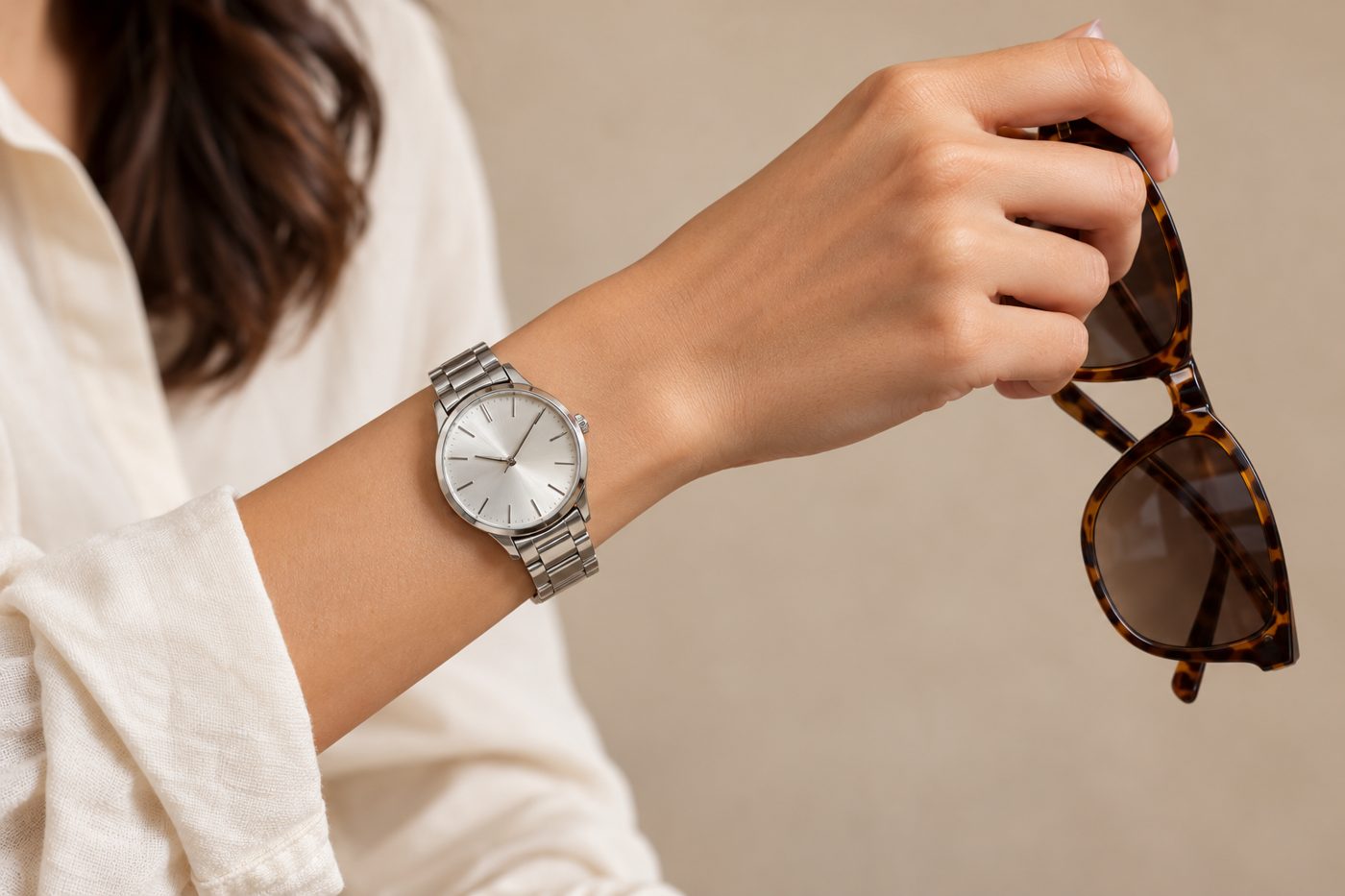
To make an AI model photo of a watch or sunglasses, upload a sharp straight-on photo of the product, choose the product type so the tool knows where it is worn, and check that the dial or frame matches yours exactly — markings, hands, logo, lens tint — and sits at the right size on the body. CatalogX has dedicated Watch and Sunglasses types: watches are worn on the left wrist with the dial facing the camera, level and unobstructed by a sleeve; sunglasses sit straight on the nose and ears with the frame clear of hair. An optional case size in mm or frame width sets the scale. 1 credit per HD photo, 5 free on signup.
The dial is the product
A wrist hanging at a model’s side shows a strap and a sliver of case. For a watch buyer that is a photo of nothing. CatalogX’s Watch type is written around that: the arm is posed deliberately to present the dial, which faces the camera, level, fully visible and unobstructed by a sleeve or cuff, worn on the left wrist unless your reference clearly shows otherwise. The dial has to be legible and in focus, and metal gets real specular highlights without blowing out the dial detail.
What is reproduced from your photo: case shape, case size and metal finish, bezel, dial colour, markings and indices, hands, sub-dials, date window, crown, and the strap or bracelet’s material, colour and link or buckle design. The hands are part of that list — set them to the time you want shown before you photograph the watch.
Sunglasses: frame, tint, logo
Eyewear fails in a different way: the frame shape drifts toward a generic aviator or wayfarer, the tint changes, or a mirror-bright reflection hides the lenses entirely. CatalogX’s Sunglasses type reproduces the frame shape, frame colour and finish, lens tint and gradient, bridge design, temple arm shape, hinge hardware and any logo on the temple or lens. The glasses sit straight and level on the nose and ears, framed close enough that the shape and details read, with a realistic subtle reflection — never a flare that hides the tint, never so clear that the eyes take over.
What goes wrong, and how CatalogX handles it
| What goes wrong | How CatalogX handles it |
|---|---|
| Watch turned away or hidden by a cuff | Dial faces the camera, level and unobstructed; the pose yields to the product whenever they conflict. |
| Dial markings, sub-dials or date window invented or dropped | Every dial element is on the must-match list; the reviewer grades logos and fine detail as faithful, not simplified. |
| A 36 mm dress watch rendered like a 46 mm diver | Case size in mm maps to wrist coverage (table below), and on Pro and above the render is checked against it. |
| Sunglasses lose their logo or change tint | Logo, tint and gradient are reproduced from your photo; nothing is added that is not in it. |
| Frame covered by hair or tilted | Frame fully visible, straight and level, clear of hair. |
| A second watch or extra jewelry appears | Exactly one product is rendered; nothing from outside the reference is added. |
Case and frame sizes, translated to the body
Bare numbers in the watch box are read as millimetres, because nobody quotes a case in centimetres; the same goes for frame width. Each band becomes a statement about the wrist or face, which is the only ruler in the photo:
| Watch case diameter | Renders as | Sunglasses frame width | Renders as |
|---|---|---|---|
| up to 30 mm | Petite, well under half the wrist | up to 130 mm | Narrow, well inside the face |
| 30–36 mm | Inside the wrist, strap visible either side | 130–142 mm | Standard, to the temples |
| 36–41 mm | Covering most of the wrist | 142–150 mm | Wide, full width of the face |
| 41–46 mm | Spanning the full wrist | over 150 mm | Oversized, wider than the face |
| over 46 mm | Overhanging the wrist |
No measurement to hand? The size tiers are worded per product: a large watch spans the wrist, large sunglasses cover the brow and the top of the cheekbone. More on the method in why AI product photos get accessory size wrong.
Reference photo, listing and video
- Shoot the watch dial-on, close enough that indices and sub-dials are sharp. CatalogX’s upload check flags detail too small to copy before you spend a credit.
- Shoot sunglasses front-on with temples open, so the frame shape and bridge read.
- Remove tags and stands if you can — the render leaves out display hardware, tags and packaging anyway.
Use the on-model shot alongside a plain white product shot; CatalogX’s free background removal and marketplace export produce the white one at each platform’s size. From Pro, the finished photo can become a 4, 6 or 8-second clip at 2 credits a second (720p; 1080p is Business and up at 4 credits a second, 8 seconds). Accessory clips use their own motion presets — a half-turn that catches the light, a slow push-in on the detail — and keep the case, strap, dial and hands readable in every frame, or the frame shape and tint fixed on the face.
Frequently asked questions
CatalogX puts it on the left wrist unless your reference clearly shows otherwise, with the dial facing the camera.
CatalogX reproduces the dial markings and any logo from your photo and adds none of its own. Very small dial text is the hardest detail for any image model, so photograph the dial large and sharp, and zoom in on the result before listing.
Choose the Watch type: it keeps the case, strap and face toward the camera and reproduces what your photo shows on the face. Check any on-screen text closely, as you would a dial.
CatalogX’s eyewear type is tuned for sunglasses — it reproduces the lens tint from your photo. Clear-lens frames go through the same type; check that the render has not added a tint, and correct it with an edit (1 credit) if it has.
1 credit at HD: $0.33 on Starter ($9.99 for 30), $0.20 on Pro ($19.99 for 100), down to $0.17 on Agency. 2K is 2 credits and 4K (Business and above) is 4. New accounts get 5 free credits with no watermark.