TikTok Shop Hoodie Image Requirements
Selling hoodies and sweatshirts to impulse buyers scrolling product cards between videos? Here is what TikTok Shop expects from your hoodie images in 2026:
| Requirement | TikTok Shop specification |
|---|
| Main image | Pure white background — product cards render on white |
| Resolution | 1080×1080px minimum, square |
| Watermarks | None — no logos, promo text or watermarks |
| Format | JPG or PNG |
How to Shoot Hoodies for TikTok Shop
Hoodies are a TikTok Shop staple, and the product card spec is strict but short: pure white background, 1080×1080px minimum, no watermarks or logos overlaid. At card size a hoodie flat on a table is a rectangle; on a model it's a garment — the hood shape and fit read instantly.
CatalogX generates the on-model white-background shot from your flat photo, keeping the print or embroidery exactly where it is. Since TikTok trends move fast, the 30-second turnaround matters: a design can go from sample photo to live listing the same hour. If you run drops in multiple colorways, generate each color on the same model and pose so the listing grid reads as one product line rather than a patchwork.
One Flat Photo In, One Listing Shot Out
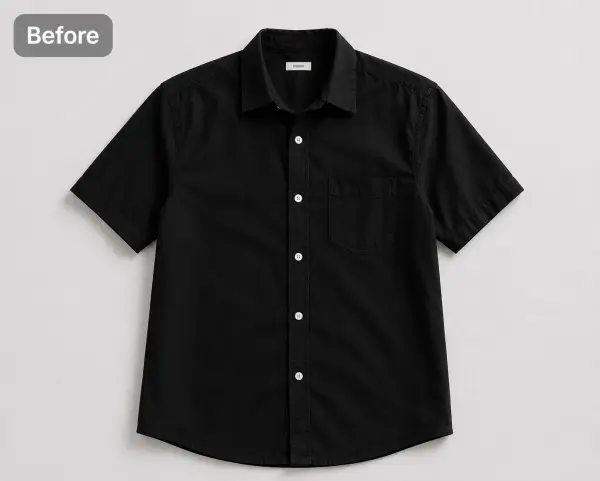 Before — flat photo
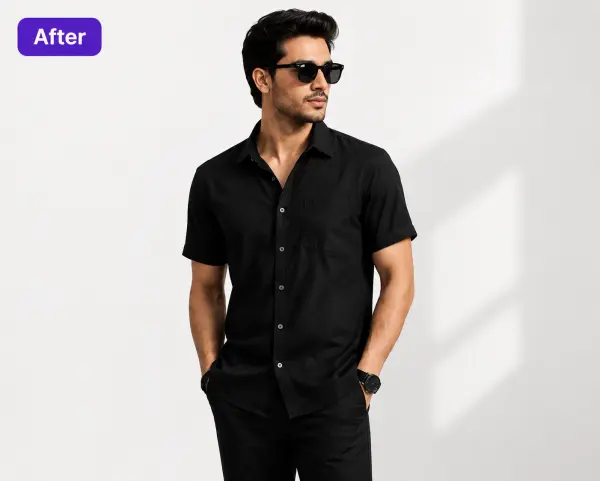 After — CatalogX
Shown on a black shirt from our public gallery — we don't have a hoodie pair published yet, but tops follow the same flow: flat photo in, on-model photo out, print placement preserved.
From Photo to Live Listing
1. Upload your hoodie — a flat-lay, hanger shot or supplier photo works. Tags and pins are removed automatically.
2. Pick a model — 40+ models across skin tones and body types. The AI respects your garment's construction; it doesn't guess.
3. Set the scene — pure white for the product card, then any of 50+ scenes for the gallery.
4. Generate and export — about 30 seconds per image, sized for TikTok Shop's specs. You own every output; commercial use is included on all plans, no watermarks.
On cost: a US studio photoshoot runs $300+ per session, or $50–150 per finished image. CatalogX starts free (5 credits, no card) and paid plans start at $9.99/month — see USD pricing or the full AI vs studio cost breakdown.